
Learning path
Learning AI as a Veterinarian
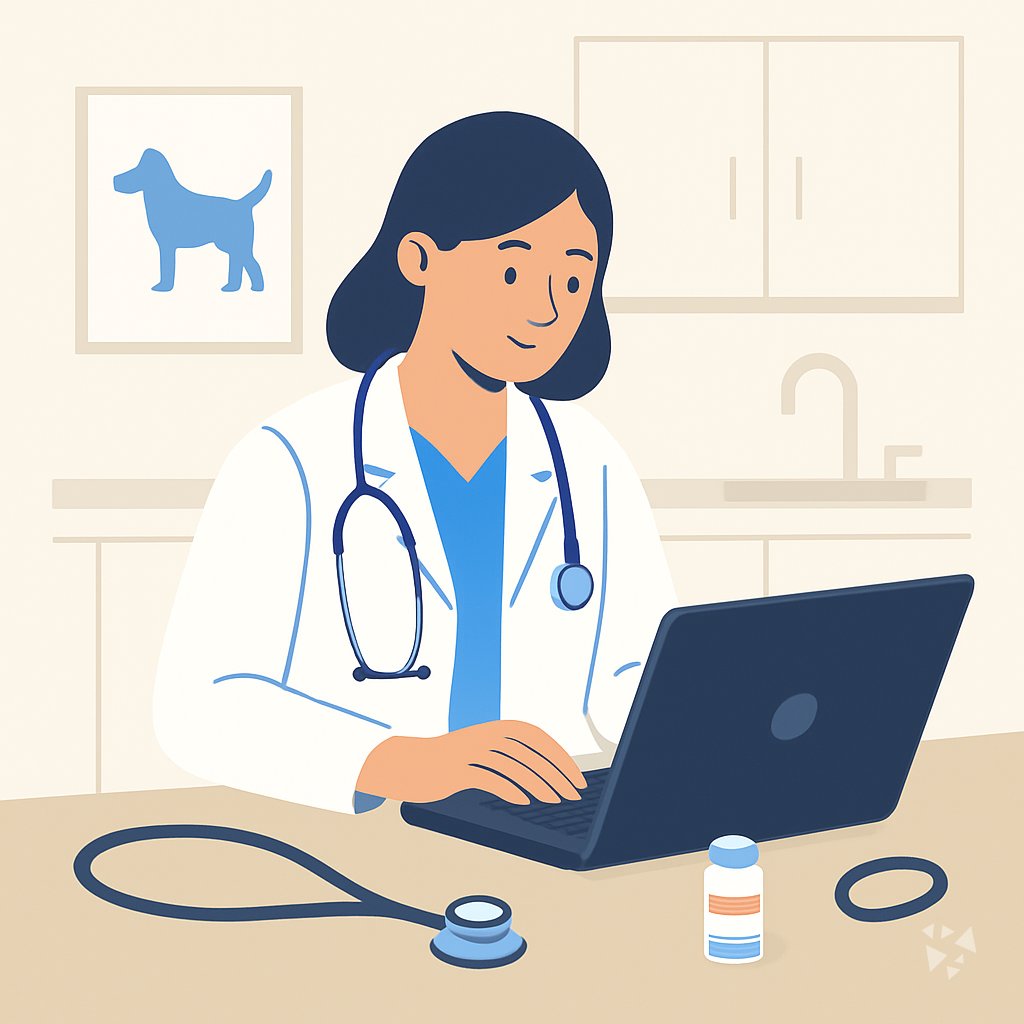
This learning path helps veterinarians use AI for owner talks, exam prep, case thinking, treatment plans, and notes. It combines setup, prompt lessons, job-focused videos, and course certificates.
Your path
Everything in the Veterinarian AI kit, in the order that makes sense. Members tick off each step and see their progress.
Set up your AI
We guide you through each click.
Let skills do your everyday tasks
Connect your apps and pick your AI apps
Hand whole tasks to AI agents
Build your own tools
Keep growing
Everything for veterinarians
All the courses, certifications, AI tools, MCP servers and apps for veterinarians, most relevant first. Open any list to see more.
Take the prompt courses
A short framework course to learn how to ask, then 8 lessons with ready-to-use prompts for veterinarians.
Start with this framework: how to talk to AI
CARE fits veterinary work because one clear example, like a vomiting dog case, sets your diagnosis and treatment standard.
Then your prompt course for veterinariansWatch the video courses or add them to your Favorites for later
79 video courses our AI picked for veterinarians, most useful first. Save the ones you want to watch later with the heart.
Favorites are saved to your account: sign in or get your AI kit first.
Show all 79 video courses
Get certified, or add certifications to your Favorites
Every course ends in an exam and a certificate you can add to LinkedIn. Save the certifications you are aiming for with the heart.
Favorites are saved to your account: sign in or get your AI kit first.
More certifications for veterinariansShow all 24 certifications
Try the AI tools for veterinarians
4 AI tools our AI matched to the work of veterinarians, best fit first. Each review shows what it does, its alternatives and the jobs it suits.
Favorites are saved to your account: sign in or get your AI kit first.
Connect your AI to the apps veterinarians use
MCP servers let ChatGPT, Claude or Copilot look things up and get work done in other apps, like your email, calendar or bookkeeping software. These 4 fit the work of veterinarians best, well-known apps first.
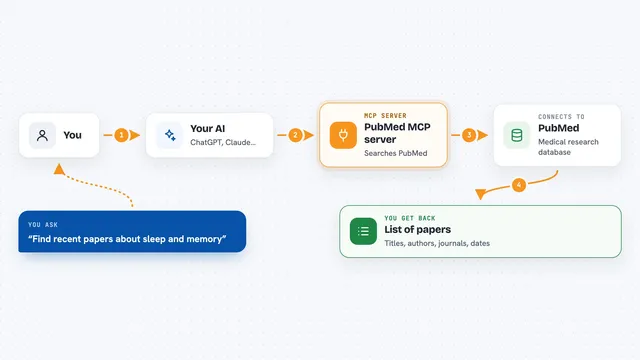
PubMed MCP server
by andybrandtLets your AI search medical and life sciences papers on PubMed and read their abstracts and full text.

NCBI PubMed MCP server
by vitorpavinatoSearch PubMed's millions of research articles and get summaries, authors, and related papers through your AI.

CallChatSyn MCP server
by oneappsworldLet your AI answer customer questions from your business FAQs and book appointments for you.
Customer communication Official
Noodle Biomedical Literature MCP server
by helena-bioinformaticsLets your AI search biomedical papers and follow their citation and topic links.
ResearchNo install













































































About this learning path
7 topicsAI Skills for Everyday Veterinary Practice
AI is becoming part of clinic tools, from note writing to owner emails. You do not need to be technical to use it well. This path starts with small, safe steps that fit a busy practice.
You will set up an AI assistant, connect it to your work, practice prompts for common veterinary tasks, and watch short video courses chosen for your role. Certificates come with those courses so you can show what you completed.
Why This Matters Now
Pet owners expect clear answers and quick follow-up. Clinics are busy, and paperwork often follows you home. AI can help you draft, organize, and explain without replacing your medical judgment.
What the Path Includes
You start with setup questions and simple ways to connect your AI assistant. Then you work through the prompt course for veterinarians. You also get video courses picked for your job, plus the certifications that come with them.
Skills Inside Your AI
You load practical veterinary skills into your AI, such as owner explanation helpers, exam checklists, and note templates. These are repeatable prompts you can adjust for each patient.
How It Saves Time
Use ready prompts to turn intake notes into histories, visit details into notes, and rough ideas into owner-friendly explanations. The time you save can go back to patients, team, or rest.
How It Protects Your Career
You learn where AI helps and where your license, judgment, and client trust must lead. Privacy, consent, and careful review stay front and center. This keeps you in control as tools change.
How to Start
Begin with one task you do often, like discharge instructions. Run the setup questions, connect your AI, and try one prompt lesson. Then add a video course when you have a quiet hour.
Frequently asked questions
Do I need to know how AI works?
No. The path starts with plain setup steps and shows you what to type. You stay focused on veterinary work while the course handles the technical basics.Will AI make medical decisions for me?
No. You use AI to organize information and draft language, then you review and decide. Your clinical judgment and license remain in charge.Is client information safe?
The course teaches privacy habits, such as removing names and using approved tools. You learn what to share, what to keep out, and when to ask your practice.How much time does it take?
Lessons are short and made for busy clinic days. You can start with one prompt or one video, then return when you have time.