AI agent for elearning developers
Course Sequencing and Cognitive Load Agent
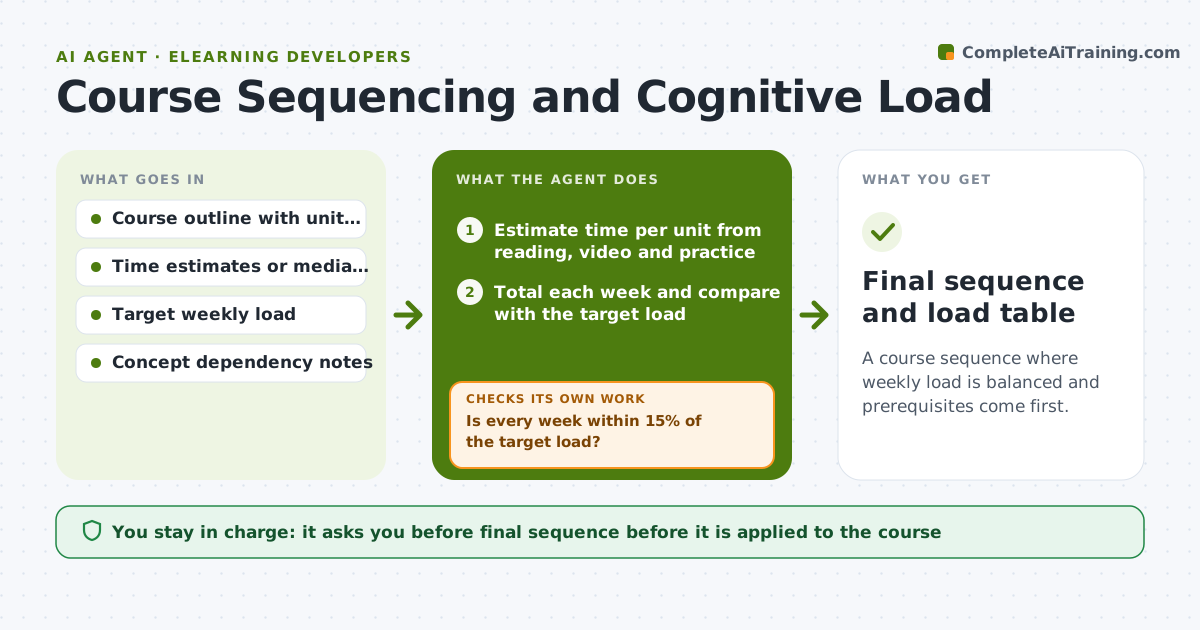
A course sequence where weekly load is balanced and prerequisites come first.
What it does
Week three of your course has eight videos and two projects, while week four has one short reading. Nobody notices until learner feedback arrives. This agent estimates reading, video and practice time for each unit and flags weeks over your target load. It also checks concept jumps, such as a unit that uses terms taught later. It proposes a reorder or split, and after each move it recalculates the load and checks dependencies again. Edge case: moving the project to week four fixes the load but breaks a prerequisite, so the agent tries splitting the project instead. The developer approves the new sequence.
How it works
Follow the arrows from top to bottom. The orange dashed arrow is the loop: when a check fails, the agent goes back and tries again.
Read the steps as a list
- Developer shares the course outline
- Estimate time per unit from reading, video and practice
- Total each week and compare with the target load
- Map concept dependencies between units
- Is every week within 15% of the target load?If not: propose moves or splits for the heavy weeks. Back to step 3.
- Does every unit come after its prerequisites?If not: undo the move and try another way to balance. Back to step 4.
- Recalculate load and dependencies after the change
- Draft the proposed sequence with reasons
- Developer approves the new sequenceThe agent waits here for your OK.
- Final sequence and load table
How it decides
It moves or splits units to bring any week within 15% of target, and rejects any move that places a concept before its prerequisite.
- Flag a week over 115% of target hours.
- Never place a unit before its prerequisite.
- Prefer splitting a large unit over moving it far.
- Keep graded work at least 2 days before the next unit starts.
Make it yours
Every agent is a starting point. You choose these settings for your own situation.
- Weekly target hours
- Allowed load variance
- Reading speed assumptions
- Dependency notes
- Output format
What keeps you in control
It always asks you first
- Final sequence before it is applied to the course
Hard limits
- Do not edit course files directly.
- Do not drop content without approval.
It stops when
- Done: all weeks within limits and dependencies satisfied
- Stop: no arrangement fits the target, so the agent recommends cutting content and asks the developer
Set it up
We guide you through the set-up, step by step
Members get the full set-up guide for this agent. No technical skills needed: you copy, paste and upload.
- One set of instructions to paste into your AI, with the clicks for ChatGPT, Claude, Microsoft 365 Copilot, Gemini and Grok
- The agent then walks you through connecting your own data, one source at a time
- A downloadable copy with the flow chart, the rules and the full guide