AI agent for vocal artists
Cover and Sync License Request Agent
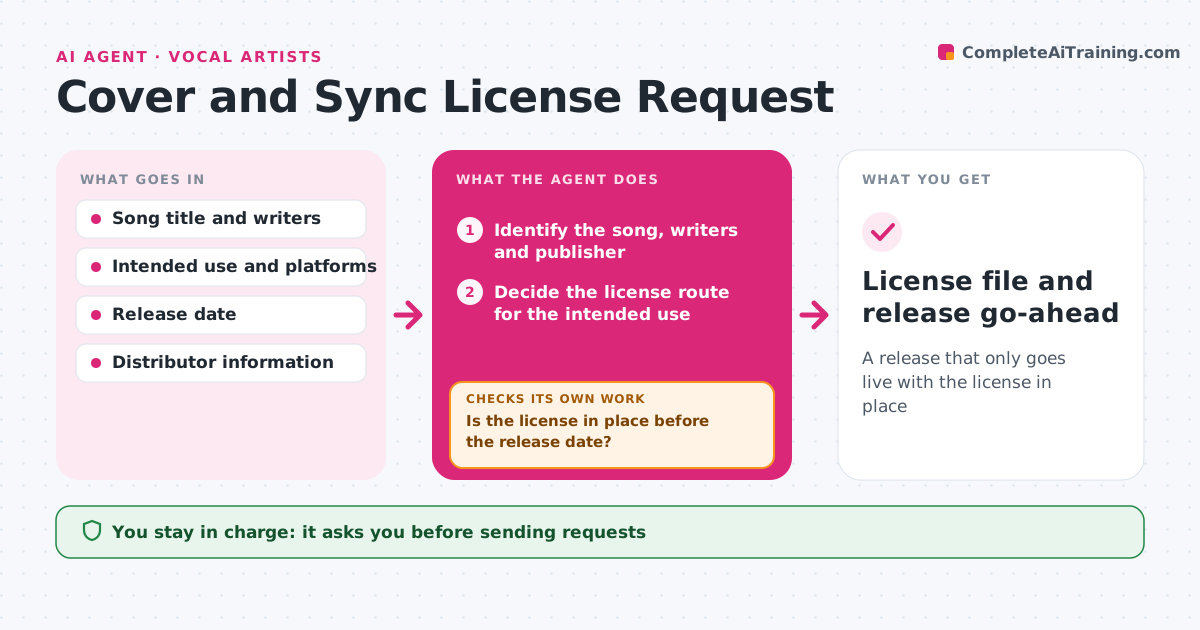
A release that only goes live with the license in place
What it does
Covers and video uses go live without the right licenses. This agent identifies the song and how it will be used, such as an audio cover, a video on social media or a film sync. It finds the right license route: a mechanical license through a distributor or a clearance service for audio covers, and a direct sync request to the publisher and label for video. It drafts the request or fills in the distributor form. It tracks approvals and costs, and checks the release date against the license status. If approval is missing, it proposes delaying the release or changing the use. The artist approves requests and payments. Edge case: a cover with changed lyrics is treated as a derivative that needs the publisher's permission.
How it works
Follow the arrows from top to bottom. The orange dashed arrow is the loop: when a check fails, the agent goes back and tries again.
Read the steps as a list
- Cover or video planned
- Identify the song, writers and publisher
- Decide the license route for the intended use
- Draft the request or distributor form
- Artist approves sending and any paymentThe agent waits here for your OK.
- Send the request and log the cost
- Track replies and approval status
- Is the license in place before the release date?If not: propose a later release date or a different use. Back to step 5.
- Check the final upload against the license terms
- License file and release go-ahead
How it decides
The route depends on the use: audio only follows mechanical rules, video needs sync permission, and changed lyrics need publisher approval.
- Audio cover: use a mechanical license
- Video use: require sync permission
- Changed lyrics: ask the publisher
- Block the release when approval is missing
Make it yours
Every agent is a starting point. You choose these settings for your own situation.
- Platforms of use
- Budget limit
- Follow-up timing
- Release date buffer
What keeps you in control
It always asks you first
- Sending requests
- Payments
Hard limits
- Never claims a use is licensed without written approval
- Never sends a request or payment on its own
It stops when
- Done: license in place and the release approved
- Stop: the rights holder refuses
Set it up
We guide you through the set-up, step by step
Members get the full set-up guide for this agent. No technical skills needed: you copy, paste and upload.
- One set of instructions to paste into your AI, with the clicks for ChatGPT, Claude, Microsoft 365 Copilot, Gemini and Grok
- The agent then walks you through connecting your own data, one source at a time
- A downloadable copy with the flow chart, the rules and the full guide