AI agent for mobile app developers
Crash Log Cluster Agent
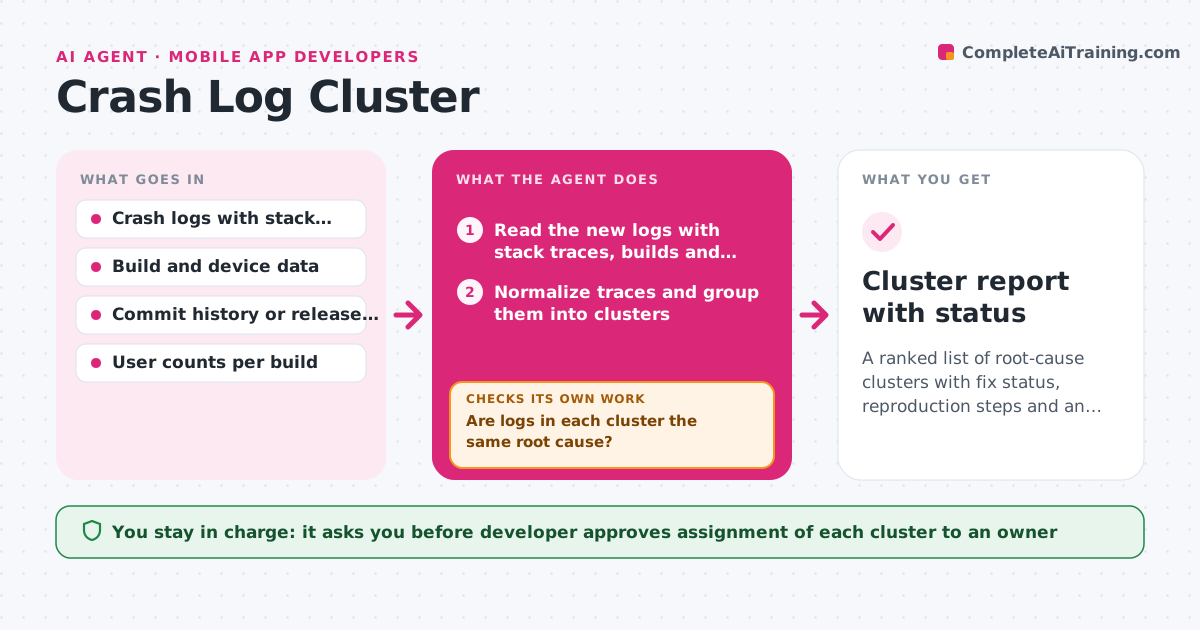
A ranked list of root-cause clusters with fix status, reproduction steps and an owner for each top cluster
What it does
After a release, 6,000 crash logs arrive and the team cannot tell whether it is one bug or fifty. This agent reads the crash logs and clusters them by stack trace signature, build and platform. For each cluster it checks whether a newer build already contains a fix by comparing it with the commit history and later logs, ranks the clusters by user impact, and asks for a reproduction on the top ones, with the steps and device facts gathered from the logs. It watches new logs and moves them into existing clusters, or opens a new one when a pattern does not match. It rechecks a cluster after a fix ships to see if crashes stopped. The developer approves how fixes are assigned. Edge case: two traces differing only in memory addresses are merged into one cluster.
How it works
Follow the arrows from top to bottom. The orange dashed arrow is the loop: when a check fails, the agent goes back and tries again.
Read the steps as a list
- New crash logs arrive
- Read the new logs with stack traces, builds and devices
- Normalize traces and group them into clusters
- Are logs in each cluster the same root cause?If not: Split the cluster by the differing frame and regroup. Back to step 3.
- Check each cluster against later builds and the commit history
- Rank clusters by affected users and trend
- Collect reproduction details for the top clusters
- Developer approves fix assignmentThe agent waits here for your OK.
- After a fix ships, read the crash logs from the new build
- Have crashes in the fixed cluster stopped?If not: Reopen the cluster and attach the new logs. Back to step 4.
- Cluster report with status
How it decides
It groups logs by normalized stack signature, ranks by affected users and trend, and marks a cluster fixed only when new builds show no matching crashes.
- Merge traces that differ only by memory addresses or line numbers
- Rank by users affected, then by crash rate trend
- Mark a cluster fixed after 3 days with no crashes on a build that includes the fix
- Request a reproduction for clusters affecting more than 1 percent of users
Make it yours
Every agent is a starting point. You choose these settings for your own situation.
- Clustering rule for stack traces
- Impact threshold for reproduction (default 1 percent)
- Days without crashes to call a fix verified (default 3)
- Issue tracker used
- Report schedule
What keeps you in control
It always asks you first
- Developer approves assignment of each cluster to an owner
Hard limits
- Never close an issue or assign owners without approval
- Never share logs that contain personal data outside the team
It stops when
- Done: Top clusters have owners and fixed clusters are verified
- Stop: Log volume is too low to judge, so the agent waits for more data
Set it up
We guide you through the set-up, step by step
Members get the full set-up guide for this agent. No technical skills needed: you copy, paste and upload.
- One set of instructions to paste into your AI, with the clicks for ChatGPT, Claude, Microsoft 365 Copilot, Gemini and Grok
- The agent then walks you through connecting your own data, one source at a time
- A downloadable copy with the flow chart, the rules and the full guide