AI agent for creative directors
Creative Team Review Calendar Agent
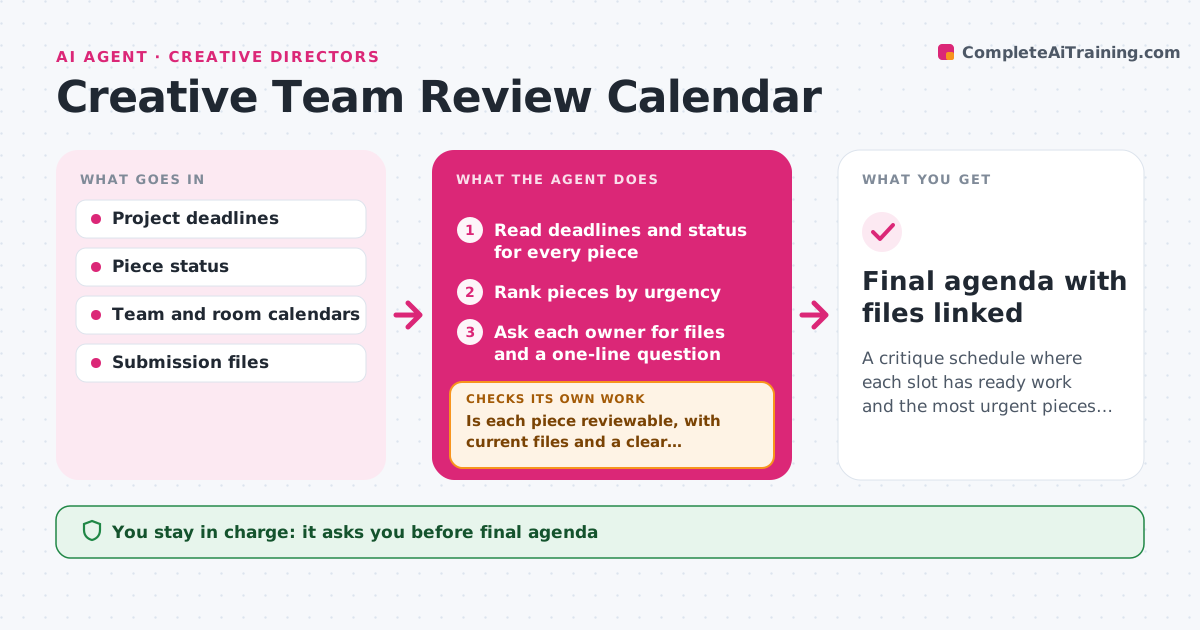
A critique schedule where each slot has ready work and the most urgent pieces come first
What it does
Critique slots are wasted on work that is not ready, while urgent work waits. This agent looks at project deadlines and the status of every piece. It assigns critique slots by urgency and collects files plus a one-line question from each owner beforehand. Before the slot, it checks that the work is reviewable: files open, versions are current and the question is answerable. Pieces that are not ready are moved to the next slot and the agent rebooks the room and people. It sends reminders only to owners whose work is still missing. The director approves the final agenda before invitations go out. Edge case: a piece with a client deadline in 48 hours jumps the queue even if it was submitted late.
How it works
Follow the arrows from top to bottom. The orange dashed arrow is the loop: when a check fails, the agent goes back and tries again.
Read the steps as a list
- Weekly critique planning opens
- Read deadlines and status for every piece
- Rank pieces by urgency
- Ask each owner for files and a one-line question
- Is each piece reviewable, with current files and a clear question?If not: move it to the next slot and rebook, or ask the owner to fix the gap. Back to step 3.
- Assign slots and rebook rooms and people
- Director approves the agendaThe agent waits here for your OK.
- Send invitations and reminders
- Final agenda with files linked
How it decides
Pieces are ranked by days to deadline and ready status. Urgent but unready pieces get a short check-in instead of a full slot.
- Rank by days to deadline, then by client importance
- Move any piece without current files to the next slot
- Give a client deadline within 48 hours priority
- Limit each slot to 20 minutes
Make it yours
Every agent is a starting point. You choose these settings for your own situation.
- Slot length (default 20 minutes)
- Urgency rules
- Required items per piece
- Days ahead to plan
What keeps you in control
It always asks you first
- Final agenda
- Sending invitations to the team
Hard limits
- Never cancels meetings outside the critique series
- Never reviews the work itself
It stops when
- Done: agenda approved and invites sent
- Stop: no director or room available this week
Set it up
We guide you through the set-up, step by step
Members get the full set-up guide for this agent. No technical skills needed: you copy, paste and upload.
- One set of instructions to paste into your AI, with the clicks for ChatGPT, Claude, Microsoft 365 Copilot, Gemini and Grok
- The agent then walks you through connecting your own data, one source at a time
- A downloadable copy with the flow chart, the rules and the full guide