AI agent for product managers
Release Scope Cut Decision Agent
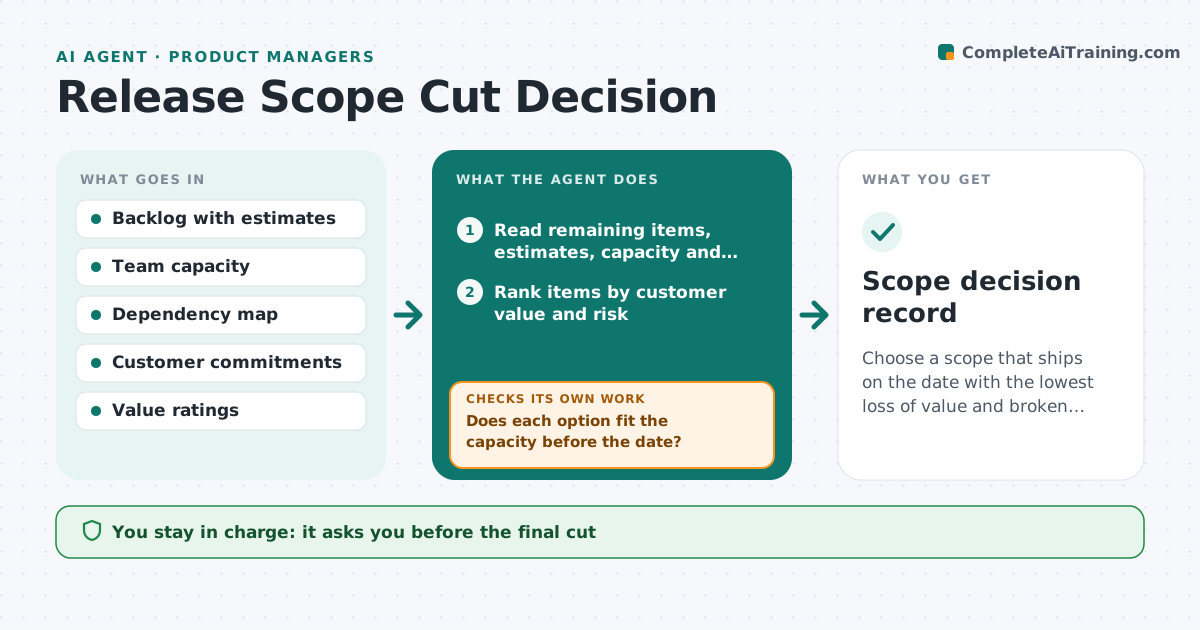
Choose a scope that ships on the date with the lowest loss of value and broken promises.
What it does
Two weeks before release, engineering says the date will be missed and the product manager must decide what to cut. The options are argued from memory. This agent reads the remaining work, team capacity and dependencies, and ranks each item by customer value and risk. It simulates different cuts to find what still fits, and checks the promises already made to customers and sales. It shows the effect of each cut in plain language, such as a promised report for two key accounts. After each decision it reruns the numbers. The manager approves the final cut. Edge case: an item that other items depend on is not offered as a cut without the dependents.
How it works
Follow the arrows from top to bottom. The orange dashed arrow is the loop: when a check fails, the agent goes back and tries again.
Read the steps as a list
- Forecast shows the release date will be missed
- Read remaining items, estimates, capacity and dependencies
- Rank items by customer value and risk
- Simulate several cut options
- Does each option fit the capacity before the date?If not: Add a deeper cut or flag a date move to the manager. Back to step 3.
- Check each option against customer promises and sales commitments
- Does the option keep all committed promises?If not: Drop the option or list the promises it breaks. Back to step 4.
- Draft the recommended cut with the effects
- Product manager approves the cutThe agent waits here for your OK.
- Rerun the forecast with the decision
- Scope decision record
How it decides
Ranks items by value per effort and risk, simulates cuts that bring the forecast inside the date, and rejects cuts that break a committed promise.
- Items with dependents are cut together or not at all
- A cut that breaks a signed promise needs approval
- Choose the option with the highest remaining value that fits
- If no option fits, propose a date move
Make it yours
Every agent is a starting point. You choose these settings for your own situation.
- Value scoring method
- Capacity buffer (default 10%)
- Commitment sources
- Date flexibility
- Who approves
What keeps you in control
It always asks you first
- The final cut
- Any message to customers or sales about scope
- A change of release date
Hard limits
- Never tell a customer about a cut
- Never remove an item itself
It stops when
- Done: scope fits the date
- Stop: date moves
- Stop: executive overrides
Set it up
We guide you through the set-up, step by step
Members get the full set-up guide for this agent. No technical skills needed: you copy, paste and upload.
- One set of instructions to paste into your AI, with the clicks for ChatGPT, Claude, Microsoft 365 Copilot, Gemini and Grok
- The agent then walks you through connecting your own data, one source at a time
- A downloadable copy with the flow chart, the rules and the full guide