AI agent for chief operating officers
Customer Complaint Root Cause Review Agent
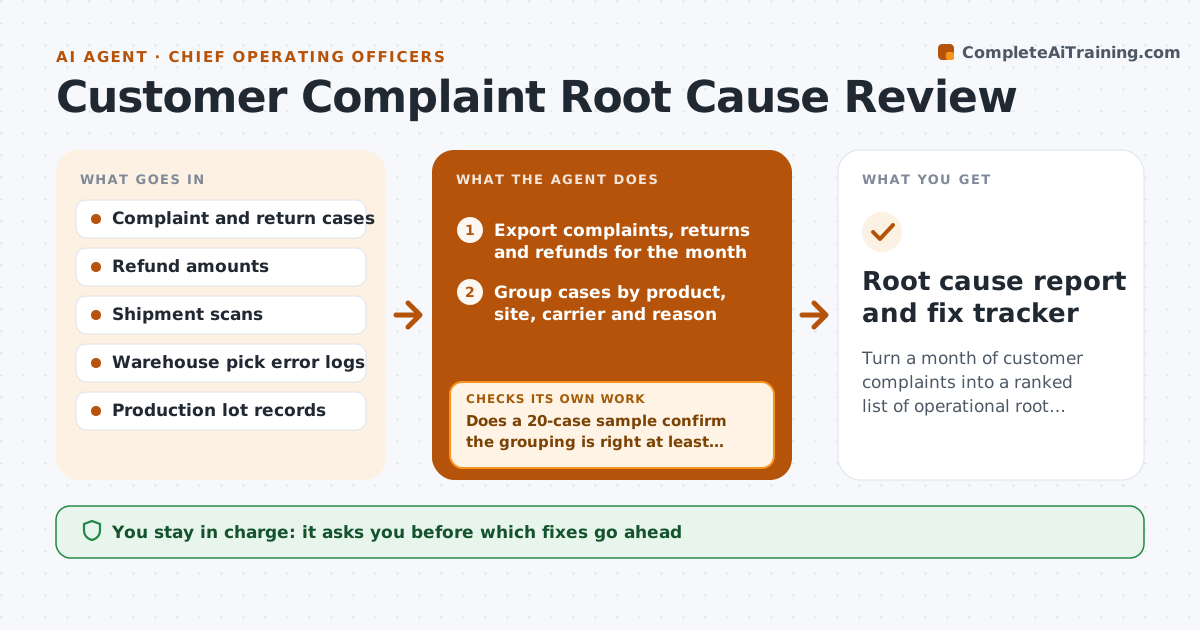
Turn a month of customer complaints into a ranked list of operational root causes and proposed fixes
What it does
Service teams resolve complaints case by case, so the same late delivery or damaged order keeps happening. This agent runs a monthly review across complaints, returns and service notes. It groups cases by product, site, carrier and stated reason, then looks up the matching operational records, such as shipment scans, pick errors and production lots, to find the likely root cause. It ranks causes by number of cases and refund cost. After grouping, it checks a sample of cases by hand-reading the notes to confirm the grouping is right. If more than one in five is misgrouped, it refines the grouping rules and runs again. It drafts a short list of fixes with suggested owners. The COO decides which fixes go ahead and who owns them. Edge case: one large customer filed 40 complaints about a single shipment, so it counts that as one event.
How it works
Follow the arrows from top to bottom. The orange dashed arrow is the loop: when a check fails, the agent goes back and tries again.
Read the steps as a list
- Service month closes
- Export complaints, returns and refunds for the month
- Group cases by product, site, carrier and reason
- Look up shipment, pick and lot records for each group
- Does a 20-case sample confirm the grouping is right at least 80% of the time?If not: refine grouping rules from the misgrouped cases. Back to step 3.
- Rank root causes by case count and refund cost
- Is each top cause backed by an operational record, not just the customer's words?If not: search further records or mark the cause as unconfirmed. Back to step 4.
- Draft fix proposals with suggested owners
- COO approves fixes and assigns ownersThe agent waits here for your OK.
- Root cause report and fix tracker
How it decides
It ranks causes by case count and refund cost, and counts repeated complaints about one event as a single event.
- Count repeated complaints about one shipment or order as one event
- Rank by refund cost when two causes have similar case counts
- Mark a cause unconfirmed when no operational record supports it
- Re-check last month's fixes and report whether their cause dropped
Make it yours
Every agent is a starting point. You choose these settings for your own situation.
- Minimum cases for a monthly run (default 30)
- Sample size for grouping check (default 20)
- Grouping fields used
- How many causes to report (default top 5)
What keeps you in control
It always asks you first
- Which fixes go ahead
- Assigning owners across departments
Hard limits
- Never contacts customers
- Never changes cases in the service system
- Removes customer names from the report
It stops when
- Done: top causes confirmed and fix list approved
- Stop: fewer than 30 cases in the month, so it rolls them into next month
Set it up
We guide you through the set-up, step by step
Members get the full set-up guide for this agent. No technical skills needed: you copy, paste and upload.
- One set of instructions to paste into your AI, with the clicks for ChatGPT, Claude, Microsoft 365 Copilot, Gemini and Grok
- The agent then walks you through connecting your own data, one source at a time
- A downloadable copy with the flow chart, the rules and the full guide