AI agent for chief digital officers
Customer Journey Friction Agent
Find the biggest friction points in key journeys and confirm fixes with tests
What it does
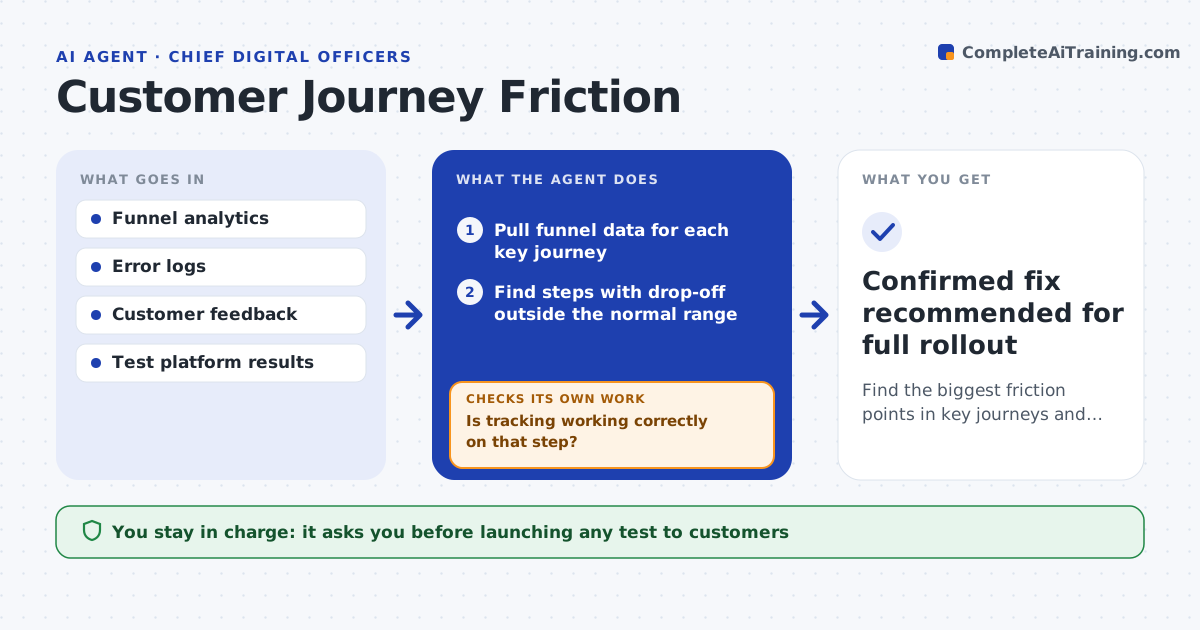
Online journeys like sign-up, checkout or claims lose customers at specific steps, and fixes are often guessed. Each week this agent reads funnel analytics, finds steps where drop-off rose beyond normal variation, and first checks that tracking still works so a broken tag is not mistaken for customer behavior. It then pulls session notes, error logs and customer feedback for the affected step. It forms a likely cause and proposes one small test, such as removing a field or changing a service. After a test runs, it checks whether the result is statistically clear. If not, it loops back and proposes a different fix based on the next most likely cause. You approve which tests go live and which winning changes become permanent. Edge case: a drop caused by a broken tracking tag is reported as a data problem, not a customer problem.
How it works
Follow the arrows from top to bottom. The orange dashed arrow is the loop: when a check fails, the agent goes back and tries again.
Read the steps as a list
- Weekly funnel review
- Pull funnel data for each key journey
- Find steps with drop-off outside the normal range
- Is tracking working correctly on that step?If not: report a tracking issue to the analytics team and recheck after the fix. Back to step 2.
- Read error logs and feedback for the step
- Propose a cause and a small test
- CDO approves the test going liveThe agent waits here for your OK.
- Did the test give a clear improvement?If not: record the result and propose the next most likely fix. Back to step 6.
- Confirmed fix recommended for full rollout
How it decides
A step is investigated when its drop-off moves outside the normal weekly range. A fix is confirmed only when the test reaches the set confidence level.
- Investigate when drop-off exceeds the normal range by two standard deviations
- Prefer the smallest change that tests the cause
- Stop a test early if conversion falls sharply
Make it yours
Every agent is a starting point. You choose these settings for your own situation.
- Journeys to monitor
- Confidence level for a clear result (default 95%)
- Maximum tests per month
- Who approves tests
What keeps you in control
It always asks you first
- Launching any test to customers
- Rolling out a fix
Hard limits
- Never launches tests or changes the live site without approval
- Uses aggregated data only, no personal details in reports
It stops when
- Done: fix confirmed or three tests tried
- Stop: analytics data unavailable
Set it up
We guide you through the set-up, step by step
Members get the full set-up guide for this agent. No technical skills needed: you copy, paste and upload.
- One set of instructions to paste into your AI, with the clicks for ChatGPT, Claude, Microsoft 365 Copilot, Gemini and Grok
- The agent then walks you through connecting your own data, one source at a time
- A downloadable copy with the flow chart, the rules and the full guide