AI agent for customer experience managers
Customer Journey Touchpoint Audit Agent
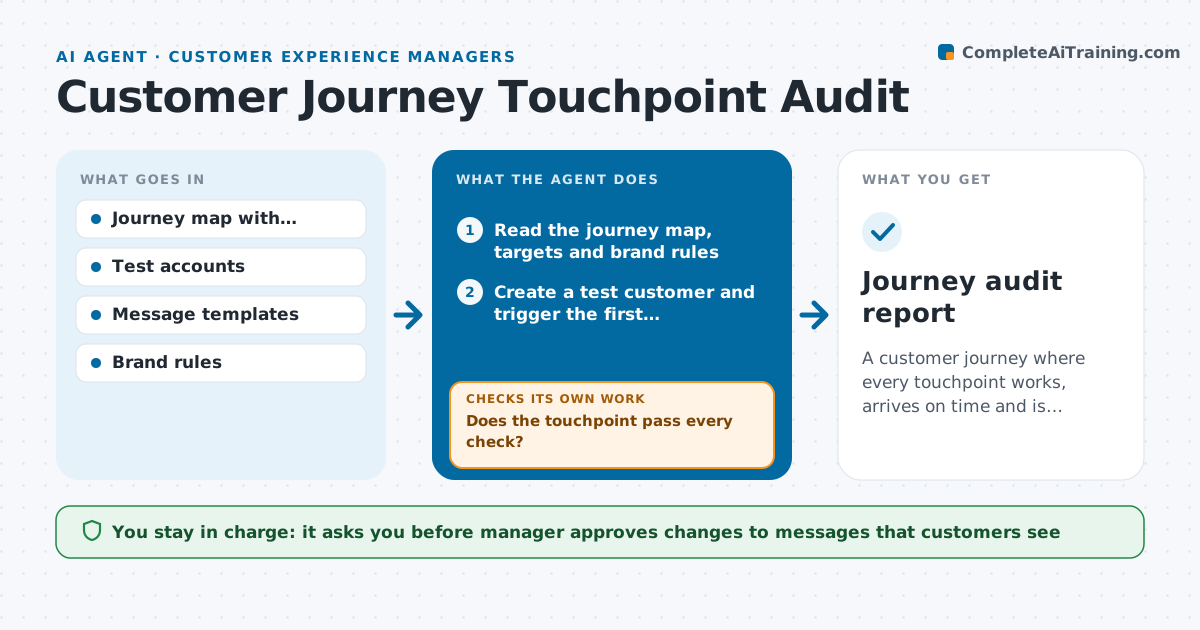
A customer journey where every touchpoint works, arrives on time and is consistent, confirmed by test walks
What it does
A new customer signs up, and the welcome email links to a retired page, the SMS arrives two days late and the invoice uses an old logo. Nobody sees all of this because each team owns one piece. This agent walks each step of the customer journey as a test customer, using test accounts. At each touchpoint, such as sign-up, welcome email, first login, onboarding call and first invoice, it checks the message, timing, links, branding and consistency with the other steps, and logs failures. After the owner fixes an issue, it walks that step again and loops until it passes. It then walks the full journey again to catch knock-on problems. The manager approves changes to customer-facing messages. Edge case: a message that arrives within the target but in the wrong language is logged as a failure.
How it works
Follow the arrows from top to bottom. The orange dashed arrow is the loop: when a check fails, the agent goes back and tries again.
Read the steps as a list
- Audit starts
- Read the journey map, targets and brand rules
- Create a test customer and trigger the first touchpoint
- Check timing, content, links and branding at the touchpoint
- Does the touchpoint pass every check?If not: Log the failure with evidence and assign the owner. Back to step 4.
- Move on to the next touchpoint and repeat
- Compile failures with evidence and owners
- Manager approves changes to customer-facing messagesThe agent waits here for your OK.
- After the owners fix the issues, walk the failed touchpoints again
- Do the fixed touchpoints pass and does the full journey still flow?If not: Reopen the issue and repeat the walk. Back to step 9.
- Journey audit report
How it decides
A touchpoint passes when the message arrives within its time target, all links work, the content matches the brand rules and the next step is clear.
- Fail a touchpoint that arrives later than its time target
- Fail any broken link or wrong brand element
- Check all steps again after a fix, not only the failed one
- Use test accounts only
Make it yours
Every agent is a starting point. You choose these settings for your own situation.
- Journey steps and targets
- Brand rules to check
- Audit frequency (default monthly)
- Test account setup
- Owners for each touchpoint
What keeps you in control
It always asks you first
- Manager approves changes to messages that customers see
Hard limits
- Use test accounts only, never real customer data
- Never change messages itself
It stops when
- Done: Every touchpoint passes in a full walk
- Stop: A touchpoint cannot be triggered with a test account, so the agent lists it for a manual check
Set it up
We guide you through the set-up, step by step
Members get the full set-up guide for this agent. No technical skills needed: you copy, paste and upload.
- One set of instructions to paste into your AI, with the clicks for ChatGPT, Claude, Microsoft 365 Copilot, Gemini and Grok
- The agent then walks you through connecting your own data, one source at a time
- A downloadable copy with the flow chart, the rules and the full guide