AI agent for customs brokers
Customs Entry Packet Preparation Agent
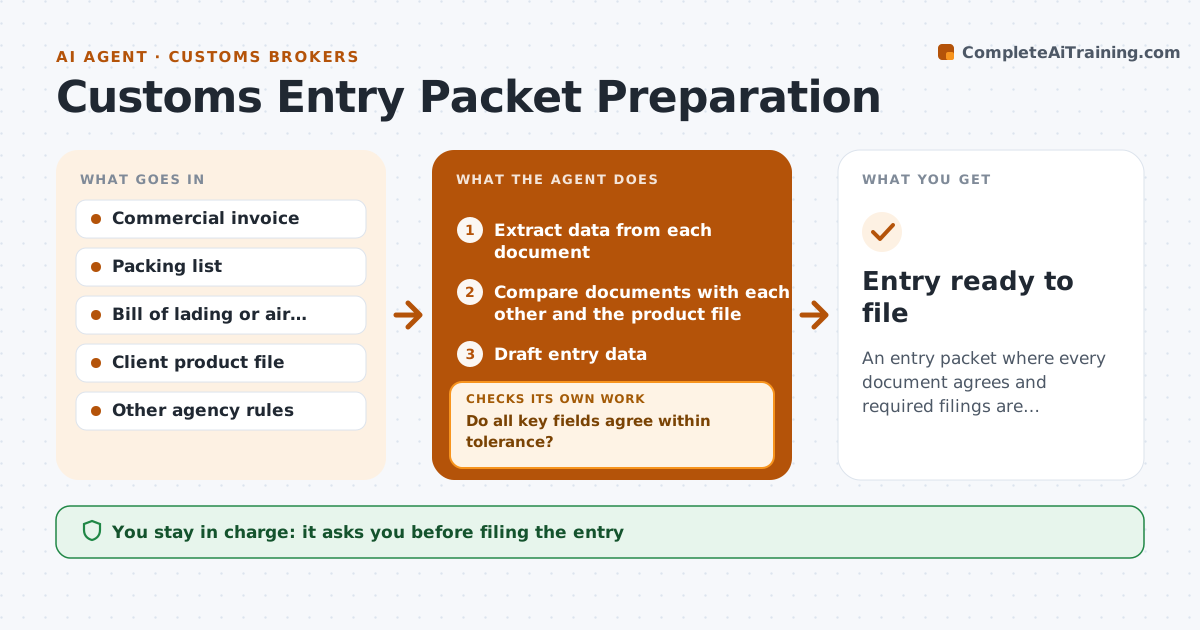
An entry packet where every document agrees and required filings are identified
What it does
An entry needs the commercial invoice, packing list, bill of lading and other documents to agree, and a small mismatch can lead to a hold or a penalty. When shipping documents arrive, this agent extracts quantities, values, weights, origin, parties and product codes from each one. It compares them with each other and with the client's product file. Entry data is ready only when key fields agree within set tolerances. Weight differences over 2 percent and any missing origin are always queried. When something does not match, it drafts a query to the client or forwarder and rechecks after the corrected document arrives. It drafts the entry data and flags goods that need another agency's filing, such as food contact items or electronics. The broker reviews and approves before filing. Edge case: a value currency that differs between documents is queried, not converted silently.
How it works
Follow the arrows from top to bottom. The orange dashed arrow is the loop: when a check fails, the agent goes back and tries again.
Read the steps as a list
- Shipping documents received
- Extract data from each document
- Compare documents with each other and the product file
- Do all key fields agree within tolerance?If not: draft a query to the client or forwarder and wait for corrected documents. Back to step 3.
- Draft entry data
- Flag goods that need other agency filings
- Is every flagged item's extra filing data present?If not: request the missing filing data from the importer. Back to step 5.
- Broker reviews and approves the entryThe agent waits here for your OK.
- Entry ready to file
How it decides
Entry data is ready only when quantities, values, weights and origin agree across all documents within set tolerances.
- Weight differences over 2 percent are queried
- Missing origin is always queried
- Other agency goods are flagged early
Make it yours
Every agent is a starting point. You choose these settings for your own situation.
- Weight tolerance (default 2 percent)
- Other agency rules in scope
- Query templates
- Filing software
What keeps you in control
It always asks you first
- Filing the entry
- Sending queries to clients
Hard limits
- Never files without broker approval
- Never changes declared values
It stops when
- Done: approved entry
- Stop: documents not corrected before arrival, warn the client of possible storage charges
Set it up
We guide you through the set-up, step by step
Members get the full set-up guide for this agent. No technical skills needed: you copy, paste and upload.
- One set of instructions to paste into your AI, with the clicks for ChatGPT, Claude, Microsoft 365 Copilot, Gemini and Grok
- The agent then walks you through connecting your own data, one source at a time
- A downloadable copy with the flow chart, the rules and the full guide