AI agent for automation engineers
Cycle Time Optimization Agent
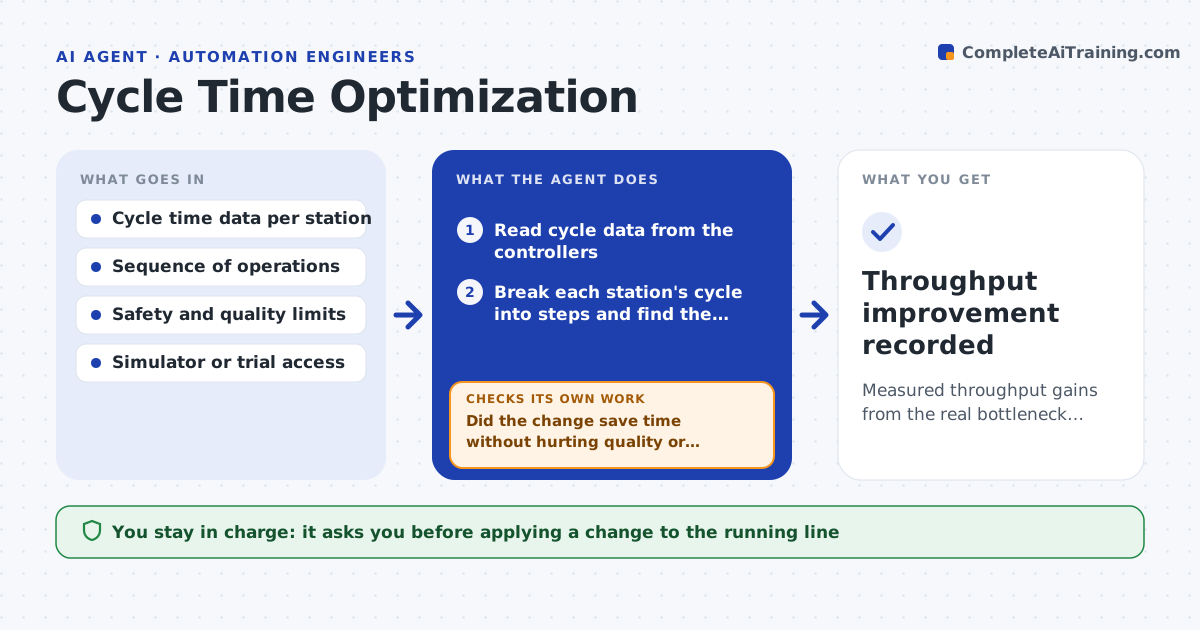
Measured throughput gains from the real bottleneck, with safety and quality held
What it does
Production lines often run slower than they could because the real bottleneck is guessed, not measured. This agent reads cycle data from the controllers and breaks each station's cycle into steps to find where time is lost: waiting, slow moves or sequences that could overlap. It identifies the station that limits the line and proposes one change, such as overlapping two motions or tuning a move, with the expected time saved. It tests the change in simulation or a trial run and measures the real improvement. It also checks scrap rates and safety limits, never trading them for speed. If the change does not help or moves the bottleneck elsewhere, it reverts and tries the next opportunity. You approve changes on the running line. Edge case: a faster move that raises scrap is rejected.
How it works
Follow the arrows from top to bottom. The orange dashed arrow is the loop: when a check fails, the agent goes back and tries again.
Read the steps as a list
- Throughput review scheduled
- Read cycle data from the controllers
- Break each station's cycle into steps and find the limiting station
- Propose one change with the expected time saved
- Test the change in simulation or a trial run
- Did the change save time without hurting quality or safety?If not: revert and propose the next opportunity. Back to step 4.
- Did the bottleneck stay at this station rather than move?If not: recalculate the line and target the new limiting station. Back to step 3.
- Engineer approves the change on the lineThe agent waits here for your OK.
- Throughput improvement recorded
How it decides
It targets the measured bottleneck and keeps a change only when a trial shows real time saved without breaking quality or safety.
- Target the measured bottleneck only
- Reject changes that raise scrap or risk
- Keep a change only if the trial proves the gain
Make it yours
Every agent is a starting point. You choose these settings for your own situation.
- Target cycle time
- Quality and safety limits
- Simulation or trial method
- Stations in scope
What keeps you in control
It always asks you first
- Applying a change to the running line
Hard limits
- Never trades safety or quality for speed
- No line changes without approval
It stops when
- Done: a verified improvement made or none found safely
- Stop: cycle data is not available
Set it up
We guide you through the set-up, step by step
Members get the full set-up guide for this agent. No technical skills needed: you copy, paste and upload.
- One set of instructions to paste into your AI, with the clicks for ChatGPT, Claude, Microsoft 365 Copilot, Gemini and Grok
- The agent then walks you through connecting your own data, one source at a time
- A downloadable copy with the flow chart, the rules and the full guide