AI agent for chief digital officers
Data Catalog Freshness Agent
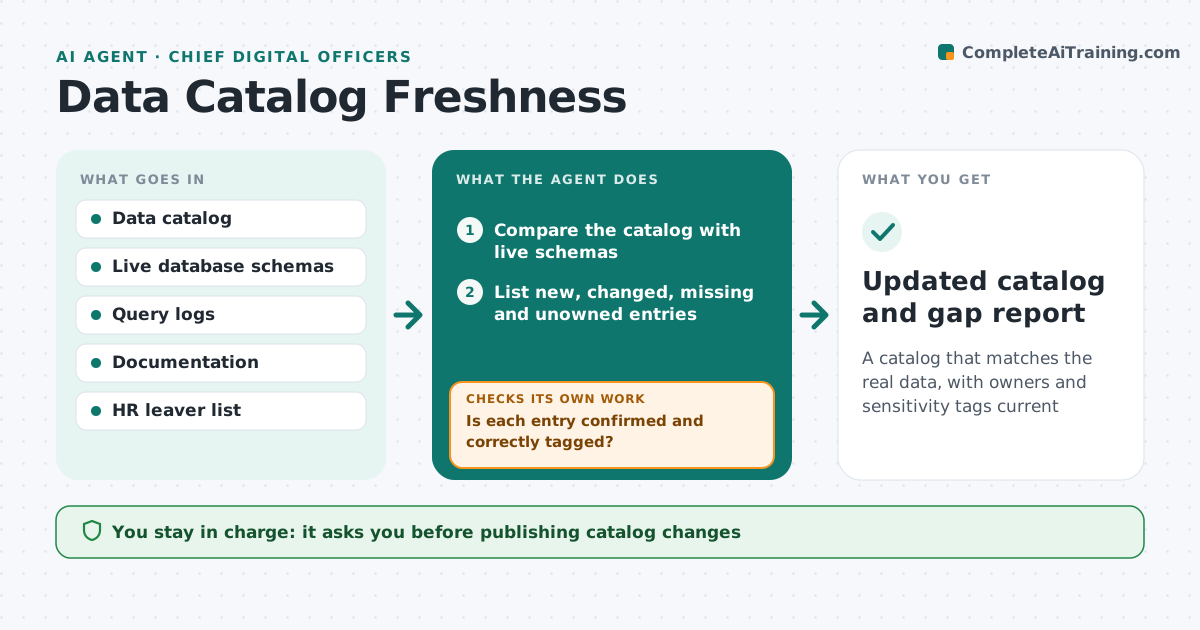
A catalog that matches the real data, with owners and sensitivity tags current
What it does
A data catalog only helps if it matches reality, and it goes stale quickly. Each week this agent compares the catalog with the actual databases. It finds new tables not yet catalogued, catalogued tables that no longer exist, columns added or removed, and owners who have left. For each gap it drafts an update, pulling descriptions from existing documentation where possible, and asks owners to confirm. It flags tables with no owner and sensitive fields that are not tagged. Before marking a table for removal, it checks query logs to see whether anyone still uses it. If an owner does not respond, it marks the entry as needs review instead of guessing. You approve publishing catalog changes. Edge case: a table that looks orphaned but is queried daily is kept while an owner is found.
How it works
Follow the arrows from top to bottom. The orange dashed arrow is the loop: when a check fails, the agent goes back and tries again.
Read the steps as a list
- Weekly catalog review
- Compare the catalog with live schemas
- List new, changed, missing and unowned entries
- Draft descriptions from documentation and ask owners to confirm
- Is each entry confirmed and correctly tagged?If not: mark unconfirmed entries as needs review and re-request. Back to step 4.
- Flag untagged sensitive data and missing owners
- Governance lead approves catalog updatesThe agent waits here for your OK.
- Updated catalog and gap report
How it decides
It trusts the live schema as truth and only proposes removing an entry when the table is gone and unused in the query logs.
- Treat the live schema as the source of truth
- Keep a table that is still queried even if it looks orphaned
- Mark unconfirmed entries as needs review
Make it yours
Every agent is a starting point. You choose these settings for your own situation.
- Sensitivity tags and rules
- Owner response window
- Schedule
- What counts as still in use
What keeps you in control
It always asks you first
- Publishing catalog changes
Hard limits
- Does not delete catalog entries without approval
- Never removes an entry for a table still in use
It stops when
- Done: catalog matches reality or gaps are marked
- Stop: catalog API unavailable
Set it up
We guide you through the set-up, step by step
Members get the full set-up guide for this agent. No technical skills needed: you copy, paste and upload.
- One set of instructions to paste into your AI, with the clicks for ChatGPT, Claude, Microsoft 365 Copilot, Gemini and Grok
- The agent then walks you through connecting your own data, one source at a time
- A downloadable copy with the flow chart, the rules and the full guide