AI agent for data scientists
Data Leakage Detection Agent
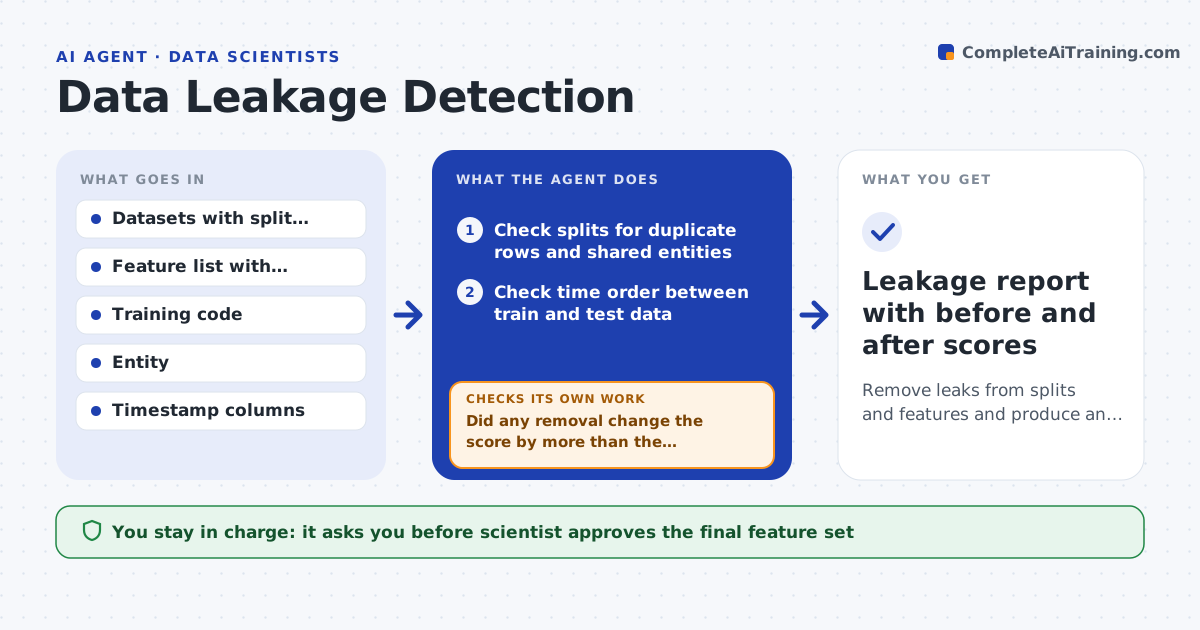
Remove leaks from splits and features and produce an honest performance estimate
What it does
A model that scores 0.97 offline and 0.70 in production usually has a leak. This agent hunts for it before launch. It first checks the train, validation and test splits for duplicate rows, shared patients or customers, and time overlap. Next it looks for features that act as stand-ins for the answer, such as a field filled in after the outcome. It scores each suspect by retraining without it and measuring the change. It repeats the retrain-and-compare loop with the next suspect until scores stop moving. Then it presents the final feature set and split fix to the scientist with before and after numbers. Edge case: a feature looks suspicious but its drop costs almost nothing, so the agent keeps it and notes why.
How it works
Follow the arrows from top to bottom. The orange dashed arrow is the loop: when a check fails, the agent goes back and tries again.
Read the steps as a list
- Model candidate ready for review
- Check splits for duplicate rows and shared entities
- Check time order between train and test data
- Score each feature alone against the target
- List suspects by score and by when each is created
- Retrain without each suspect and record the score change
- Did any removal change the score by more than the threshold?If not: drop or fix the next suspect and retrain; if none changed anything, widen the suspect list. Back to step 6.
- Is the score stable across two further retrains?If not: rerun with new random seeds and re-rank the suspects. Back to step 6.
- Scientist approves the final feature set and split fixThe agent waits here for your OK.
- Leakage report with before and after scores
How it decides
It treats a feature as a leak suspect when it predicts the target alone with near-perfect score or is created after the target time. It confirms by retraining without it and comparing scores.
- Flag a feature when a single-feature model scores above 0.9 AUC
- Flag any entity that appears in both train and test
- Treat a score drop above 0.03 as confirmation of a leak
- Keep a suspect feature when removal changes the score by less than 0.005
Make it yours
Every agent is a starting point. You choose these settings for your own situation.
- Single-feature suspicion threshold (default 0.9 AUC)
- Score drop that confirms a leak (default 0.03)
- Entity column used for split checks (default customer_id)
- Number of confirmation retrains (default 2)
What keeps you in control
It always asks you first
- Scientist approves the final feature set
- Scientist approves new split rules before the test set is reused
Hard limits
- Never tune on the test set
- Never delete data, only mark features as excluded
It stops when
- Done: two retrains in a row give stable scores with no remaining suspects
- Stop: the test set has been used for tuning, so a fresh test set is needed
Set it up
We guide you through the set-up, step by step
Members get the full set-up guide for this agent. No technical skills needed: you copy, paste and upload.
- One set of instructions to paste into your AI, with the clicks for ChatGPT, Claude, Microsoft 365 Copilot, Gemini and Grok
- The agent then walks you through connecting your own data, one source at a time
- A downloadable copy with the flow chart, the rules and the full guide