AI agent for database administrators
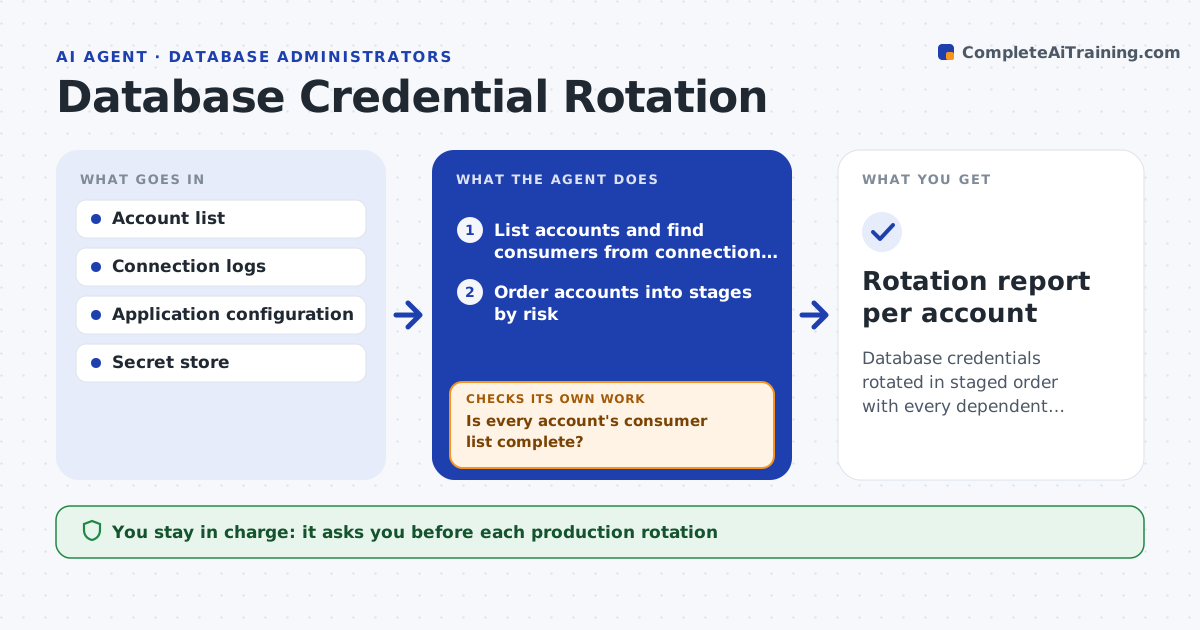
Database Credential Rotation Agent
Database credentials rotated in staged order with every dependent application confirmed working
What it does
Passwords for database accounts stay unchanged for years because nobody knows everything that uses them. This agent lists database accounts and finds the applications and jobs that connect with each one, using connection logs and configuration. It plans rotation in stages: low-risk systems first, critical ones last. For each stage it creates the new secret in the secret store, updates the consuming applications, and tests each connection. Any failure triggers a rollback to the old credential, and the agent records what it missed. It only moves on when every consumer in the stage connects. A person approves each production rotation. Edge case: a service account used by a nightly job that is not running now is flagged to be tested at its next run, not skipped.
How it works
Follow the arrows from top to bottom. The orange dashed arrow is the loop: when a check fails, the agent goes back and tries again.
Read the steps as a list
- Rotation window opens
- List accounts and find consumers from connection logs and config
- Order accounts into stages by risk
- Is every account's consumer list complete?If not: search configs and job schedules for the missing consumers and relist. Back to step 2.
- DBA approves the stage for productionThe agent waits here for your OK.
- Create the new secret and update the secret store
- Update the consumers and test each connection
- Do all consumers connect and pass health checks?If not: roll back to the old credential and log the failing consumer. Back to step 6.
- Retire the old password after the hold period
- Rotation report per account
How it decides
Accounts are ordered by risk, lowest first. A stage is complete only when all known consumers connect and health checks pass.
- Rotate non-production accounts before production
- Keep the old credential valid for 24 hours as a rollback window
- Flag accounts with consumers not seen in 30 days for a manual check
- Stop the run after 2 stage failures
Make it yours
Every agent is a starting point. You choose these settings for your own situation.
- Rotation interval (default 90 days)
- Rollback hold period (default 24 hours)
- Staging order and risk levels
- Health checks used per application
What keeps you in control
It always asks you first
- Each production rotation
- Retiring the old credential
Hard limits
- Never deletes the old credential before the hold period
- Never rotates production without approval
It stops when
- Done: every account rotated and verified
- Stop: a critical consumer fails twice after rollback
Set it up
We guide you through the set-up, step by step
Members get the full set-up guide for this agent. No technical skills needed: you copy, paste and upload.
- One set of instructions to paste into your AI, with the clicks for ChatGPT, Claude, Microsoft 365 Copilot, Gemini and Grok
- The agent then walks you through connecting your own data, one source at a time
- A downloadable copy with the flow chart, the rules and the full guide