AI agent for ai engineers
Dataset Drift Monitor Agent
Catch model decay early and recommend retraining only when accuracy really drops
What it does
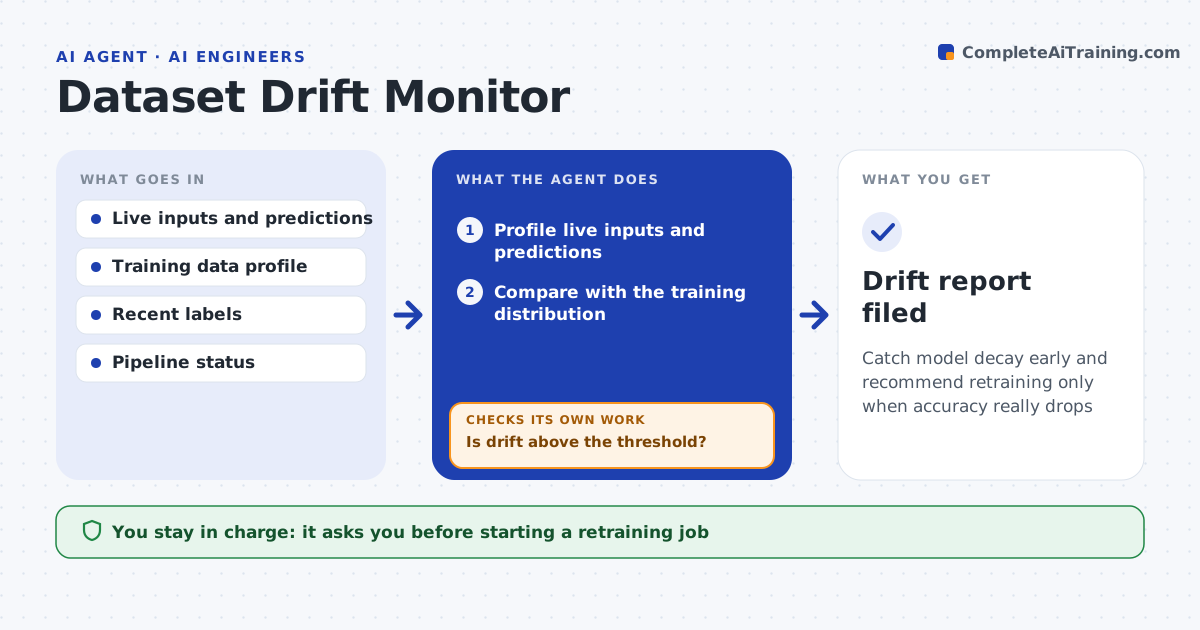
Models get worse when real-world data changes, and the drop is often noticed only through business complaints. On a schedule this agent compares live inputs and predictions with the training data, checking for feature drift, label drift where truth is available and shifts in the prediction mix. When drift passes your threshold, it first checks the upstream data pipeline, because a broken feed looks like drift. Then it checks whether accuracy actually dropped using any labels that have arrived. If accuracy fell below the floor, it recommends retraining on recent data. If drift is present but accuracy holds, it logs it and keeps watching. It drafts a short report. You approve any retraining. Edge case: a renamed or rescaled upstream field is reported as a pipeline issue, not model decay.
How it works
Follow the arrows from top to bottom. The orange dashed arrow is the loop: when a check fails, the agent goes back and tries again.
Read the steps as a list
- Scheduled drift check
- Profile live inputs and predictions
- Compare with the training distribution
- Is drift above the threshold?If not: log a healthy result and stop. Back to step 2.
- Measure accuracy using recent labels
- Did accuracy fall below the floor, with the pipeline healthy?If not: check the upstream feed and report a data issue if found. Back to step 5.
- Draft a report recommending retraining
- Engineer approves retrainingThe agent waits here for your OK.
- Drift report filed
How it decides
Drift above the threshold triggers an accuracy check; retraining is recommended only when measured accuracy falls below the floor.
- Trigger accuracy check when drift exceeds the threshold
- Recommend retraining only if accuracy falls below the floor
- Separate pipeline faults from true drift
Make it yours
Every agent is a starting point. You choose these settings for your own situation.
- Drift thresholds per feature
- Accuracy floor
- Check frequency
- Labels source for accuracy
What keeps you in control
It always asks you first
- Starting a retraining job
Hard limits
- Never retrains or redeploys without approval
- Uses aggregated data in reports
It stops when
- Done: health logged or retraining recommended
- Stop: training data profile is unavailable
Set it up
We guide you through the set-up, step by step
Members get the full set-up guide for this agent. No technical skills needed: you copy, paste and upload.
- One set of instructions to paste into your AI, with the clicks for ChatGPT, Claude, Microsoft 365 Copilot, Gemini and Grok
- The agent then walks you through connecting your own data, one source at a time
- A downloadable copy with the flow chart, the rules and the full guide