AI agent for presentation designers
Deck Version Merge Agent
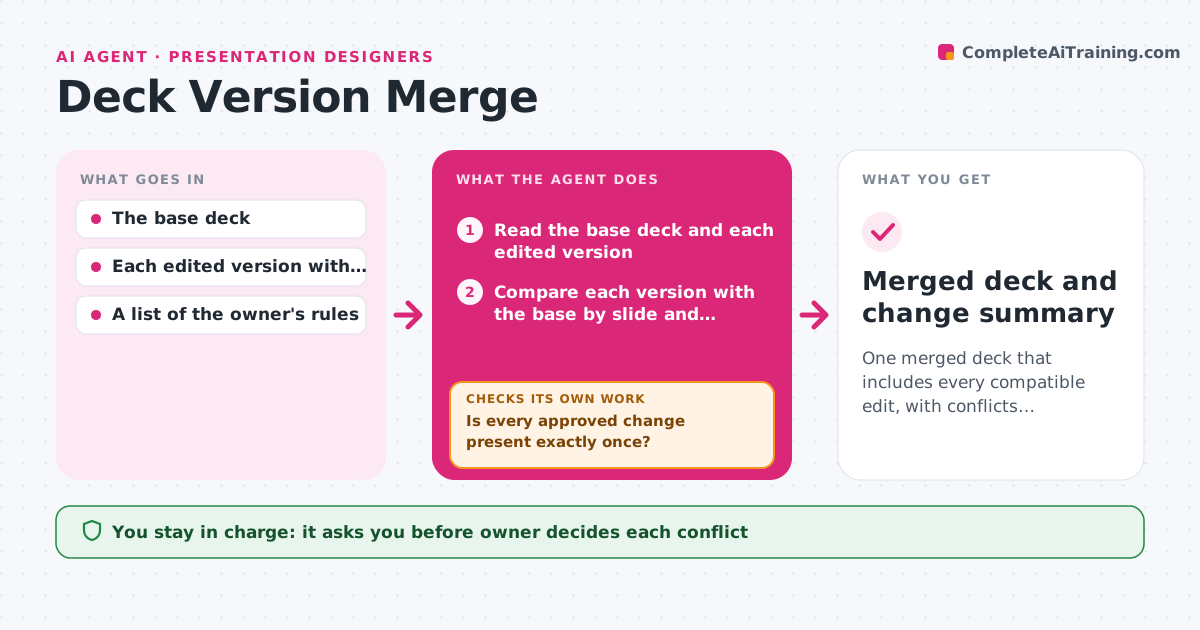
One merged deck that includes every compatible edit, with conflicts resolved by the owner and no edits lost
What it does
Four people edit four copies of the sales deck over a weekend, and on Monday someone has to merge them by hand and hopes nothing was lost. This agent reads each version and finds differences by slide: new slides, deleted slides, changed text, changed numbers, replaced images and reordered sections. It flags conflicts where two people changed the same slide in different ways, and proposes a merged deck that keeps the base version's structure and adds the compatible changes. It then checks the merged deck against each source version to confirm no edit was lost, and loops back if something is missing or duplicated. The owner approves conflict decisions and the final deck. Edge case: two people fix the same typo differently, so the agent treats it as a minor conflict and keeps the shorter version unless the owner objects.
How it works
Follow the arrows from top to bottom. The orange dashed arrow is the loop: when a check fails, the agent goes back and tries again.
Read the steps as a list
- Edited versions submitted
- Read the base deck and each edited version
- Compare each version with the base by slide and element
- Sort changes into compatible, duplicate and conflicting
- Owner decides each conflicting changeThe agent waits here for your OK.
- Build the merged deck with all compatible changes and the owner's choices
- Compare the merged deck with each source version
- Is every approved change present exactly once?If not: List missing or duplicated edits and rebuild the merged deck. Back to step 6.
- Does the merged deck keep the formatting, numbering and links?If not: Fix the formatting differences and compare again. Back to step 6.
- Owner approves the final deckThe agent waits here for your OK.
- Merged deck and change summary
How it decides
It merges changes that touch different slides automatically, and holds changes to the same slide that differ as conflicts for the owner.
- Merge changes to different slides without asking
- Treat changes to the same element as a conflict
- Keep the latest figures only when the owner confirms the source
- Keep the base structure unless the owner approves a reorder
Make it yours
Every agent is a starting point. You choose these settings for your own situation.
- Which version is the base
- Conflict rules for text and numbers
- Naming for versions
- Where merged decks are saved
- Approver
What keeps you in control
It always asks you first
- Owner decides each conflict
- Owner approves the final deck
Hard limits
- Never overwrite any source version
- Never send the merged deck to anyone
It stops when
- Done: The merged deck contains every approved change
- Stop: The versions do not share a common base, so the agent asks which version to treat as the base
Set it up
We guide you through the set-up, step by step
Members get the full set-up guide for this agent. No technical skills needed: you copy, paste and upload.
- One set of instructions to paste into your AI, with the clicks for ChatGPT, Claude, Microsoft 365 Copilot, Gemini and Grok
- The agent then walks you through connecting your own data, one source at a time
- A downloadable copy with the flow chart, the rules and the full guide