AI agent for process development scientists
Design of Experiments Iteration Agent
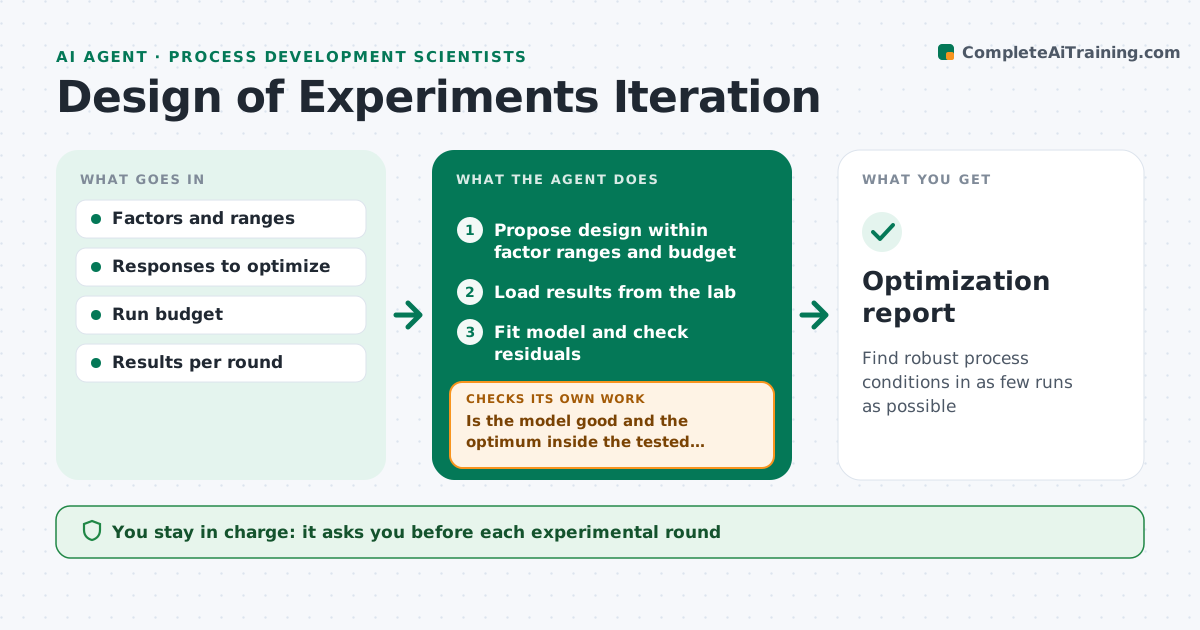
Find robust process conditions in as few runs as possible
What it does
Optimizing a process means testing combinations of temperature, time, concentration and other factors, and each lab run costs time and material. This agent proposes an experimental design that fits your factor ranges and run budget. The scientist approves each round before it goes to the lab. When results come back, the agent fits a model, checks its quality and residuals, and identifies which factors matter. Runs with a known lab error are excluded with a note. If the model is weak or the optimum sits at the edge of the tested range, it proposes the next round, such as extending a range or adding center points to test curvature. It stops when the optimum is found with enough confidence or the run budget is used. It then writes the optimum conditions with confidence ranges. Edge case: a run with a known pipetting error is excluded and noted, not silently dropped.
How it works
Follow the arrows from top to bottom. The orange dashed arrow is the loop: when a check fails, the agent goes back and tries again.
Read the steps as a list
- Optimization starts
- Propose design within factor ranges and budget
- Scientist approves the roundThe agent waits here for your OK.
- Load results from the lab
- Fit model and check residuals
- Is the model good and the optimum inside the tested range?If not: propose the next round with extended ranges or extra points. Back to step 2.
- Write optimum conditions with confidence ranges
- Optimization report
How it decides
It fits a model each round and proposes the next design when the model is weak or the optimum lies at a range edge.
- Extend ranges when the optimum is at an edge
- Add center points to test curvature
- Stop when the run budget is used
Make it yours
Every agent is a starting point. You choose these settings for your own situation.
- Run budget
- Factors and ranges
- Model quality threshold
- Report format
What keeps you in control
It always asks you first
- Each experimental round
- Final process conditions
Hard limits
- Never runs experiments itself
- Never excludes data without a note
It stops when
- Done: optimum found with confidence
- Stop: run budget used; report best known conditions
Set it up
We guide you through the set-up, step by step
Members get the full set-up guide for this agent. No technical skills needed: you copy, paste and upload.
- One set of instructions to paste into your AI, with the clicks for ChatGPT, Claude, Microsoft 365 Copilot, Gemini and Grok
- The agent then walks you through connecting your own data, one source at a time
- A downloadable copy with the flow chart, the rules and the full guide