AI agent for web designers
Design-to-Build QA Agent
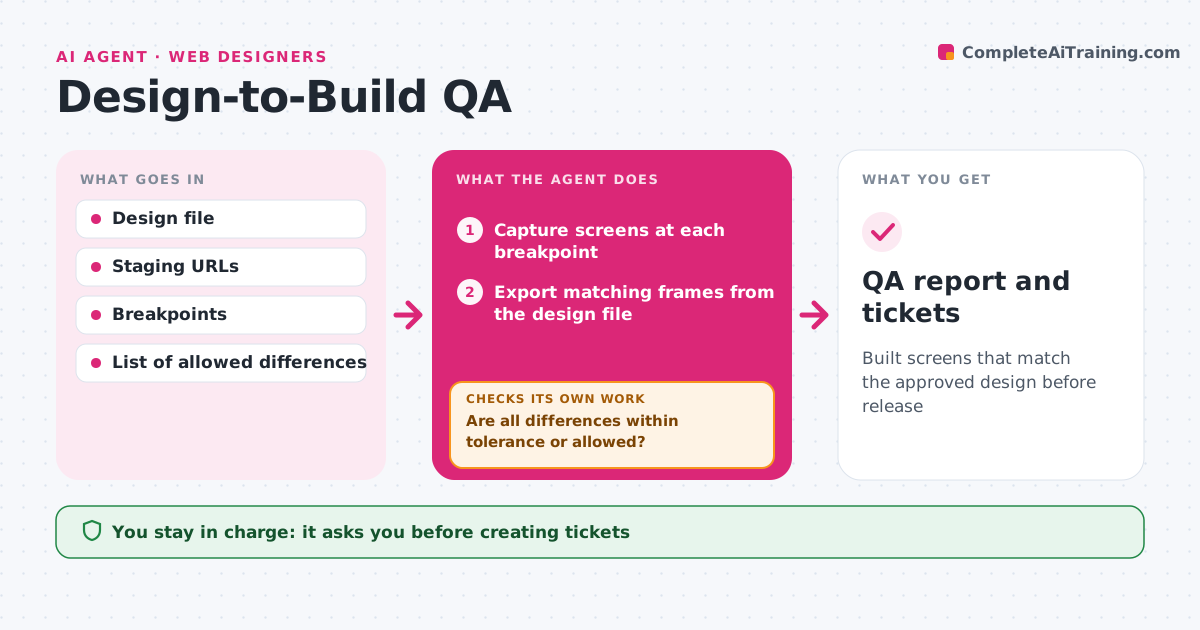
Built screens that match the approved design before release
What it does
Designers often find build mistakes only by clicking around by chance, right before launch. When a feature lands on staging, this agent captures each built screen at your breakpoints and exports the matching frames from the design file. It compares spacing, font sizes, colors, component states and copy. Dynamic areas are masked or filled with the design's sample data first. Differences above your tolerance are listed with side-by-side images, and known allowed differences are skipped. It then waits for developers to push fixes and captures again, repeating until all differences are fixed or accepted. The designer decides which remaining issues become tickets, and the agent creates them with images. Edge case: a page full of live data is compared with that area masked, so real content is not reported as a bug.
How it works
Follow the arrows from top to bottom. The orange dashed arrow is the loop: when a check fails, the agent goes back and tries again.
Read the steps as a list
- Feature lands on staging
- Capture screens at each breakpoint
- Export matching frames from the design file
- Compare spacing, type, color, states and copy
- Are all differences within tolerance or allowed?If not: list issues, wait for fixes, then capture again. Back to step 2.
- Designer approves which issues become ticketsThe agent waits here for your OK.
- Create tickets with side-by-side images
- QA report and tickets
How it decides
It flags differences above the set pixel or color tolerance and ignores items on the allowed list.
- Flag spacing differences above the tolerance
- Mask dynamic areas before comparison
- Skip items on the allowed list
Make it yours
Every agent is a starting point. You choose these settings for your own situation.
- Breakpoints to test
- Spacing tolerance (default 2 pixels)
- Allowed differences list
- Issue tracker project
What keeps you in control
It always asks you first
- Creating tickets
- Signing off the feature
Hard limits
- Never changes code
- Only opens tickets after approval
It stops when
- Done: all screens pass or issues ticketed
- Stop: staging is down; report and wait
Set it up
We guide you through the set-up, step by step
Members get the full set-up guide for this agent. No technical skills needed: you copy, paste and upload.
- One set of instructions to paste into your AI, with the clicks for ChatGPT, Claude, Microsoft 365 Copilot, Gemini and Grok
- The agent then walks you through connecting your own data, one source at a time
- A downloadable copy with the flow chart, the rules and the full guide