AI agent for ux/ui designers
Design Token and Component Release Agent
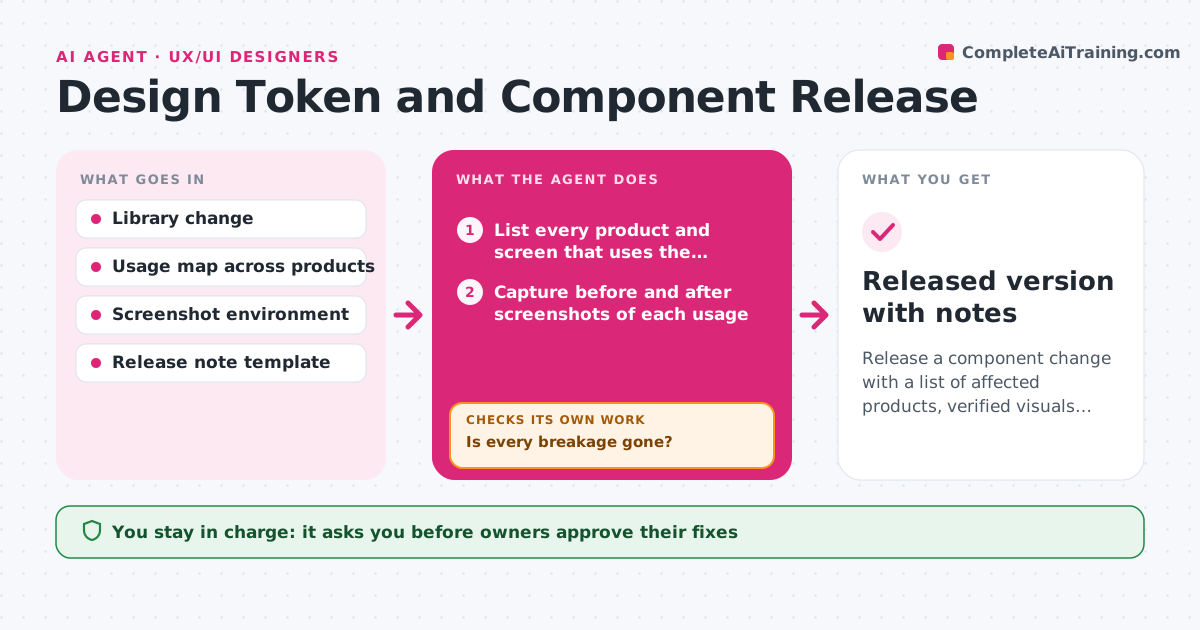
Release a component change with a list of affected products, verified visuals and clear notes.
What it does
You change the padding on a button and two weeks later a product team reports that their forms look broken. This agent starts when a component or token changes. It lists every product and file that uses it, then captures the before and after screenshots of each usage. It compares them and flags any difference larger than expected, such as overflowing text or a lost focus ring. It drafts release notes that say what changed, who is affected and what to do. After the owners fix the flagged items, it captures every flagged usage again to make sure the breakage is gone. If it is not, it reopens the item. The lead approves the release. Edge case: a product pins an old version, so the agent lists it as not affected but due for an update.
How it works
Follow the arrows from top to bottom. The orange dashed arrow is the loop: when a check fails, the agent goes back and tries again.
Read the steps as a list
- Component or token change proposed
- List every product and screen that uses the component
- Capture before and after screenshots of each usage
- Compare images and run contrast and focus checks
- Sort the usages into fine, minor shift and breakage
- Draft release notes and a migration note
- Owners confirm fixes for the breakagesThe agent waits here for your OK.
- Capture the flagged usages again with the fixes
- Is every breakage gone?If not: reopen the item with the new screenshot and return it to the owner. Back to step 4.
- Library lead approves the releaseThe agent waits here for your OK.
- Released version with notes
How it decides
A difference is a breakage when the changed pixels exceed a small tolerance or when text, focus or contrast rules fail. Small spacing shifts are reported but not blocking.
- Count a change as a breakage if text overflows, contrast drops below 4.5:1 or a focus ring disappears
- Report pixel shifts under 2px as minor
- Do not release while any breakage stays open
- Tag a change as major if it renames or removes a token
Make it yours
Every agent is a starting point. You choose these settings for your own situation.
- Pixel tolerance for minor shifts (default 2px)
- Products and files that count as usages
- Contrast ratio required (default 4.5:1)
- Release note format
- Who must approve a major version
What keeps you in control
It always asks you first
- Owners approve their fixes
- Library lead approves the release
Hard limits
- Never publish a library version or change a product
- Never hide a breakage by raising the tolerance
It stops when
- Done: no open breakages and notes are approved
- Stop: more than 20% of usages cannot be captured
Set it up
We guide you through the set-up, step by step
Members get the full set-up guide for this agent. No technical skills needed: you copy, paste and upload.
- One set of instructions to paste into your AI, with the clicks for ChatGPT, Claude, Microsoft 365 Copilot, Gemini and Grok
- The agent then walks you through connecting your own data, one source at a time
- A downloadable copy with the flow chart, the rules and the full guide