AI agent for librarians
Digital Collection Metadata Migration Agent
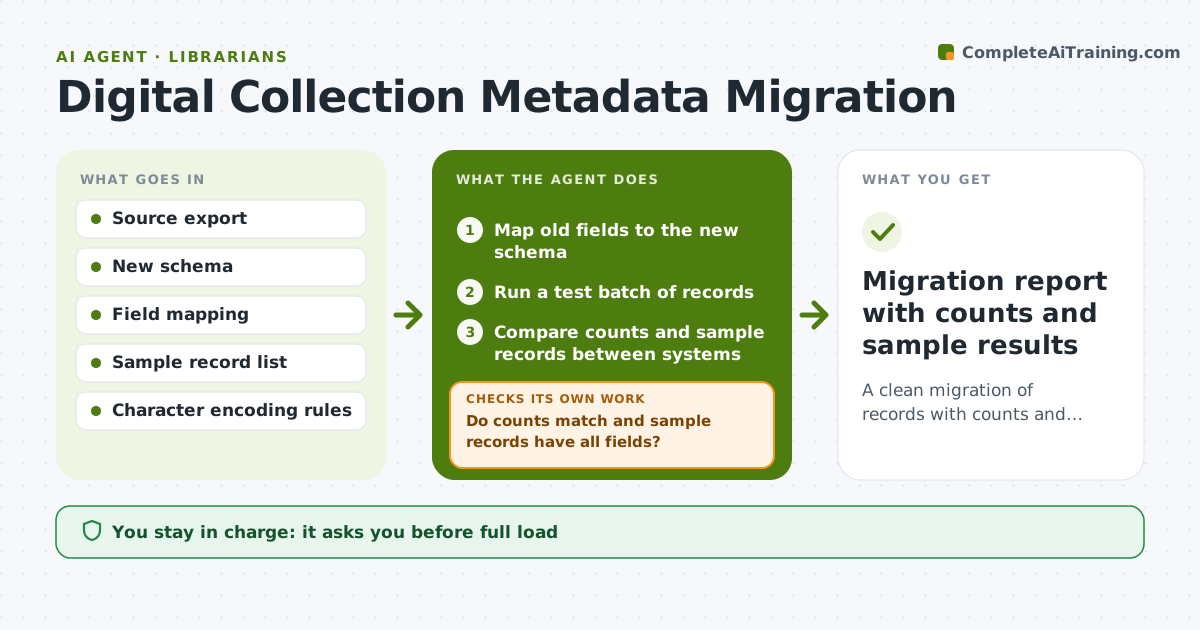
A clean migration of records with counts and sample checks that match.
What it does
Moving catalog records from an old system to a new one can lose fields, duplicate records or garble characters, and the problems show up after go-live. This agent maps old fields to the new schema, then runs a test batch. It compares counts and sample records between the two systems, flags errors such as missing authors or broken diacritics, adjusts the mapping rules and reruns the test. Only after a clean test does it prepare the full run and a rollback plan. Edge case: a note field that held two kinds of data is split by rule, and the agent checks a sample to confirm the split. The librarian approves the full load.
How it works
Follow the arrows from top to bottom. The orange dashed arrow is the loop: when a check fails, the agent goes back and tries again.
Read the steps as a list
- Migration planned with source and target schema
- Map old fields to the new schema
- Run a test batch of records
- Compare counts and sample records between systems
- Do counts match and sample records have all fields?If not: log the errors and adjust the mapping rules. Back to step 2.
- Rerun the test batch with updated rules
- Is the error rate below 0.5% on a fresh sample?If not: investigate the remaining error types. Back to step 5.
- Prepare the full run and rollback plan
- Librarian approves the full loadThe agent waits here for your OK.
- Migration report with counts and sample results
How it decides
It compares counts, field completeness and sample records, and loops on the mapping rules until error rates fall below the limit.
- Record counts must match within 0%.
- Error rate on sampled records must be below 0.5%.
- Any field with data loss blocks the full load.
- Check a new random sample after each rule change.
Make it yours
Every agent is a starting point. You choose these settings for your own situation.
- Error rate limit (default 0.5%)
- Sample size
- Fields that must not be lost
- Test batch size
- Rollback method
What keeps you in control
It always asks you first
- Full load
- Any deletion of source records
Hard limits
- Never delete or overwrite source records.
- Do not run the full load without approval.
It stops when
- Done: test results are clean and the full load is approved
- Stop: the error rate does not fall after 5 rounds, so the agent asks for help from the vendor
Set it up
We guide you through the set-up, step by step
Members get the full set-up guide for this agent. No technical skills needed: you copy, paste and upload.
- One set of instructions to paste into your AI, with the clicks for ChatGPT, Claude, Microsoft 365 Copilot, Gemini and Grok
- The agent then walks you through connecting your own data, one source at a time
- A downloadable copy with the flow chart, the rules and the full guide