AI agent for chief digital officers
Digital Initiative Benefits Tracking Agent
A monthly portfolio view of benefits delivered against business cases
What it does
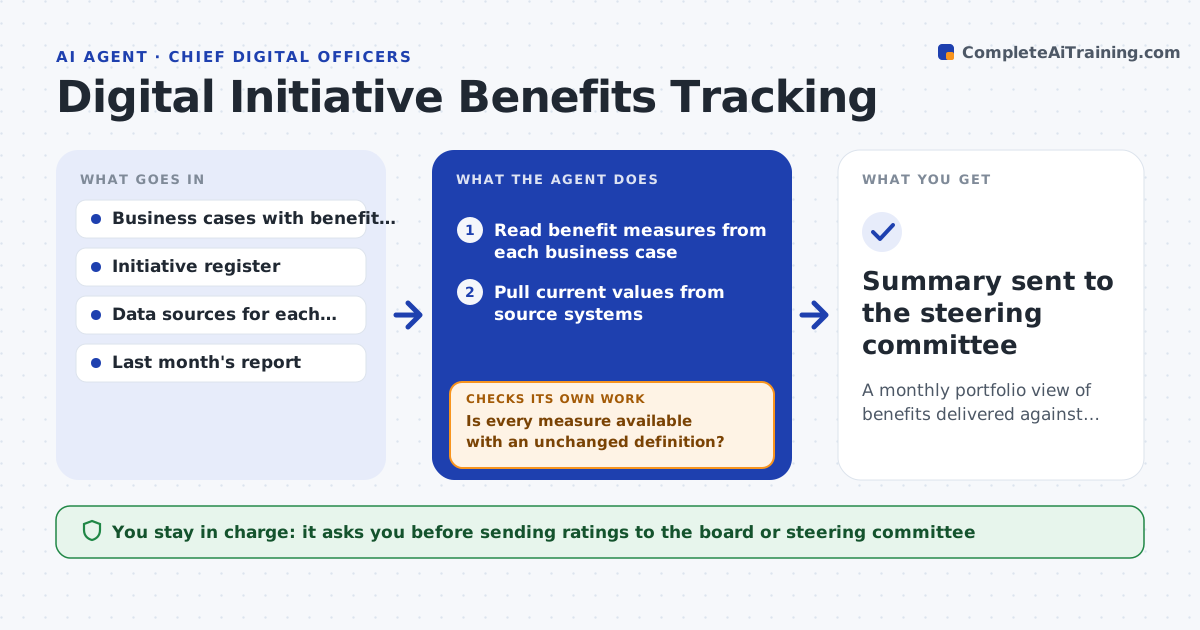
Every transformation project was approved with promised benefits, but monthly reports usually show only milestones. This agent reads each initiative's business case, finds the benefit measures, and pulls current values from source systems such as call volumes, processing times or online sales share. Before rating, it checks that each measure still exists and is defined the way the business case defined it. If a measure is missing or its definition changed, it asks the initiative owner for the source and waits. It then compares actuals with the benefit curve and rates each initiative on track, at risk or off track. It drafts a portfolio summary with the initiatives at risk and suggested questions for the steering meeting. You approve what goes to the board. Edge case: a benefit claimed by two initiatives is counted once and the overlap is noted.
How it works
Follow the arrows from top to bottom. The orange dashed arrow is the loop: when a check fails, the agent goes back and tries again.
Read the steps as a list
- Steering committee is a week away
- Read benefit measures from each business case
- Pull current values from source systems
- Is every measure available with an unchanged definition?If not: ask the initiative owner for the correct source or definition. Back to step 3.
- Compare actuals with the benefit curve and rate each initiative
- Remove double-counted benefits and draft the summary
- Executive approves the portfolio summaryThe agent waits here for your OK.
- Summary sent to the steering committee
How it decides
An initiative is rated at risk when actual benefits are more than the tolerance below the planned curve for two months.
- At risk when 15% or more below plan for two months
- Count a shared benefit once and assign it to the lead initiative
- Mark as unmeasured, not on track, when data is missing
Make it yours
Every agent is a starting point. You choose these settings for your own situation.
- At-risk tolerance (default 15%)
- Initiatives in scope
- Meeting schedule
- Summary format (slides or one-page brief)
What keeps you in control
It always asks you first
- Sending ratings to the board or steering committee
Hard limits
- Never alters source data
- Never rates an initiative on track without data
It stops when
- Done: every initiative rated or marked unmeasured
- Stop: business cases lack measurable benefits
Set it up
We guide you through the set-up, step by step
Members get the full set-up guide for this agent. No technical skills needed: you copy, paste and upload.
- One set of instructions to paste into your AI, with the clicks for ChatGPT, Claude, Microsoft 365 Copilot, Gemini and Grok
- The agent then walks you through connecting your own data, one source at a time
- A downloadable copy with the flow chart, the rules and the full guide