AI agent for quality control specialists
Document Control Review Agent
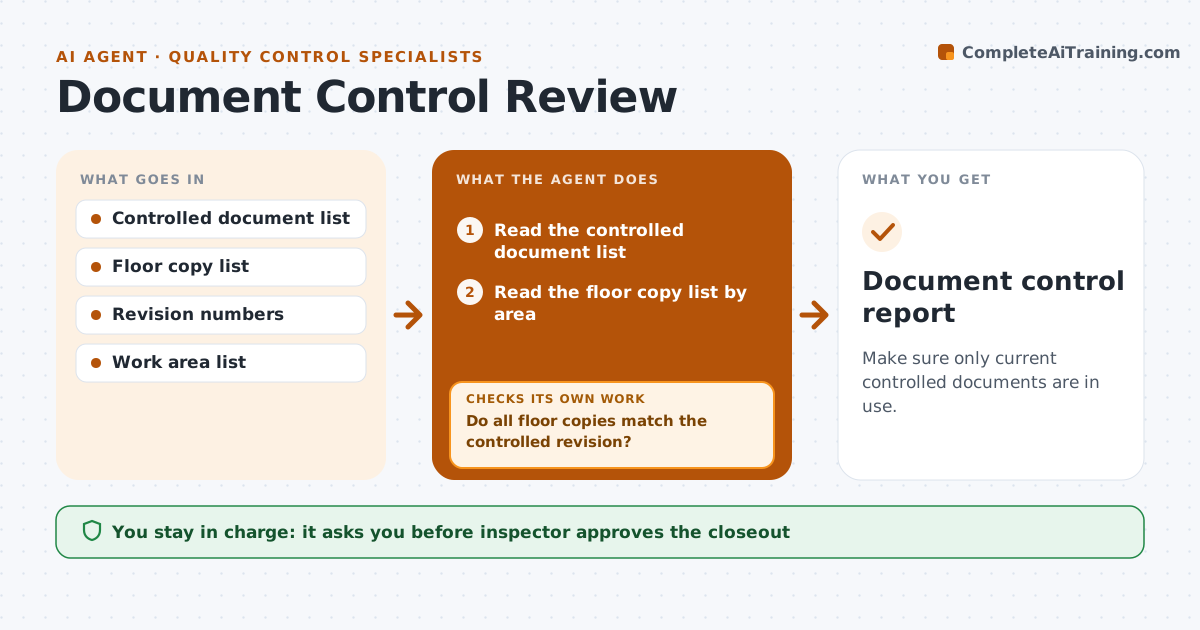
Make sure only current controlled documents are in use.
What it does
Old versions of procedures stay on the shop floor and get used. This agent compares the documents posted at each station with the controlled versions in the system. It flags the old ones and requests replacements. After replacement it walks the floor list again to confirm no old version remains. The inspector approves the closeout. Each area manager gets a short list for their own area, with the document, the revision found and the one needed. The agent keeps the list until the walk-through shows a clean result. Edge case: a procedure posted in a work area with no entry on the floor list is flagged as an unknown copy.
How it works
Follow the arrows from top to bottom. The orange dashed arrow is the loop: when a check fails, the agent goes back and tries again.
Read the steps as a list
- Monthly check or a revision is released
- Read the controlled document list
- Read the floor copy list by area
- Compare revisions for each copy
- Do all floor copies match the controlled revision?If not: List the old and unknown copies by area. Back to step 2.
- Send replacement requests with the new version
- Wait for the replacement date
- Walk the floor list again
- Does every area now show the current revision?If not: Send a firmer request and escalate to the area manager. Back to step 6.
- Inspector approves the closeoutThe agent waits here for your OK.
- Document control report
How it decides
It flags any floor copy whose revision differs from the controlled revision, and rechecks until every location shows the current one.
- Treat any older revision as a failure
- Flag copies not on the list
- Allow 3 working days for replacement
- Escalate after a second miss
Make it yours
Every agent is a starting point. You choose these settings for your own situation.
- Replacement window (default 3 days)
- Check frequency
- Areas covered
- Escalation contact
What keeps you in control
It always asks you first
- Inspector approves the closeout
Hard limits
- Never edit a controlled document
- Never close out with old copies on the floor
It stops when
- Done: every area has the current revision
- Stop: a document is missing from the system and document control steps in
Set it up
We guide you through the set-up, step by step
Members get the full set-up guide for this agent. No technical skills needed: you copy, paste and upload.
- One set of instructions to paste into your AI, with the clicks for ChatGPT, Claude, Microsoft 365 Copilot, Gemini and Grok
- The agent then walks you through connecting your own data, one source at a time
- A downloadable copy with the flow chart, the rules and the full guide