AI agent for crm managers
Donor Data Hygiene Agent
Find duplicate, outdated and incomplete donor records, propose fixes with evidence and keep every gift
What it does
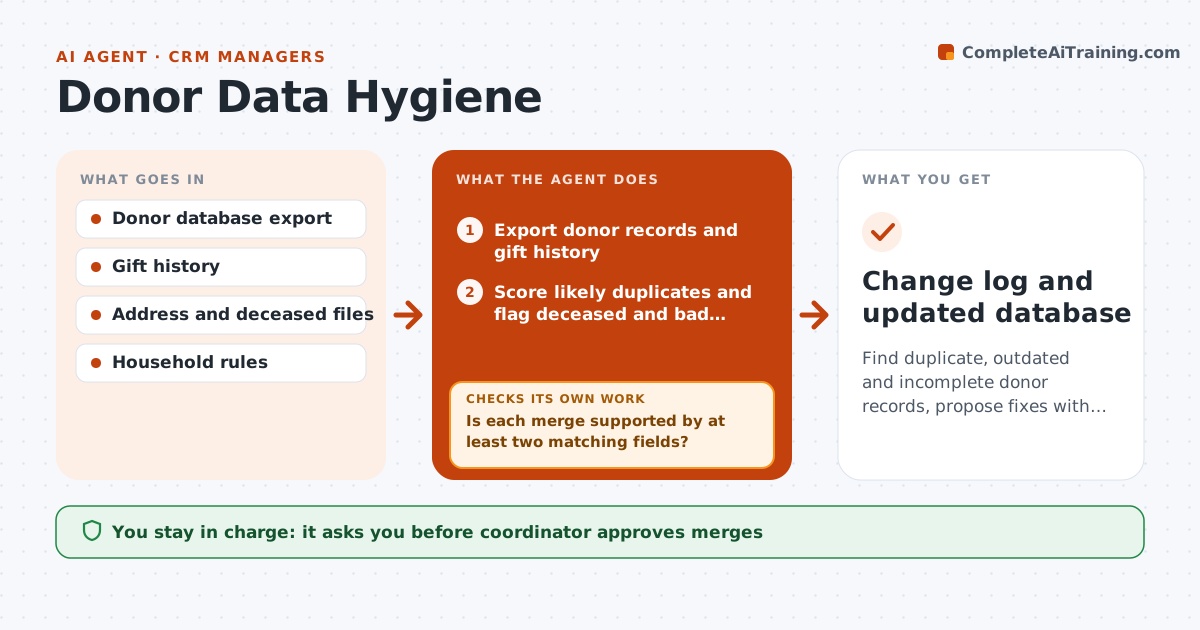
Duplicate and outdated donor records waste mailings and embarrass staff. The agent scans the database for likely duplicates, deceased flags, bad addresses and missing household links. It scores each match by name, address, email and gift history and proposes merges with the evidence. It checks every proposed merge to see that all gift history, notes and soft credits will be kept. Uncertain matches go to a review list rather than the merge list. After the coordinator approves, it applies the changes to a test copy and checks totals before the live update. Edge case: two donors named J. Smith share an address, but one is a parent and one a child, so the agent proposes a household link rather than a merge.
How it works
Follow the arrows from top to bottom. The orange dashed arrow is the loop: when a check fails, the agent goes back and tries again.
Read the steps as a list
- Monthly scan starts
- Export donor records and gift history
- Score likely duplicates and flag deceased and bad addresses
- Is each merge supported by at least two matching fields?If not: Move uncertain matches to the review list. Back to step 2.
- Build the merge and fix proposals with evidence
- Coordinator approves merges and fixesThe agent waits here for your OK.
- Apply approved changes to a test copy
- Do gift totals and counts match before and after?If not: Undo the merge and review the mismatch. Back to step 7.
- Apply to the live database after approval
- Coordinator approves the live updateThe agent waits here for your OK.
- Change log and updated database
How it decides
Merges and fixes are proposed with evidence; no change is applied if gift history would be lost or the match is uncertain.
- Require two matching fields for a merge
- Never merge records with different gift histories without review
- Mark deceased only with a source
- Propose households for shared addresses with different first names
Make it yours
Every agent is a starting point. You choose these settings for your own situation.
- Matching fields needed (default 2)
- Scan frequency
- Records excluded from merges
- Backup rule
What keeps you in control
It always asks you first
- Coordinator approves merges
- Coordinator approves the live update
Hard limits
- Never apply a change to the live database without approval
- Never delete a gift record
It stops when
- Done: approved changes applied with matching totals
- Stop: totals do not match after a test
Set it up
We guide you through the set-up, step by step
Members get the full set-up guide for this agent. No technical skills needed: you copy, paste and upload.
- One set of instructions to paste into your AI, with the clicks for ChatGPT, Claude, Microsoft 365 Copilot, Gemini and Grok
- The agent then walks you through connecting your own data, one source at a time
- A downloadable copy with the flow chart, the rules and the full guide