AI agent for plumbers
Drain Camera Findings and Repair Options Agent
Turn drain camera inspection notes into a defect list, repair options and a quote the plumber can send
What it does
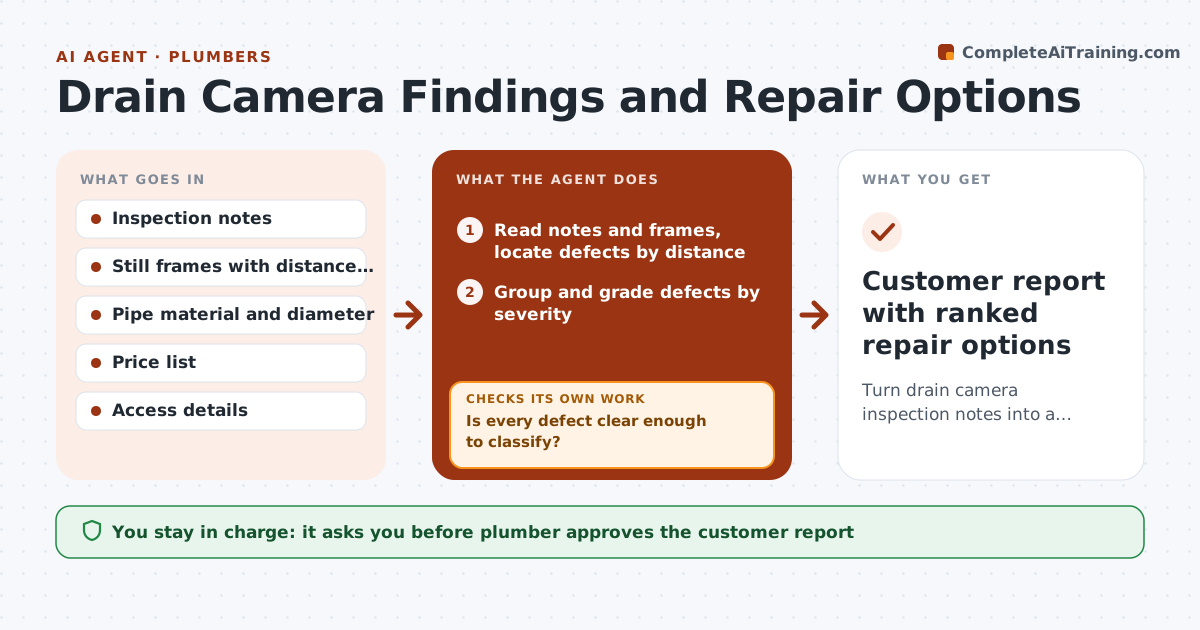
After a camera job the plumber has notes, odd frames and a customer waiting for a clear answer. The agent reads the notes and stills and locates each defect by its distance from the access point. It groups related defects, such as a run of cracked joints, and grades each by severity. For every group it proposes repair options with materials, labor and access needs, such as a spot liner, a dig repair or a full replacement. It checks the options against the quote lines and the price list, and asks for more footage or a closer frame when a defect cannot be classified. The plumber reviews the customer report before it goes out. Edge case: a root intrusion at 14 feet sits next to a belly, so the agent suggests a combined repair.
How it works
Follow the arrows from top to bottom. The orange dashed arrow is the loop: when a check fails, the agent goes back and tries again.
Read the steps as a list
- Inspection upload complete
- Read notes and frames, locate defects by distance
- Group and grade defects by severity
- Is every defect clear enough to classify?If not: Ask the plumber for a closer frame or extra footage at that distance, then reread. Back to step 2.
- Propose repair options per group with materials and access needs
- Price each option from the price list
- Do the options cover every defect and match the quote lines?If not: Add the missing repair or adjust the quote line, then reprice. Back to step 4.
- Draft the customer report with photos and plain explanations
- Plumber approves the report and quote before sendingThe agent waits here for your OK.
- Customer report with ranked repair options
How it decides
Defects are placed by distance, graded by severity, and matched to the cheapest repair that fits the pipe and access; unclear defects trigger a request for more footage.
- Grade a defect severe when it blocks more than 25% of the pipe or shows collapse
- Prefer a spot repair when fewer than three defects sit within 10 feet
- Recommend full replacement when more than half the run is defective
- Ask for more footage whenever a defect cannot be graded from the frame
Make it yours
Every agent is a starting point. You choose these settings for your own situation.
- Severity thresholds (default 25% blockage)
- Repair types offered (default spot liner, dig, replace)
- Labor and material price list
- Report layout (default photos with short notes)
What keeps you in control
It always asks you first
- Plumber approves the customer report
- Plumber approves the quote total
Hard limits
- Never state a defect as certain when the footage is unclear
- Never send a quote the plumber has not approved
It stops when
- Done: every defect has a grade and a priced repair option
- Stop: footage is too poor to grade and no new footage is available
Set it up
We guide you through the set-up, step by step
Members get the full set-up guide for this agent. No technical skills needed: you copy, paste and upload.
- One set of instructions to paste into your AI, with the clicks for ChatGPT, Claude, Microsoft 365 Copilot, Gemini and Grok
- The agent then walks you through connecting your own data, one source at a time
- A downloadable copy with the flow chart, the rules and the full guide