AI agent for transportation managers
Driver Hours Compliance Monitor Agent
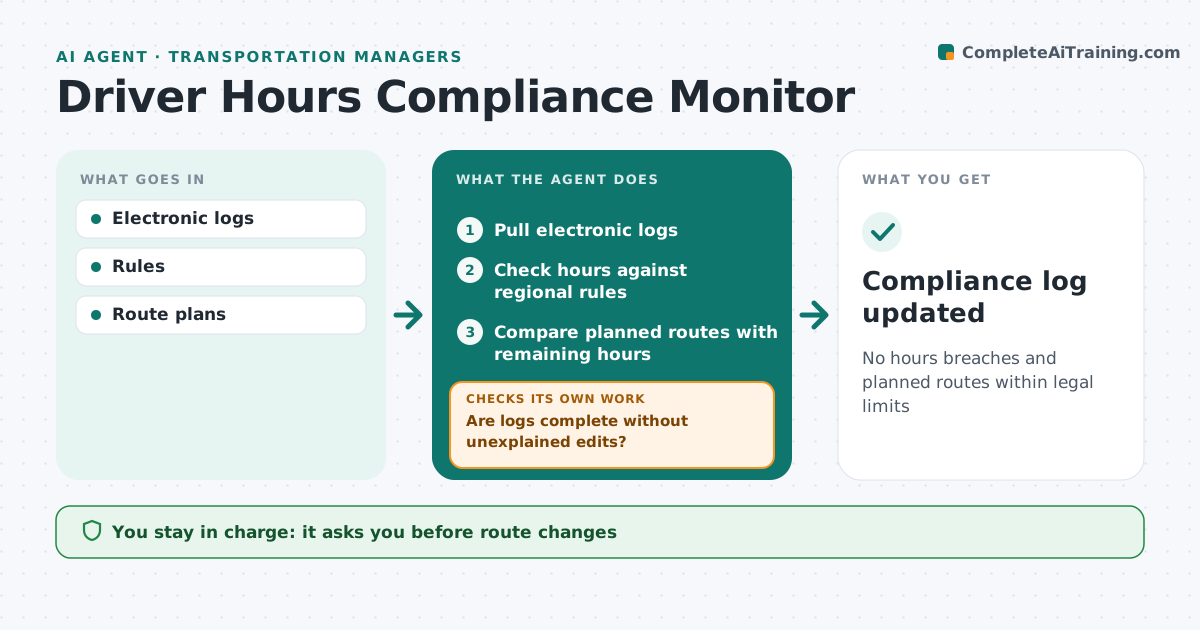
No hours breaches and planned routes within legal limits
What it does
Drivers must follow legal limits on driving and rest time, and breaches bring fines and safety risks. Each day this agent reads electronic log data and first checks it for gaps or edits; unexplained edits are sent to the driver for an explanation before the review continues. It then checks each driver's hours against the rules for their region and flags breaches and near-breaches within 30 minutes of a limit. It compares planned routes for the coming days with remaining hours and warns where a plan would cause a breach, proposing route swaps. It checks the proposed swaps keep every driver within limits. The manager approves route changes and any corrective action with drivers. Edge case: a driver was delayed by an accident, so the agent notes the allowed exception once evidence is provided.
How it works
Follow the arrows from top to bottom. The orange dashed arrow is the loop: when a check fails, the agent goes back and tries again.
Read the steps as a list
- Daily log review
- Pull electronic logs
- Are logs complete without unexplained edits?If not: request driver explanation. Back to step 2.
- Check hours against regional rules
- Compare planned routes with remaining hours
- Draft route swaps for plans that would breach
- Do the swaps keep every driver within limits?If not: try another swap or split the route. Back to step 6.
- Manager approves route changesThe agent waits here for your OK.
- Compliance log updated
How it decides
It compares used and planned hours with legal limits.
- Near-breach within 30 minutes flagged
- Edits need reasons
- Exceptions require evidence
Make it yours
Every agent is a starting point. You choose these settings for your own situation.
- Rule set
- Near-breach margin
- Review time
- Report recipients
What keeps you in control
It always asks you first
- Route changes
- Driver warnings
Hard limits
- No disciplinary action
- Rules by jurisdiction
It stops when
- Done: compliance log
- Stop: log system down
Set it up
We guide you through the set-up, step by step
Members get the full set-up guide for this agent. No technical skills needed: you copy, paste and upload.
- One set of instructions to paste into your AI, with the clicks for ChatGPT, Claude, Microsoft 365 Copilot, Gemini and Grok
- The agent then walks you through connecting your own data, one source at a time
- A downloadable copy with the flow chart, the rules and the full guide