AI agent for online course creators
Drop-Off Diagnosis Agent
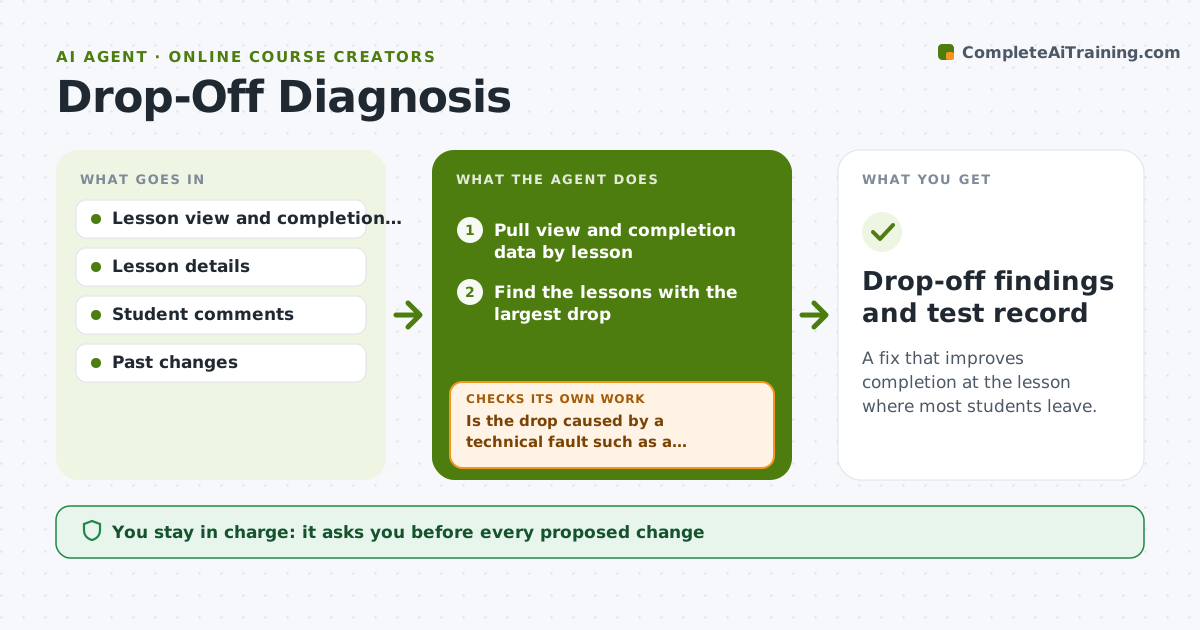
A fix that improves completion at the lesson where most students leave.
What it does
Completion drops from 80% in lesson 3 to 41% in lesson 6, and you guess why. This agent finds the lessons with the biggest drop in views or completion and compares length, difficulty, format and student comments around them. It forms hypotheses, for example that lesson 6 is 40 minutes long and has no practice task, and proposes a small fix to test. After the next cohort goes through, it checks whether the numbers improved. If not, it tries another hypothesis. Edge case: a sharp drop is due to a broken video link, so the agent reports the bug before any content change. The creator approves changes.
How it works
Follow the arrows from top to bottom. The orange dashed arrow is the loop: when a check fails, the agent goes back and tries again.
Read the steps as a list
- Enough cohort data collected
- Pull view and completion data by lesson
- Find the lessons with the largest drop
- Compare length, format, difficulty and comments for those lessons
- Is the drop caused by a technical fault such as a broken video?If not: report the fault and wait for the fix before analyzing content. Back to step 2.
- Form hypotheses and rank them
- Propose one small change to test
- Creator approves the changeThe agent waits here for your OK.
- Check the next cohort's numbers for the lesson
- Did completion improve by at least 10 points?If not: try the next hypothesis. Back to step 4.
- Drop-off findings and test record
How it decides
It picks the hypothesis best supported by the data and tests one change at a time so the effect can be seen.
- Test one change per lesson at a time.
- Count improvement only after at least 30 students pass the lesson.
- Rule out technical faults first.
- Do not change graded content without approval.
Make it yours
Every agent is a starting point. You choose these settings for your own situation.
- Improvement target (default 10 points)
- Minimum student count
- Metrics watched
- Test length
- Review frequency
What keeps you in control
It always asks you first
- Every proposed change
- Any change to paid content
Hard limits
- Do not edit course content itself.
- Do not draw conclusions from fewer than 30 students.
It stops when
- Done: completion improved or hypotheses are exhausted and logged
- Stop: too few students to judge, so the agent recommends waiting
Set it up
We guide you through the set-up, step by step
Members get the full set-up guide for this agent. No technical skills needed: you copy, paste and upload.
- One set of instructions to paste into your AI, with the clicks for ChatGPT, Claude, Microsoft 365 Copilot, Gemini and Grok
- The agent then walks you through connecting your own data, one source at a time
- A downloadable copy with the flow chart, the rules and the full guide