AI agent for medical billers
Edit Rule Update Impact Agent
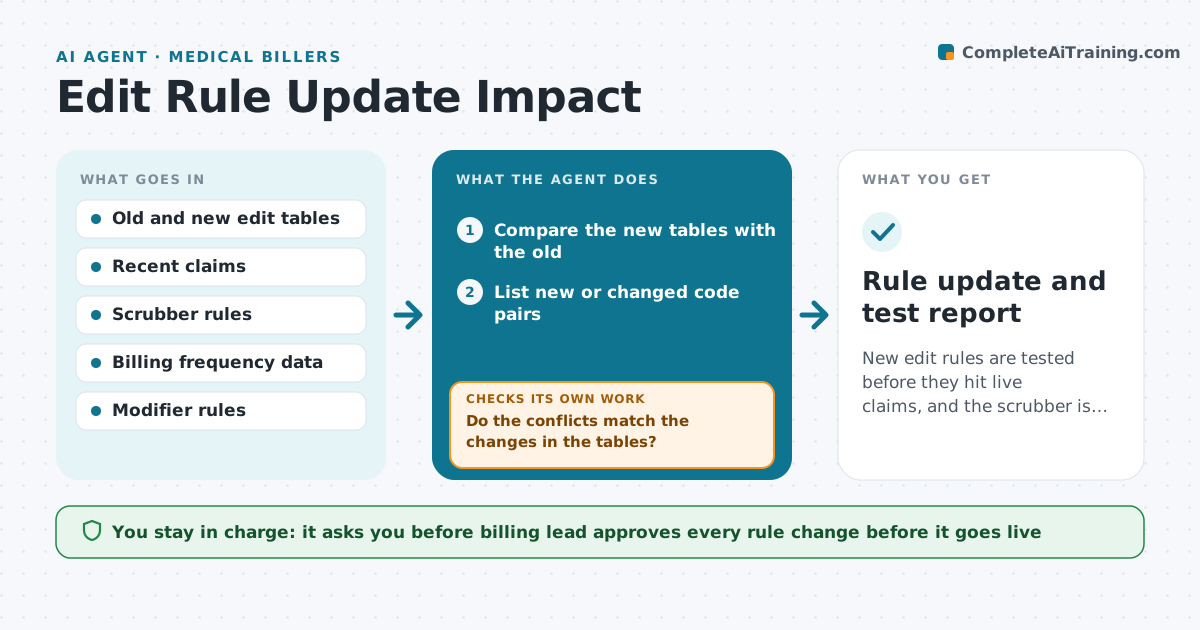
New edit rules are tested before they hit live claims, and the scrubber is updated before denials rise.
What it does
Each quarter, bundling edits change what can be billed together, and denials spike a month later. The agent compares the new edit tables with the old, finds code pairs the practice bills often, and tests recent claims for new conflicts. It proposes updated rules for the claim scrubber and re-tests them on sample claims to make sure the rules block the right claims and do not block valid ones. The billing lead approves the rule changes. Edge case: a code pair that can still be billed together with a modifier, where the rule must allow it.
How it works
Follow the arrows from top to bottom. The orange dashed arrow is the loop: when a check fails, the agent goes back and tries again.
Read the steps as a list
- New quarterly edit tables published
- Compare the new tables with the old
- List new or changed code pairs
- Rank them by how often the practice bills them
- Test recent claims for new conflicts
- Do the conflicts match the changes in the tables?If not: Recheck the table version and rerun the test. Back to step 4.
- Draft scrubber rule changes
- Retest the new rules on sample claims
- Do the rules block bad claims without blocking valid ones?If not: Adjust the rule and retest. Back to step 6.
- Billing lead approves the rule changesThe agent waits here for your OK.
- Rule update and test report
How it decides
It ranks changed code pairs by how often the practice bills them and tests each new rule on past claims before proposing it.
- Prioritize pairs billed more than 50 times a quarter
- Allow pairs that are valid with a modifier
- Test on at least 100 recent claims
- Apply updates before the quarter starts
Make it yours
Every agent is a starting point. You choose these settings for your own situation.
- Quarter start dates
- Billing frequency threshold (default 50)
- Test sample size (default 100)
- Payers covered
What keeps you in control
It always asks you first
- Billing lead approves every rule change before it goes live
Hard limits
- Never change scrubber rules without approval
- Test before any rule goes live
It stops when
- Done: updated rules tested and approved
- Stop: edit table source is unclear and the billing lead must confirm
Set it up
We guide you through the set-up, step by step
Members get the full set-up guide for this agent. No technical skills needed: you copy, paste and upload.
- One set of instructions to paste into your AI, with the clicks for ChatGPT, Claude, Microsoft 365 Copilot, Gemini and Grok
- The agent then walks you through connecting your own data, one source at a time
- A downloadable copy with the flow chart, the rules and the full guide