AI agent for policy makers
Emergency Order Renewal Review Agent
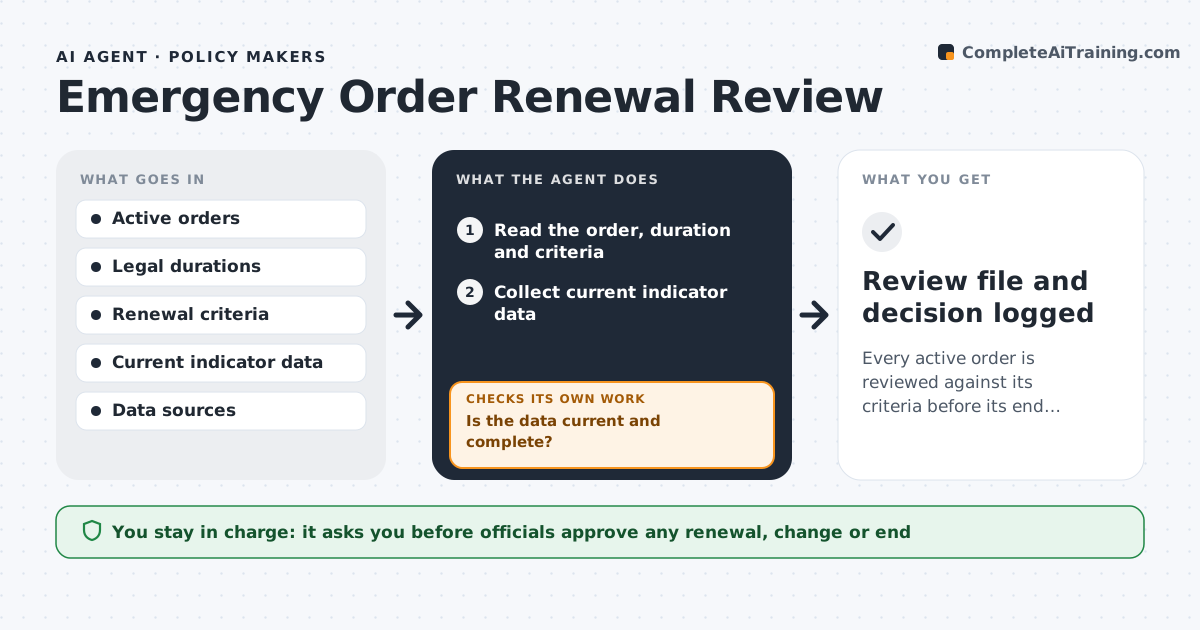
Every active order is reviewed against its criteria before its end date, with a clear recommendation for officials.
What it does
An emergency order is renewed out of habit or expires by mistake, without checking whether the original conditions still hold. The agent tracks the legal duration and renewal date of each active order, collects the current indicators, such as case counts or incident data, and tests them against the renewal criteria written in the order. If the data is stale or missing, it requests an update before scoring. It then summarizes whether the evidence supports renewal, change or ending. Officials approve any renewal, change or end. Edge case: an indicator that meets the criteria in only one of two regions, so the agent suggests a narrower order.
How it works
Follow the arrows from top to bottom. The orange dashed arrow is the loop: when a check fails, the agent goes back and tries again.
Read the steps as a list
- Order nears its renewal date
- Read the order, duration and criteria
- Collect current indicator data
- Is the data current and complete?If not: Request an update from the source and wait. Back to step 3.
- Compare each indicator with its threshold
- Check whether conditions differ by area
- Is the result clear for all areas?If not: Rerun with updated data or split the result by area. Back to step 5.
- Write a recommendation: renew, change or end
- Officials approve renewal, change or endThe agent waits here for your OK.
- Draft notice with the required wording
- Review file and decision logged
How it decides
It compares each indicator with the numeric threshold in the order and treats data older than the set age as not usable.
- Data older than 7 days is stale
- Recommend ending when all indicators are below thresholds for 14 days
- Suggest a narrower scope when only some areas meet the criteria
- Flag any order expiring within 7 days
Make it yours
Every agent is a starting point. You choose these settings for your own situation.
- Indicators and thresholds
- Data age limit (default 7 days)
- Review lead time (default 30 days)
- Areas covered
What keeps you in control
It always asks you first
- Officials approve any renewal, change or end
Hard limits
- Never issue a renewal or notice itself
- Do not interpret the law
It stops when
- Done: decision logged and notices drafted
- Stop: legal authority is unclear and counsel must advise
Set it up
We guide you through the set-up, step by step
Members get the full set-up guide for this agent. No technical skills needed: you copy, paste and upload.
- One set of instructions to paste into your AI, with the clicks for ChatGPT, Claude, Microsoft 365 Copilot, Gemini and Grok
- The agent then walks you through connecting your own data, one source at a time
- A downloadable copy with the flow chart, the rules and the full guide