AI agent for internal communications managers
Employee Announcement Rollout Tracking Agent
Reach the acknowledgment target in every audience group with the fewest follow-ups.
What it does
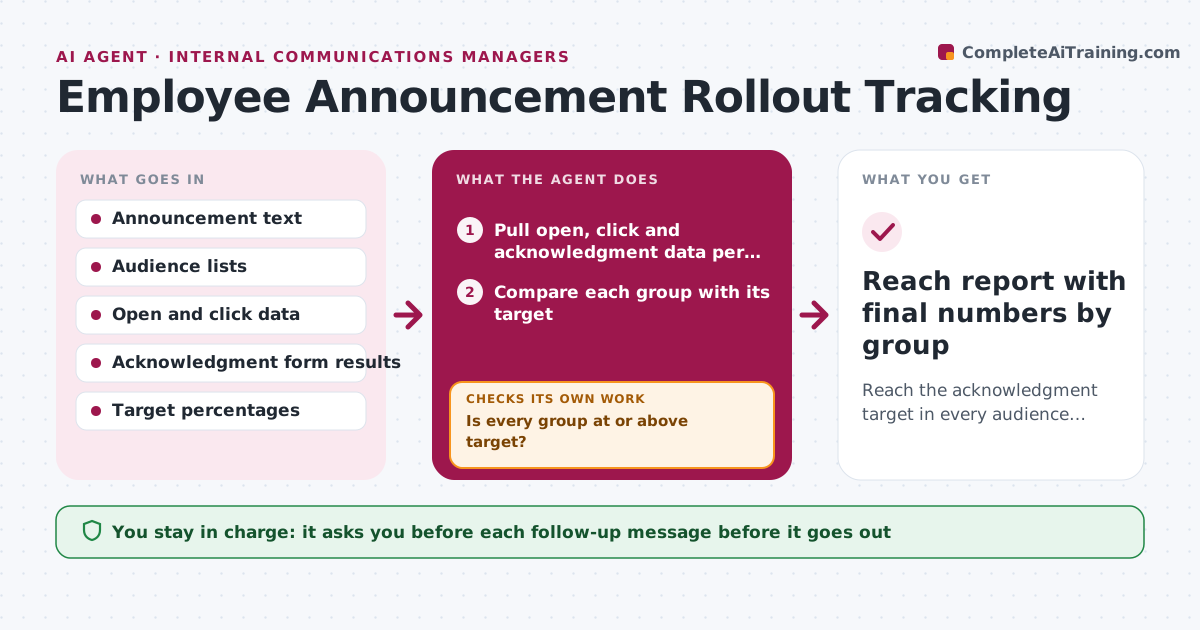
After a major announcement goes out, you usually have no idea which teams read it. This agent pulls open, click and acknowledgment numbers for every audience group from your email and intranet tools, and compares each group with the target you set. For groups that fall short, it picks the lightest fix that fits: a reminder, a manager talking point, or a post in the team channel. It waits for the next wave of data, then measures again and repeats until the target is met or the cap on follow-ups is reached. It does not send anything itself. You approve every follow-up. Edge case: a plant team with no company email shows 0% opens, so the agent flags the channel gap and suggests a printed notice instead.
How it works
Follow the arrows from top to bottom. The orange dashed arrow is the loop: when a check fails, the agent goes back and tries again.
Read the steps as a list
- Announcement has been sent
- Pull open, click and acknowledgment data per audience group
- Compare each group with its target
- Is every group at or above target?If not: List the groups below target and rank them by gap size. Back to step 2.
- Choose a follow-up per group (reminder, manager talking points, other channel)
- Draft the follow-up messages and talking points
- Communications manager approves each follow-upThe agent waits here for your OK.
- Send approved follow-ups through the chosen channels
- Wait for the next wave of data
- Did the gap close after the follow-up?If not: Return to the group list and pick a different channel or escalate to the leader. Back to step 2.
- Reach report with final numbers by group
How it decides
It compares each group to its target and chooses a follow-up by the size of the gap and the channels that group can actually be reached on. It stops adding follow-ups when the cap is hit and reports the rest.
- Groups more than 15 points below target get a manager talking point, not just a reminder
- Groups with no email access get a non-email channel suggestion
- No group receives more than two follow-ups
- A group above 90% of target is marked done
Make it yours
Every agent is a starting point. You choose these settings for your own situation.
- Acknowledgment target (default 90%)
- Follow-up cap per group (default 2)
- Check schedule (default 1, 3, 7 days)
- Channels allowed per audience
- Gap that triggers manager talking points (default 15 points)
What keeps you in control
It always asks you first
- Each follow-up message before it goes out
- Any escalation to a senior leader
Hard limits
- Never sends without approval
- Never shows individual names to anyone below HR
- Respects the follow-up cap per group
It stops when
- Done: every group reaches target
- Stop: follow-up cap reached; remaining gaps reported to the manager
Set it up
We guide you through the set-up, step by step
Members get the full set-up guide for this agent. No technical skills needed: you copy, paste and upload.
- One set of instructions to paste into your AI, with the clicks for ChatGPT, Claude, Microsoft 365 Copilot, Gemini and Grok
- The agent then walks you through connecting your own data, one source at a time
- A downloadable copy with the flow chart, the rules and the full guide