
AI agent for communication managers
Employee Crisis Update Cadence Agent
Keep employees informed on a steady schedule with updates that match the public statement.
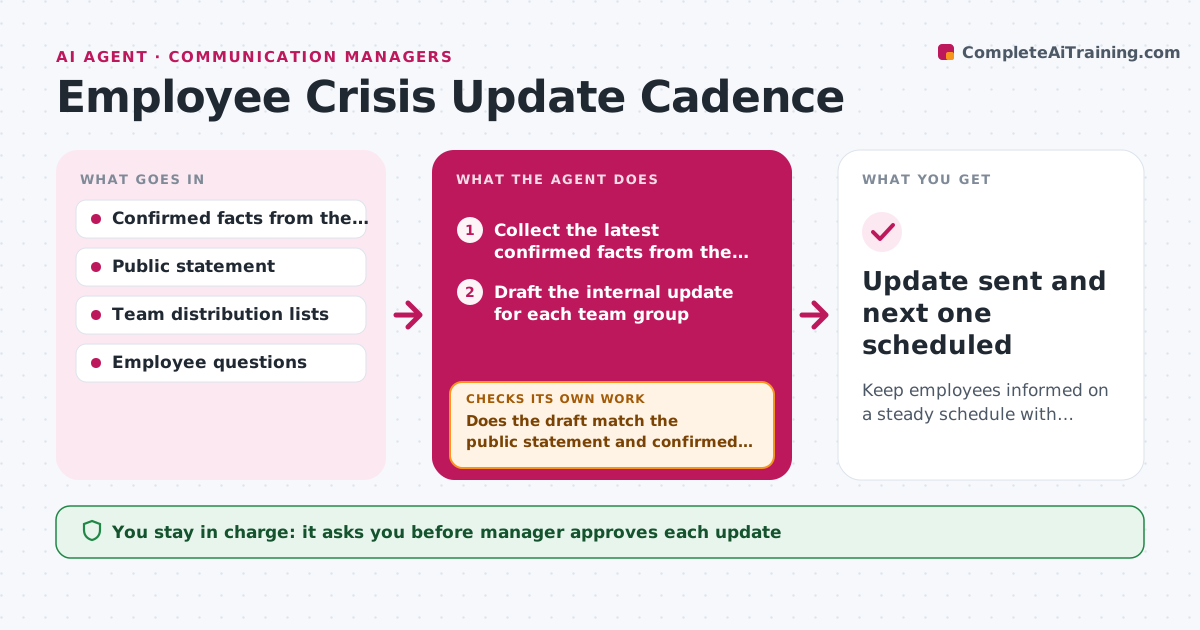
What it does
During an incident, staff want facts before they read them in the news, and silence leaves them to guess. The agent runs an update rhythm for employees. At each scheduled time it collects the latest confirmed facts from the response lead and drafts an internal update for each team group. It checks the draft against the public statement and flags any difference in wording or fact, because employees will compare the two. After approval it distributes the update by team through the agreed channels and collects questions that come back. The questions feed the next update, and any question without a known answer goes to the right owner. Edge case: a fact changes between drafting and sending. The agent re-checks the facts before sending. The manager approves each update.
How it works
Follow the arrows from top to bottom. The orange dashed arrow is the loop: when a check fails, the agent goes back and tries again.
Read the steps as a list
- Update time arrives
- Collect the latest confirmed facts from the response lead
- Draft the internal update for each team group
- Compare each draft with the current public statement
- Does the draft match the public statement and confirmed facts?If not: rewrite the differing lines and compare again. Back to step 3.
- Manager approves the updateThe agent waits here for your OK.
- Re-check that no fact changed since approval, then distribute by team
- Collect employee questions from replies and the question form
- Does every question have a confirmed answer or an owner assigned?If not: send unanswered questions to the owner and recollect the answers. Back to step 8.
- Plan the next update with the new facts and answers
- Update sent and next one scheduled
How it decides
An update goes out only when it matches the public statement and contains only confirmed facts. Questions with no answer are routed to an owner, not guessed.
- Send updates every 2 hours during the first day, then every 4
- Never share anything not confirmed by the response lead
- Hold an update if it differs from the public statement
- Send leaders a pre-brief 15 minutes before staff
Make it yours
Every agent is a starting point. You choose these settings for your own situation.
- Update interval (default every 2 hours)
- Team groups and channels
- Who confirms facts
- Approval path
- Question intake method
What keeps you in control
It always asks you first
- Manager approves each update
- Manager approves any change to the cadence
Hard limits
- Never send before approval
- Do not share personal data about affected people
It stops when
- Done: incident is closed and the final update is sent
- Stop: facts are disputed internally, pause and ask the response lead
Set it up
We guide you through the set-up, step by step
Members get the full set-up guide for this agent. No technical skills needed: you copy, paste and upload.
- One set of instructions to paste into your AI, with the clicks for ChatGPT, Claude, Microsoft 365 Copilot, Gemini and Grok
- The agent then walks you through connecting your own data, one source at a time
- A downloadable copy with the flow chart, the rules and the full guide



