AI agent for diversity and inclusion managers
Employee Resource Group Program Agent
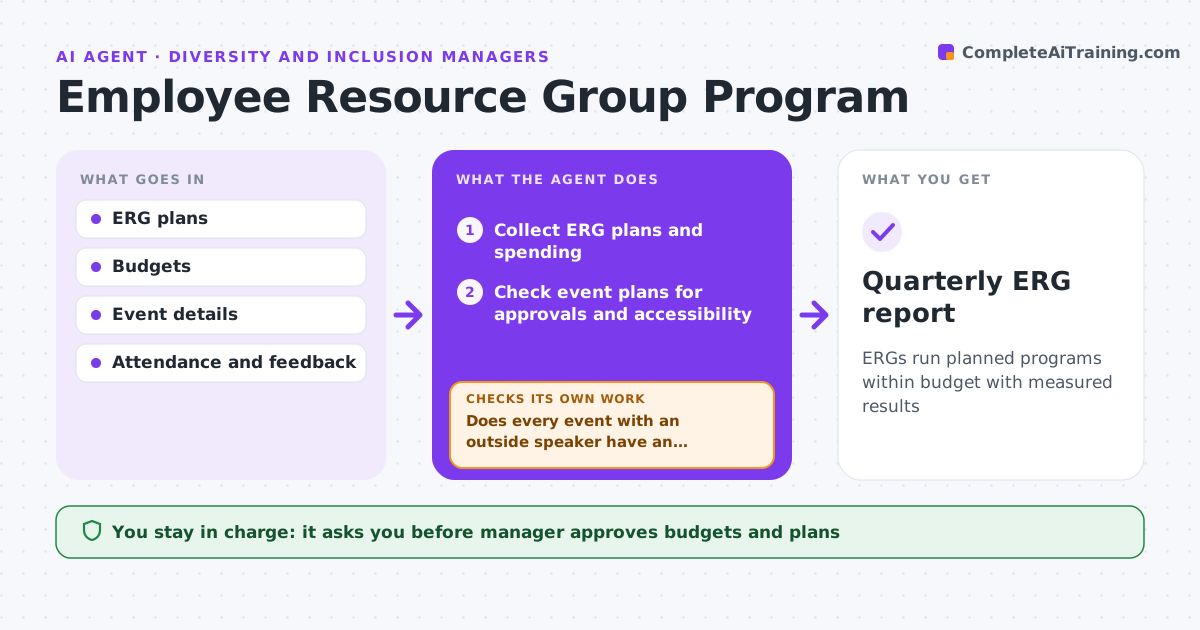
ERGs run planned programs within budget with measured results
What it does
Employee resource groups run events, mentoring and awareness activities on a set budget, and volunteer leaders get stretched. Each month this agent collects every group's plans and spending. It checks event plans for missing approvals and accessibility needs, and confirms that events with outside speakers have an approved contract before promotion. After events it gathers attendance and feedback. It then checks whether each group is on track with its yearly goals and budget; spending off by 20% is flagged. When a group is off track, such as one whose leader has gone quiet, it flags it and suggests support. The manager approves budgets and plans. Edge case: an event with an outside speaker is never promoted until the contract is approved.
How it works
Follow the arrows from top to bottom. The orange dashed arrow is the loop: when a check fails, the agent goes back and tries again.
Read the steps as a list
- Monthly review
- Collect ERG plans and spending
- Check event plans for approvals and accessibility
- Does every event with an outside speaker have an approved contract?If not: hold promotion and send the contract for approval. Back to step 3.
- Gather attendance and feedback
- Is each group on track with goals and budget?If not: flag the group and suggest support. Back to step 2.
- Draft the quarterly ERG summary
- Manager approves budgets and plansThe agent waits here for your OK.
- Quarterly ERG report
How it decides
Groups are flagged when spending is off by over 20% or goals are behind.
- Budget off by 20% flagged
- Accessibility checked for every event
- Outside speakers need contracts
Make it yours
Every agent is a starting point. You choose these settings for your own situation.
- Budget threshold
- Goals per group
- Report frequency
- Accessibility checklist
What keeps you in control
It always asks you first
- Manager approves budgets and plans
Hard limits
- Never spends money
- Members' identities kept private
It stops when
- Done: quarter report
- Stop: ERG disbanded
Set it up
We guide you through the set-up, step by step
Members get the full set-up guide for this agent. No technical skills needed: you copy, paste and upload.
- One set of instructions to paste into your AI, with the clicks for ChatGPT, Claude, Microsoft 365 Copilot, Gemini and Grok
- The agent then walks you through connecting your own data, one source at a time
- A downloadable copy with the flow chart, the rules and the full guide