AI agent for industrial engineers
Engineered Labor Standards Review Agent
Time standards that match the current method, backed by clean samples
What it does
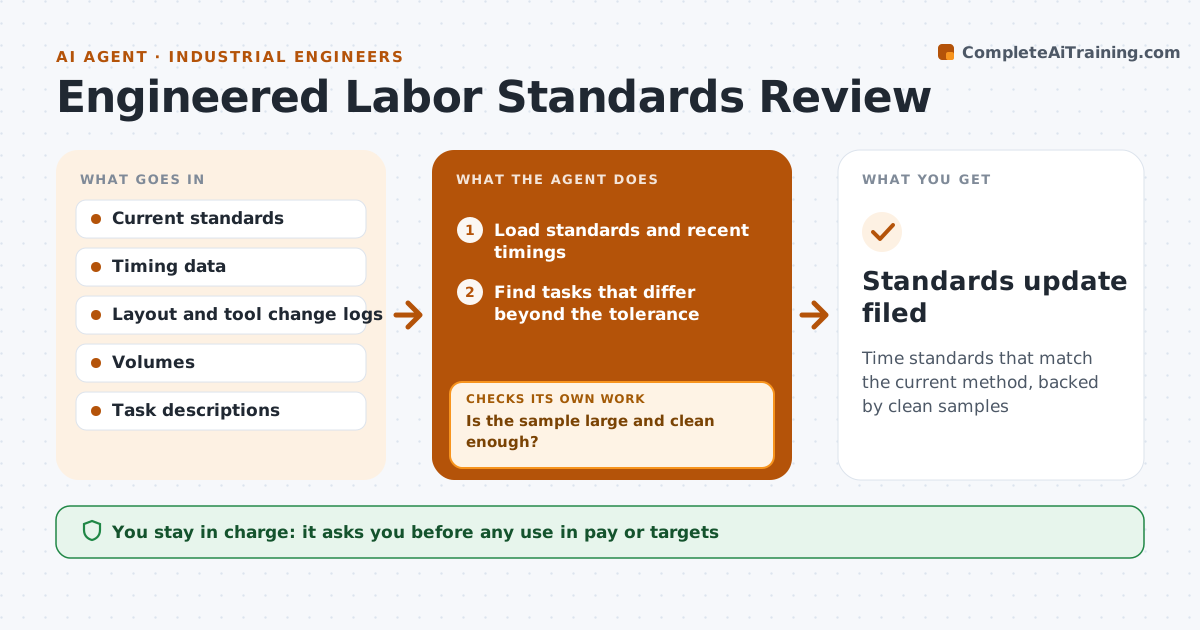
Labor time standards get old as layouts, tools and methods change, but they still drive targets and pay. This agent compares standards with recent task timings and finds tasks that drift. It checks work orders and change logs for method changes that explain the drift. For doubtful samples it asks for a re-time and checks the new sample. It proposes updated standards with the evidence behind them. The engineer approves before any use in pay or targets. Every proposed standard shows the old value, the new value, the number of samples and the cost effect on targets. Edge case: a task was timed during a training week, so the agent excludes that sample.
How it works
Follow the arrows from top to bottom. The orange dashed arrow is the loop: when a check fails, the agent goes back and tries again.
Read the steps as a list
- Quarterly standards review begins
- Load standards and recent timings
- Find tasks that differ beyond the tolerance
- Check change logs for method, layout or tool changes
- Is the sample large and clean enough?If not: request a re-time of the doubtful tasks and reload the results. Back to step 2.
- Calculate proposed new standards
- Compare the effect on targets and costs
- Engineer approves before any use in pay or targetsThe agent waits here for your OK.
- Standards update filed
How it decides
A standard is flagged when the recent average differs from it by more than the tolerance across enough samples. It is updated only after doubtful samples are re-timed.
- Flag drift over 7 percent across at least 30 samples
- Exclude samples from training or unusual days
- Require a method change record to explain a drift
- Keep the old standard until approval
Make it yours
Every agent is a starting point. You choose these settings for your own situation.
- Drift tolerance (default 7 percent)
- Minimum samples (default 30)
- Tasks reviewed
- Review cycle
What keeps you in control
It always asks you first
- Any use in pay or targets
Hard limits
- Never apply standards to pay
- Never delete timing data
It stops when
- Done: standards updated and approved
- Stop: too few samples
Set it up
We guide you through the set-up, step by step
Members get the full set-up guide for this agent. No technical skills needed: you copy, paste and upload.
- One set of instructions to paste into your AI, with the clicks for ChatGPT, Claude, Microsoft 365 Copilot, Gemini and Grok
- The agent then walks you through connecting your own data, one source at a time
- A downloadable copy with the flow chart, the rules and the full guide