AI agent for aerospace engineers
Engineering Change Impact Agent
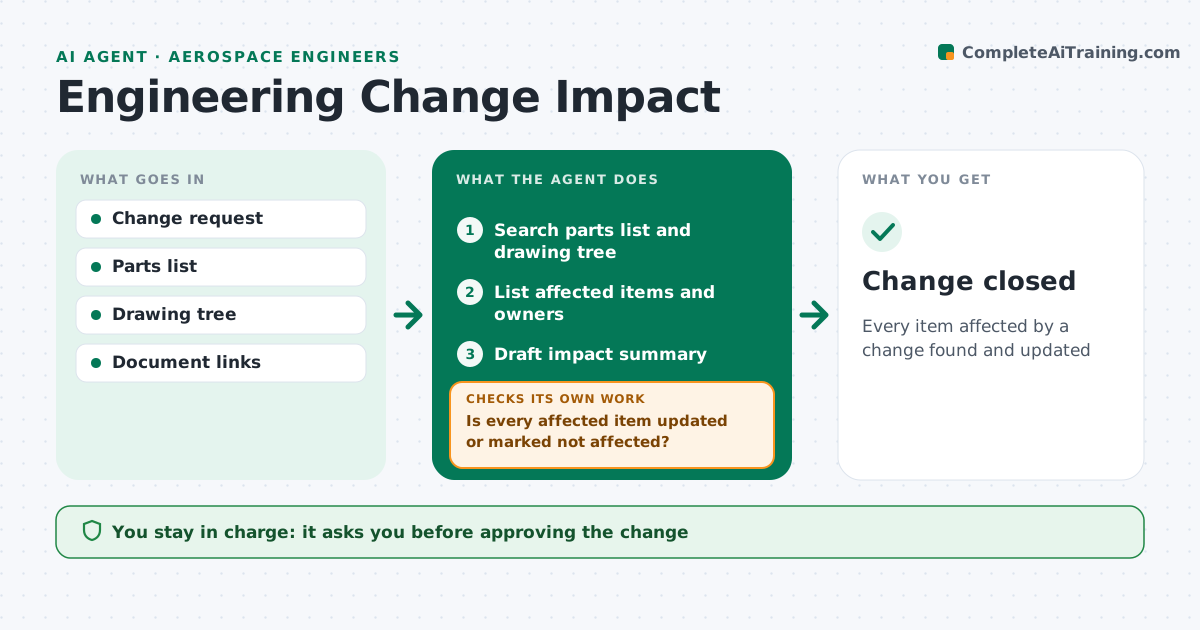
Every item affected by a change found and updated
What it does
A small change to one aircraft part can affect drawings, analyses, test plans and manuals, and missing one causes trouble at audit or in service. When a change request is raised, this agent reads it and searches the parts list, drawing tree and document links for everything connected. It lists the affected items and their owners and asks owners to confirm any item they think is not affected. It drafts an impact summary for the change board, which approves the change. The agent then tracks each item. Before the change can close, it checks that every affected item has been updated or confirmed not affected. If items are still open, it blocks closure and reminds owners, then checks again. Edge case: a part used in two aircraft variants is flagged for both, so the second variant's documents are not forgotten.
How it works
Follow the arrows from top to bottom. The orange dashed arrow is the loop: when a check fails, the agent goes back and tries again.
Read the steps as a list
- Change request raised
- Search parts list and drawing tree
- List affected items and owners
- Draft impact summary
- Change board approves the changeThe agent waits here for your OK.
- Is every affected item updated or marked not affected?If not: chase owners for open items. Back to step 3.
- Change closed
How it decides
It follows links from the changed part to all connected items, and checks each one's status.
- Include all variants using the part
- Ask owners to confirm not affected
- Block closure with open items
Make it yours
Every agent is a starting point. You choose these settings for your own situation.
- Link depth
- Owner list
- Summary template
- Closure rules
What keeps you in control
It always asks you first
- Approving the change
- Closing the change
Hard limits
- Never releases drawings
It stops when
- Done: change closed
- Stop: links missing; ask configuration management
Set it up
We guide you through the set-up, step by step
Members get the full set-up guide for this agent. No technical skills needed: you copy, paste and upload.
- One set of instructions to paste into your AI, with the clicks for ChatGPT, Claude, Microsoft 365 Copilot, Gemini and Grok
- The agent then walks you through connecting your own data, one source at a time
- A downloadable copy with the flow chart, the rules and the full guide