AI agent for urban planners
Environmental Complaint Cluster Watch Agent
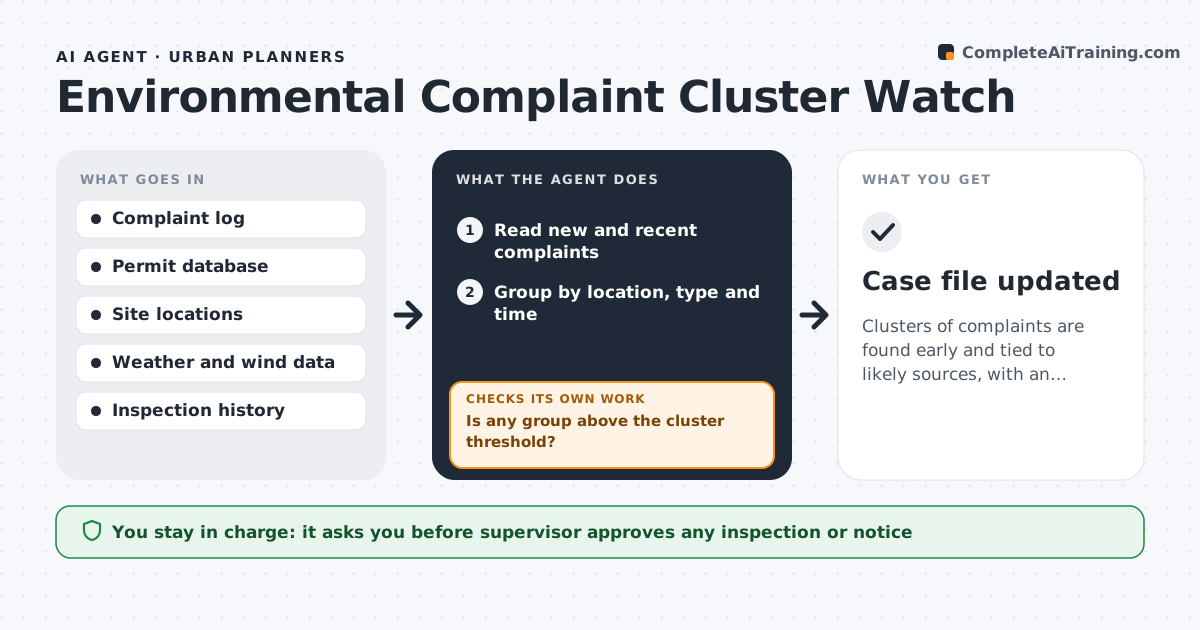
Clusters of complaints are found early and tied to likely sources, with an inspection plan for a supervisor to approve.
What it does
Odor, noise and pest complaints come in one at a time, so a pattern around one site is missed until the neighbors are furious. The agent groups new complaints by location, type and time, and compares clusters with known permits and sources such as a plant or a construction site. When a cluster passes the set threshold, it assembles the evidence, a map and a timeline, and suggests an inspection route. If the inspection or later complaints show that the first guess was wrong, it recalculates and checks other sources. A supervisor approves the inspection or notice. Edge case: complaints that cluster along a wind direction rather than around one address.
How it works
Follow the arrows from top to bottom. The orange dashed arrow is the loop: when a check fails, the agent goes back and tries again.
Read the steps as a list
- New complaints logged
- Read new and recent complaints
- Group by location, type and time
- Compare groups with known permits and sources
- Is any group above the cluster threshold?If not: Keep the groups under watch and recheck tomorrow. Back to step 3.
- Pull weather and wind data for the period
- Assemble the evidence and suggest an inspection route
- Supervisor approves the inspection or noticeThe agent waits here for your OK.
- Log the inspection result and new complaints
- Does the source match the pattern?If not: Widen the search to other sources and regroup. Back to step 4.
- Case file updated
How it decides
It groups complaints by distance, type and time window and treats a group above the threshold as a cluster, matching it to the nearest relevant source.
- A cluster is 5 complaints of one type within 1 km in 7 days
- Check wind direction for odor and noise
- Merge repeat complainants into one count of households
- Prioritize clusters near schools or homes
Make it yours
Every agent is a starting point. You choose these settings for your own situation.
- Cluster threshold (default 5 in 1 km in 7 days)
- Complaint types covered
- Data sources used
- Who receives cluster alerts
What keeps you in control
It always asks you first
- Supervisor approves any inspection or notice
Hard limits
- Never issue a notice itself
- Do not publish complainant names
It stops when
- Done: cluster resolved or inspected
- Stop: no likely source is found and the supervisor decides next steps
Set it up
We guide you through the set-up, step by step
Members get the full set-up guide for this agent. No technical skills needed: you copy, paste and upload.
- One set of instructions to paste into your AI, with the clicks for ChatGPT, Claude, Microsoft 365 Copilot, Gemini and Grok
- The agent then walks you through connecting your own data, one source at a time
- A downloadable copy with the flow chart, the rules and the full guide