AI agent for safety engineers
Ergonomic Complaint Assessment Follow-Up Agent
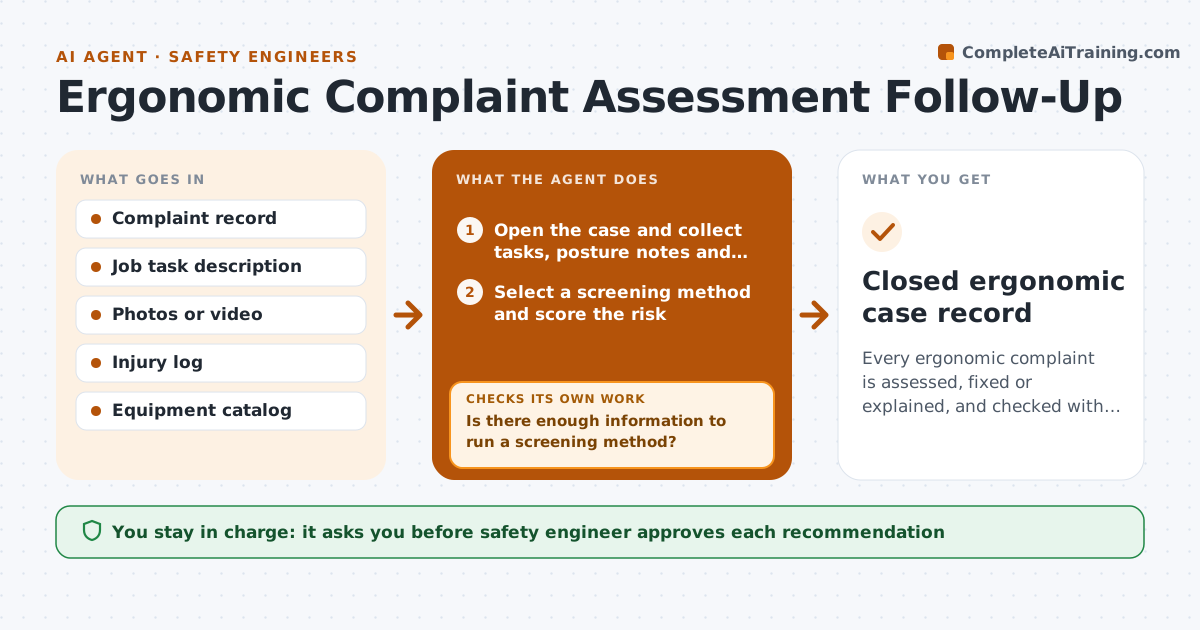
Every ergonomic complaint is assessed, fixed or explained, and checked with the employee 30 days later.
What it does
An employee reports wrist pain, and three months later nobody has looked at the workstation. This agent opens an assessment task for every complaint. It collects the job tasks, posture notes and photos, then picks a screening method that fits, such as a lifting equation for manual handling or a rapid upper limb check for repetitive work. It drafts a recommended change, like a lift aid or adjusted station height. After you approve, it tracks the change and follows up with the employee after 30 days. If the pain persists, it reopens the case with new questions. Edge case: two complaints from the same station are linked, since they point to a station issue, not an individual one.
How it works
Follow the arrows from top to bottom. The orange dashed arrow is the loop: when a check fails, the agent goes back and tries again.
Read the steps as a list
- Ergonomic complaint logged
- Open the case and collect tasks, posture notes and photos
- Is there enough information to run a screening method?If not: Ask the employee and supervisor for the missing task details and photos. Back to step 2.
- Select a screening method and score the risk
- Link any other complaints from the same station
- Draft the recommended change with cost and lead time
- Safety engineer approves each recommendationThe agent waits here for your OK.
- Track the change and schedule a follow-up
- At 30 days, is the employee reporting less strain?If not: Reopen the case, rescore the task and draft a different change. Back to step 4.
- Closed ergonomic case record
How it decides
It chooses the screening method from task type: lifting, repetitive upper body, sustained posture or tool vibration, and grades risk with that method.
- Use a lifting method when loads exceed 15 lb repeatedly
- Link complaints from the same station within 90 days
- Escalate to the safety engineer within 2 days if the risk score is high
- Reopen the case if the follow-up shows the same pain
Make it yours
Every agent is a starting point. You choose these settings for your own situation.
- Screening methods used
- Follow-up interval (default 30 days)
- Risk score that triggers escalation
- Equipment catalog source
What keeps you in control
It always asks you first
- Safety engineer approves each recommendation
- Safety engineer decides on work restrictions
Hard limits
- Never give medical advice
- Never share complaint details beyond the case team
It stops when
- Done: change made and employee confirms improvement
- Stop: medical treatment is needed and the case moves to occupational health
Set it up
We guide you through the set-up, step by step
Members get the full set-up guide for this agent. No technical skills needed: you copy, paste and upload.
- One set of instructions to paste into your AI, with the clicks for ChatGPT, Claude, Microsoft 365 Copilot, Gemini and Grok
- The agent then walks you through connecting your own data, one source at a time
- A downloadable copy with the flow chart, the rules and the full guide