AI agent for erp consultants
ERP Data Migration Validation Agent
Migrated data proven complete and correct before it is used live
What it does
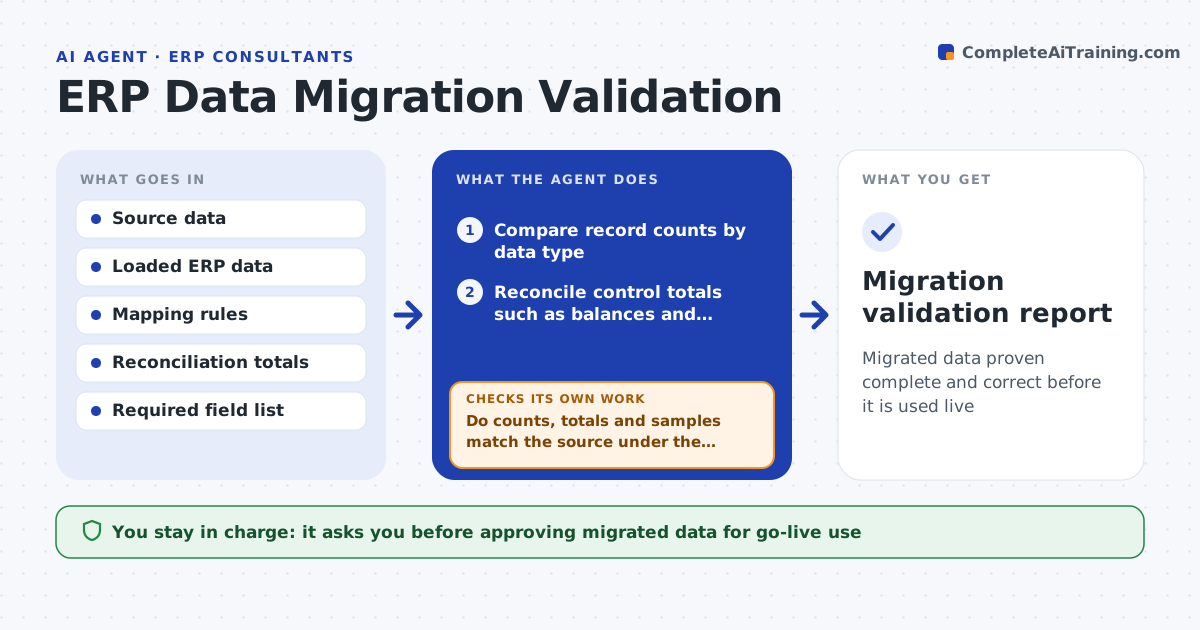
Moving data from old systems into a new ERP is error-prone: fields map wrongly, records drop and totals change, and errors surface after go-live. After each migration run this agent compares the source with the loaded data. It checks record counts by type, reconciles key totals like account balances and inventory values, and compares a sample of records field by field. It confirms mapping rules were applied and required fields are filled. Where counts or totals differ, it traces which records differ and why, such as a filter dropping inactive items. It reports pass or fail per data type and never calls a migration clean until counts and totals reconcile. You approve the data for go-live. Edge case: a total that differs because of an agreed rule, such as excluding cancelled orders, is reconciled with that rule, not flagged.
How it works
Follow the arrows from top to bottom. The orange dashed arrow is the loop: when a check fails, the agent goes back and tries again.
Read the steps as a list
- Migration run completed
- Compare record counts by data type
- Reconcile control totals such as balances and inventory value
- Sample records and compare them field by field
- Do counts, totals and samples match the source under the agreed rules?If not: trace the differing records and cause, fix the mapping and rerun. Back to step 2.
- Are all required fields filled in the loaded data?If not: list the empty fields and apply the agreed defaults or source fixes. Back to step 4.
- Report pass or fail per data type
- Consultant approves the data for go-liveThe agent waits here for your OK.
- Migration validation report
How it decides
A data type passes only when record counts and control totals reconcile with the source and sampled records match field by field.
- Pass only when counts and totals reconcile
- Apply agreed rules before flagging a difference
- Require all mandatory fields filled
Make it yours
Every agent is a starting point. You choose these settings for your own situation.
- Control totals per data type
- Sample size
- Mapping and reconciliation rules
- Required fields
What keeps you in control
It always asks you first
- Approving migrated data for go-live use
Hard limits
- Does not go live without approval
- Validates on a test load before go-live
It stops when
- Done: all data types pass and reported
- Stop: source data is unavailable to compare
Set it up
We guide you through the set-up, step by step
Members get the full set-up guide for this agent. No technical skills needed: you copy, paste and upload.
- One set of instructions to paste into your AI, with the clicks for ChatGPT, Claude, Microsoft 365 Copilot, Gemini and Grok
- The agent then walks you through connecting your own data, one source at a time
- A downloadable copy with the flow chart, the rules and the full guide