AI agent for construction contractors
Estimate Assumptions and Exclusions Review Agent
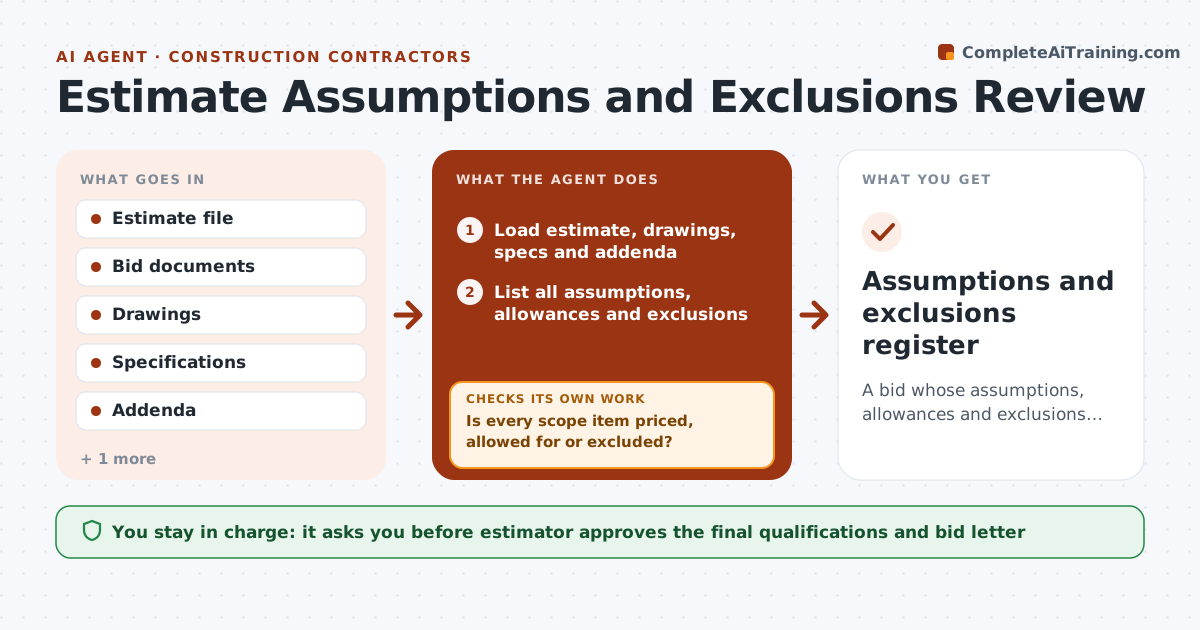
A bid whose assumptions, allowances and exclusions are clear, consistent and matched to the documents.
What it does
The bid is submitted, the project is awarded, and then the owner expects you to include the temporary power you assumed someone else would pay for. This agent reviews the estimate before submission. It reads the estimate and bid documents, lists every assumption, allowance and exclusion, and compares each against the drawings and specs. It flags gaps, such as scope in the specs that is neither priced nor excluded, and conflicts, such as an exclusion that the contract documents require. It checks the bid letter after your edits to confirm they match. You approve the final qualifications. Edge case: an allowance with no stated amount is flagged as an open number the owner can challenge.
How it works
Follow the arrows from top to bottom. The orange dashed arrow is the loop: when a check fails, the agent goes back and tries again.
Read the steps as a list
- Estimate near final
- Load estimate, drawings, specs and addenda
- List all assumptions, allowances and exclusions
- Match each spec section and drawing scope to estimate lines
- Is every scope item priced, allowed for or excluded?If not: List the unpriced items for the estimator to price or exclude. Back to step 3.
- Check exclusions against contract requirements
- Draft the clarification and qualification text
- Estimator reviews the bid letter textThe agent waits here for your OK.
- Recheck the bid letter against the edited estimate
- Do the bid letter and estimate say the same thing?If not: Revise the letter text and recheck. Back to step 6.
- Assumptions and exclusions register
How it decides
It marks scope as a gap when a spec section or drawing item is neither priced nor excluded, and as a conflict when an exclusion contradicts the documents.
- Every spec section must be priced or excluded
- Flag allowances without amounts
- Flag exclusions that conflict with the documents
- Compare against addenda before closing
Make it yours
Every agent is a starting point. You choose these settings for your own situation.
- Bid letter format
- Documents to check
- Flag rules
- Standard exclusions list
What keeps you in control
It always asks you first
- Estimator approves the final qualifications and bid letter
Hard limits
- Never submit bids itself
- Never give legal opinions on contract terms
It stops when
- Done: register approved and letter consistent
- Stop: documents missing or addenda not loaded
Set it up
We guide you through the set-up, step by step
Members get the full set-up guide for this agent. No technical skills needed: you copy, paste and upload.
- One set of instructions to paste into your AI, with the clicks for ChatGPT, Claude, Microsoft 365 Copilot, Gemini and Grok
- The agent then walks you through connecting your own data, one source at a time
- A downloadable copy with the flow chart, the rules and the full guide