
AI agent for digital marketing managers
Evergreen Content Recycling Agent
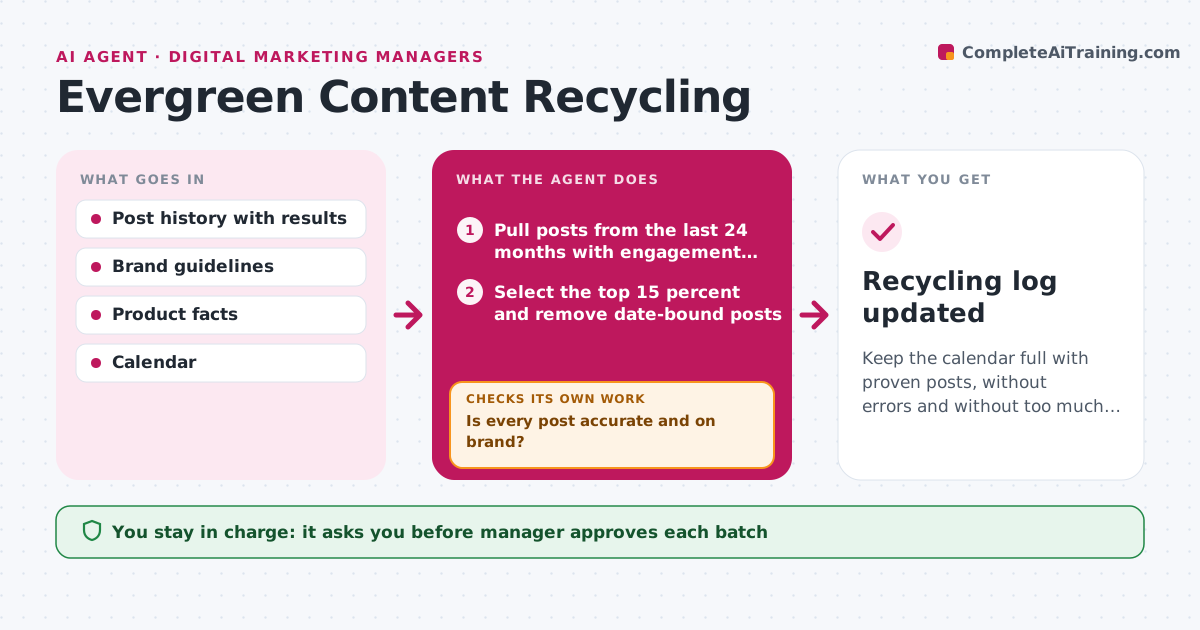
Keep the calendar full with proven posts, without errors and without too much repetition.
What it does
The team's best posts of the last two years sit in an archive while the calendar is being filled with new ideas under time pressure. The agent finds top posts by engagement and results per platform, and checks which ones are evergreen rather than tied to a date. For each candidate it checks accuracy, such as prices, features and statistics, and whether it still matches the brand voice and visuals. It adjusts the copy, suggests a new hook and picks repost slots with spacing, so that the same post does not appear twice within a set period. After the repost, it measures the result against the original and against the average. Reposts that perform badly are dropped from the pool. Edge case: a post featuring a person who has left the company. The manager approves each batch.
How it works
Follow the arrows from top to bottom. The orange dashed arrow is the loop: when a check fails, the agent goes back and tries again.
Read the steps as a list
- Monthly recycling run
- Pull posts from the last 24 months with engagement results
- Select the top 15 percent and remove date-bound posts
- Check facts, prices and people in each post
- Is every post accurate and on brand?If not: fix the text, or drop the post if it cannot be fixed. Back to step 3.
- Rewrite the hook and choose repost slots with spacing
- Manager approves each batchThe agent waits here for your OK.
- Schedule the approved reposts
- After posting, compare results with the original
- Did each repost reach 70 percent of the original result?If not: try a new hook once, then drop the post from the pool. Back to step 5.
- Recycling log updated
How it decides
A post qualifies when it is in the top 15 percent of engagement and is not date-bound. A repost stays in the pool only if it reaches at least 70 percent of the original result.
- Choose posts in the top 15 percent of engagement
- Skip posts tied to a date, event or person who has left
- Space repeated posts at least 60 days apart
- Drop a post after two weak reposts
Make it yours
Every agent is a starting point. You choose these settings for your own situation.
- Engagement percentile (default 15)
- Minimum spacing (default 60 days)
- Platforms
- Success rate (default 70 percent)
- Batch size
What keeps you in control
It always asks you first
- Manager approves each batch
- Manager approves changes to brand wording
Hard limits
- Never repost without approval
- Do not reuse content with expired claims
It stops when
- Done: batch scheduled and measured
- Stop: product facts have changed widely, pause and ask the manager
Set it up
We guide you through the set-up, step by step
Members get the full set-up guide for this agent. No technical skills needed: you copy, paste and upload.
- One set of instructions to paste into your AI, with the clicks for ChatGPT, Claude, Microsoft 365 Copilot, Gemini and Grok
- The agent then walks you through connecting your own data, one source at a time
- A downloadable copy with the flow chart, the rules and the full guide



