
AI agent for automotive engineers
Failure Root Cause Investigation Agent
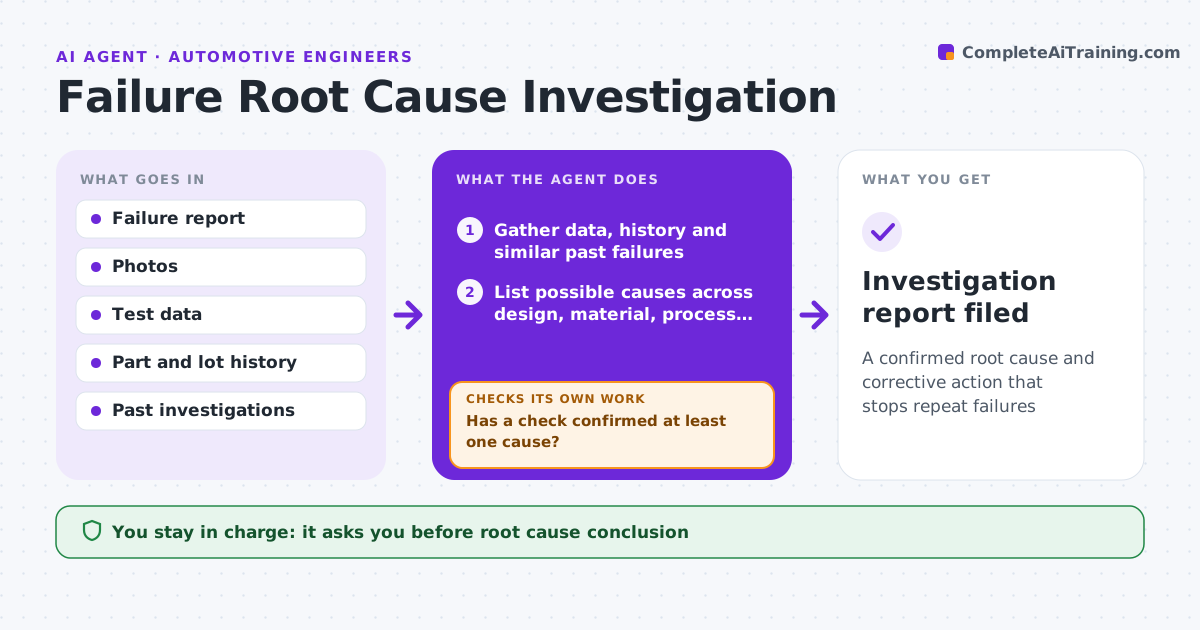
A confirmed root cause and corrective action that stops repeat failures
What it does
When parts fail, teams often fix the first likely cause and see the problem return. When a failure is reported, this agent gathers the failure description, photos, test data, part history and similar past failures. It builds a list of possible causes covering design, material, process, assembly and use. For each, it proposes a check that would confirm or rule it out, like a measurement or a lot comparison. As results come in, it updates the list. If no cause is confirmed, it widens the list and proposes new checks. Once a cause is confirmed, it drafts the corrective action and a follow-up check that the fix worked. The engineer approves every conclusion and action. Edge case: two causes found together are both addressed, not just the bigger one.
How it works
Follow the arrows from top to bottom. The orange dashed arrow is the loop: when a check fails, the agent goes back and tries again.
Read the steps as a list
- Failure reported
- Gather data, history and similar past failures
- List possible causes across design, material, process and use
- Propose checks to confirm or rule out each cause
- Has a check confirmed at least one cause?If not: widen the cause list and propose new checks. Back to step 3.
- Draft corrective action and verification
- Engineer approves root cause and actionsThe agent waits here for your OK.
- Investigation report filed
How it decides
A cause is confirmed only when a check reproduces or clearly explains the failure.
- No corrective action before a confirmed cause
- Compare failed lots with good lots
- Verify the fix with data
Make it yours
Every agent is a starting point. You choose these settings for your own situation.
- Cause categories
- Investigation format
- Similar failure search window
- Verification period
What keeps you in control
It always asks you first
- Root cause conclusion
- Corrective actions
Hard limits
- Never closes investigations itself
- Never contacts customers
It stops when
- Done: fix verified
- Stop: failure can't be reproduced after all checks, monitor
Set it up
We guide you through the set-up, step by step
Members get the full set-up guide for this agent. No technical skills needed: you copy, paste and upload.
- One set of instructions to paste into your AI, with the clicks for ChatGPT, Claude, Microsoft 365 Copilot, Gemini and Grok
- The agent then walks you through connecting your own data, one source at a time
- A downloadable copy with the flow chart, the rules and the full guide



