AI agent for mechanical engineers
Fatigue and Wear Life Check Agent
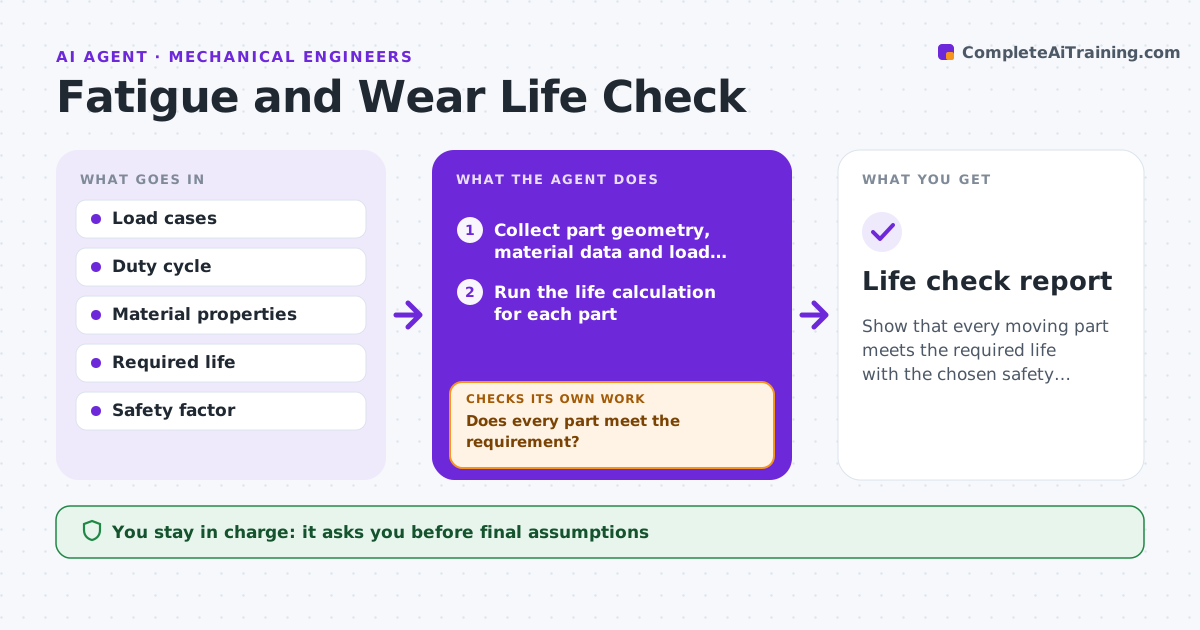
Show that every moving part meets the required life with the chosen safety factor.
What it does
Checking life for every moving part by hand takes days, so it happens late. This agent takes the load cases, duty cycle and material data, and runs standard life calculations for each part, such as bearing life, shaft fatigue and gear wear. It compares each result with the required life and your safety factor. For parts that fall short, it lists options such as a larger bearing, a better material or a lower load, and reruns the calculation for each. It keeps going until every part passes or no option remains. You approve the final assumptions. Edge case: a shaft passes at average load but fails at the shock case, and the agent flags the load case.
How it works
Follow the arrows from top to bottom. The orange dashed arrow is the loop: when a check fails, the agent goes back and tries again.
Read the steps as a list
- Load cases and duty cycle are set
- Collect part geometry, material data and load cases
- Run the life calculation for each part
- Compare each result with the required life and safety factor
- Does every part meet the requirement?If not: List failing parts with the governing load case. Back to step 4.
- List fix options for each failing part
- Rerun the calculation for each option
- Does the best option pass with the safety factor?If not: Try the next option or combine two changes. Back to step 3.
- Record assumptions and results for each part
- Engineer approves the final assumptionsThe agent waits here for your OK.
- Life check report
How it decides
It applies the governing load case for each part and uses the accepted standard method for each type. It picks the lowest-cost change that passes.
- Use the worst load case for each part
- Safety factor must be at least the project value (default 1.5)
- Prefer changes that do not alter other interfaces
- Flag any assumption without a source
Make it yours
Every agent is a starting point. You choose these settings for your own situation.
- Required life (hours or cycles)
- Safety factor (default 1.5)
- Standards applied
- Load case set
- Which parts are included
What keeps you in control
It always asks you first
- Final assumptions
- Any design change from the options
Hard limits
- Never replaces engineering judgment
- States every assumption
- Never changes the design itself
It stops when
- Done: all parts meet life and safety factor
- Stop: no option passes; the engineer decides on redesign
Set it up
We guide you through the set-up, step by step
Members get the full set-up guide for this agent. No technical skills needed: you copy, paste and upload.
- One set of instructions to paste into your AI, with the clicks for ChatGPT, Claude, Microsoft 365 Copilot, Gemini and Grok
- The agent then walks you through connecting your own data, one source at a time
- A downloadable copy with the flow chart, the rules and the full guide