AI agent for product managers
Feature Request Prioritization Agent
A ranked, evidence-based backlog ready for planning
What it does
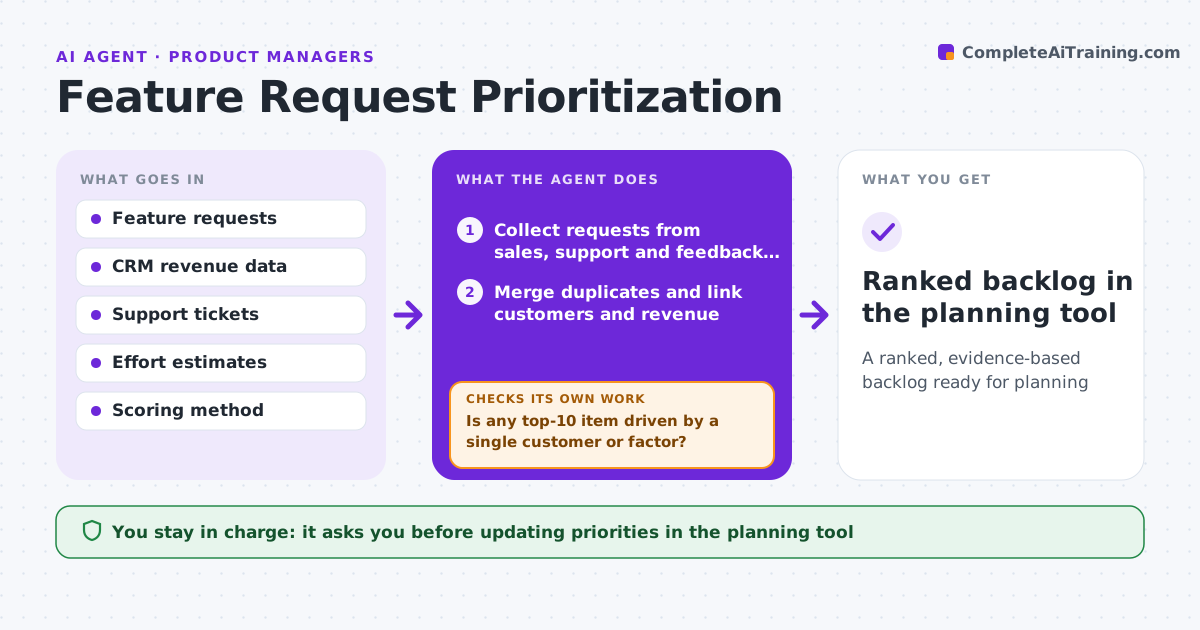
Requests arrive daily from sales, support and customers, and backlog priority often follows the loudest customer. This agent gathers requests, merges duplicates and links each to the customers and revenue behind it. Two requests that sound different but solve the same problem are proposed for merging. It applies the team's scoring method, such as reach, impact, confidence and effort, using real data where possible. When a score depends on a guess like effort, it asks the engineering lead for an estimate. It checks the ranked list for sense: if one big customer pushes a request to the top on a single factor, it flags it for discussion. The product manager approves the ranked list.
How it works
Follow the arrows from top to bottom. The orange dashed arrow is the loop: when a check fails, the agent goes back and tries again.
Read the steps as a list
- Planning cycle approaches
- Collect requests from sales, support and feedback tools
- Merge duplicates and link customers and revenue
- Request effort estimates for unscored items
- Score and rank requests
- Is any top-10 item driven by a single customer or factor?If not: flag for discussion and show the score without that factor. Back to step 5.
- Product manager approves the ranked listThe agent waits here for your OK.
- Ranked backlog in the planning tool
How it decides
It scores requests with the team's formula using linked evidence and flags any top item driven by one factor or one customer.
- Duplicates merged when they solve the same user problem
- Confidence lowered when evidence is one customer
- Missing effort estimates block a final score
Make it yours
Every agent is a starting point. You choose these settings for your own situation.
- Scoring formula and weights
- Sources of requests
- Planning cadence
- Single-customer threshold
What keeps you in control
It always asks you first
- Updating priorities in the planning tool
- Telling customers about timing
Hard limits
- Never promises delivery dates
- Does not edit roadmap commitments
It stops when
- Done: ranked list approved
- Stop: scoring method not agreed
Set it up
We guide you through the set-up, step by step
Members get the full set-up guide for this agent. No technical skills needed: you copy, paste and upload.
- One set of instructions to paste into your AI, with the clicks for ChatGPT, Claude, Microsoft 365 Copilot, Gemini and Grok
- The agent then walks you through connecting your own data, one source at a time
- A downloadable copy with the flow chart, the rules and the full guide