AI agent for ux researchers
Feedback Channel Mining Agent
A weekly list of new and growing usability problems from support and reviews, with evidence.
What it does
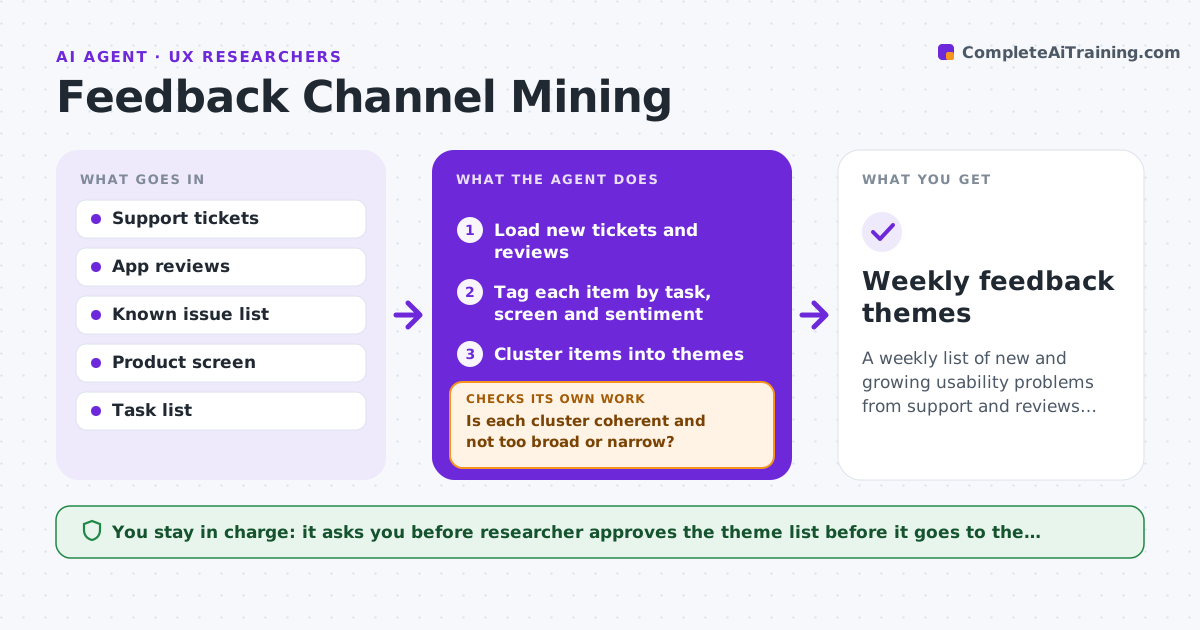
Your support team gets 400 tickets a week and your app store has hundreds of reviews, and nobody reads them for usability signals. This agent reads new tickets and reviews every week. It groups them by task and screen, compares clusters with known issues, and flags new themes with sample quotes. It checks theme size against ticket volume, so a few angry posts do not look like a trend, and merges or splits clusters when they are too broad or too narrow. You approve what goes to the product team. Edge case: a spike from a known outage is labeled as an incident and not a usability theme.
How it works
Follow the arrows from top to bottom. The orange dashed arrow is the loop: when a check fails, the agent goes back and tries again.
Read the steps as a list
- Weekly Friday run
- Load new tickets and reviews
- Tag each item by task, screen and sentiment
- Cluster items into themes
- Is each cluster coherent and not too broad or narrow?If not: Split or merge clusters and recheck. Back to step 3.
- Compare themes with known issues and incidents
- Measure theme size against total volume
- Pick sample quotes without personal data
- Does each reported theme meet the size threshold?If not: Drop it or add it to the watch list. Back to step 4.
- Researcher approves what goes to the product teamThe agent waits here for your OK.
- Weekly feedback themes
How it decides
A theme is reported when it appears in at least 10 items or 2% of volume and is not an already known issue or incident.
- Report a theme with at least 10 items or 2% of volume
- Label spikes from outages as incidents
- Remove personal data from quotes
- Put themes with 5 to 9 items on a watch list
Make it yours
Every agent is a starting point. You choose these settings for your own situation.
- Size threshold (default 10 items or 2%)
- Sources
- Product areas
- Report recipients
What keeps you in control
It always asks you first
- Researcher approves the theme list before it goes to the product team
Hard limits
- Never expose customer personal data
- Never reply to customers
It stops when
- Done: themes approved and sent
- Stop: data feed missing
Set it up
We guide you through the set-up, step by step
Members get the full set-up guide for this agent. No technical skills needed: you copy, paste and upload.
- One set of instructions to paste into your AI, with the clicks for ChatGPT, Claude, Microsoft 365 Copilot, Gemini and Grok
- The agent then walks you through connecting your own data, one source at a time
- A downloadable copy with the flow chart, the rules and the full guide