AI agent for community managers
Feedback Loop Closure Agent
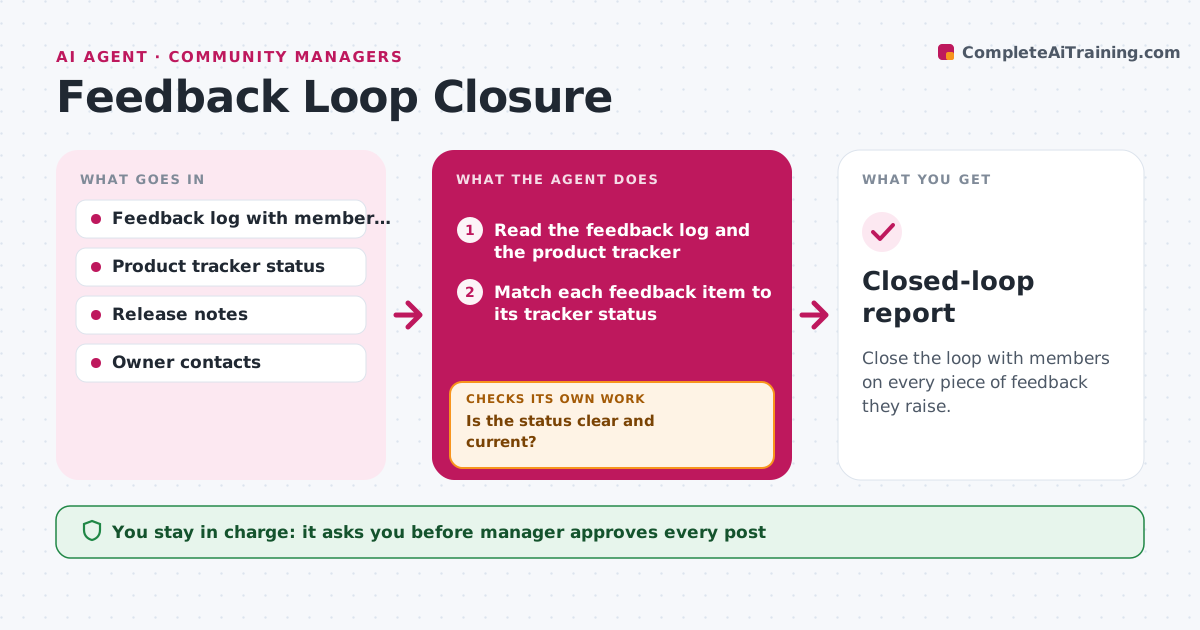
Close the loop with members on every piece of feedback they raise.
What it does
Members give feedback to the brand, and then nothing seems to happen, so they stop giving it. This agent tracks feedback items passed to the brand or product teams and checks their status in the tracker. It finds the members who raised each one, then drafts an update when something shipped or was declined, with a plain explanation. If the status is unclear, it asks the owner for it and waits for the answer. After the post goes out, it checks that the members were tagged and that follow-up questions are answered. The manager approves every post. Edge case: items under legal review are never discussed.
How it works
Follow the arrows from top to bottom. The orange dashed arrow is the loop: when a check fails, the agent goes back and tries again.
Read the steps as a list
- Weekly run
- Read the feedback log and the product tracker
- Match each feedback item to its tracker status
- Is the status clear and current?If not: ask the owner for an update and wait for the answer. Back to step 2.
- Find the members who raised each item
- Draft an update for shipped, planned and declined items
- Manager approves the postThe agent waits here for your OK.
- Post and tag the members
- Check replies and answer follow-up questions with drafts
- Closed-loop report
How it decides
It writes an update only for items with a clear status and asks the owner when a status is missing or old.
- Update an item within 7 days of it shipping
- Treat a status older than 60 days as unclear
- Explain declined items in one honest sentence
- Skip any item marked legal or confidential
Make it yours
Every agent is a starting point. You choose these settings for your own situation.
- Status age limit (default 60 days)
- Tracker and log used
- Post format
- Items excluded from updates
What keeps you in control
It always asks you first
- Manager approves every post
- Product owner approves statements about plans
Hard limits
- Never promises dates or features
- Never posts without approval
It stops when
- Done: updates posted and replies handled
- Stop: the product tracker is not updated
Set it up
We guide you through the set-up, step by step
Members get the full set-up guide for this agent. No technical skills needed: you copy, paste and upload.
- One set of instructions to paste into your AI, with the clicks for ChatGPT, Claude, Microsoft 365 Copilot, Gemini and Grok
- The agent then walks you through connecting your own data, one source at a time
- A downloadable copy with the flow chart, the rules and the full guide