AI agent for hardware engineers
Field Return Failure Analysis Agent
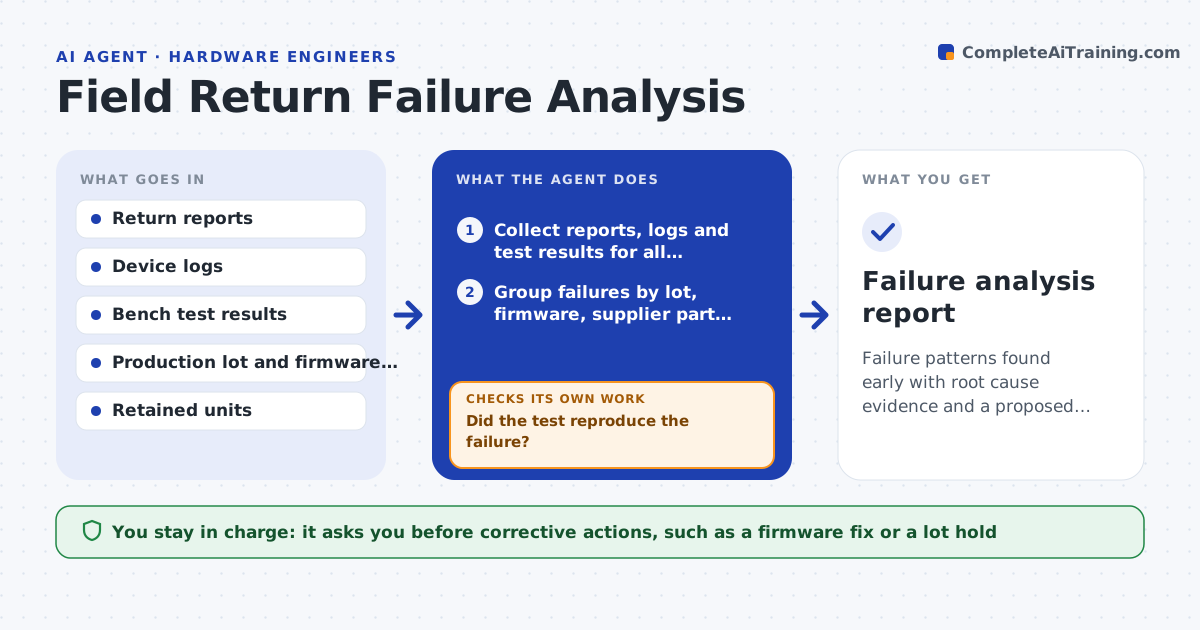
Failure patterns found early with root cause evidence and a proposed corrective action
What it does
Returned units arrive in ones and twos, and each is diagnosed on its own. This agent collects every return report with its logs and bench results, then groups failures by production lot, firmware version, supplier part, age and environment. It proposes hypotheses from the patterns, such as a capacitor lot or a firmware bug under cold starts. It then tests each hypothesis on retained units, for example by running a cold start test or inspecting a part, and records the result. It keeps track of which hypotheses are supported, rejected or still open. When the evidence is strong enough, it drafts a root cause summary and a corrective action. The engineer approves actions. Edge case: a cluster from a single customer site is checked for installation causes before blaming the product.
How it works
Follow the arrows from top to bottom. The orange dashed arrow is the loop: when a check fails, the agent goes back and tries again.
Read the steps as a list
- Return logged, weekly review begins
- Collect reports, logs and test results for all returns
- Group failures by lot, firmware, supplier part, age and site
- Propose hypotheses for each cluster
- Test the hypothesis on retained units
- Did the test reproduce the failure?If not: reject or revise the hypothesis and test the next one. Back to step 3.
- Test units outside the group as a control
- Do the control units pass?If not: widen the group and recheck the pattern. Back to step 4.
- Draft the root cause summary and corrective action
- Engineer approves the actionsThe agent waits here for your OK.
- Failure analysis report
How it decides
A hypothesis becomes a cause only when a test on retained units reproduces the failure and units outside the group do not fail.
- Open a pattern review when 3 returns share a lot or firmware
- Require a reproduced failure and a passing control
- Check installation conditions before blaming a cluster at one site
- Escalate immediately for any safety-related failure
Make it yours
Every agent is a starting point. You choose these settings for your own situation.
- Returns that start a pattern review (default 3)
- Grouping fields
- Control sample size (default 3)
- Safety-related failure list
What keeps you in control
It always asks you first
- Corrective actions, such as a firmware fix or a lot hold
- Any customer communication
Hard limits
- Never contacts customers or suppliers
- Never alters retained units in a way that destroys evidence without approval
It stops when
- Done: cause confirmed or hypotheses exhausted with notes
- Stop: no retained units to test
Set it up
We guide you through the set-up, step by step
Members get the full set-up guide for this agent. No technical skills needed: you copy, paste and upload.
- One set of instructions to paste into your AI, with the clicks for ChatGPT, Claude, Microsoft 365 Copilot, Gemini and Grok
- The agent then walks you through connecting your own data, one source at a time
- A downloadable copy with the flow chart, the rules and the full guide