AI agent for journalists
Financial Disclosure and Filing Cross-Check Agent
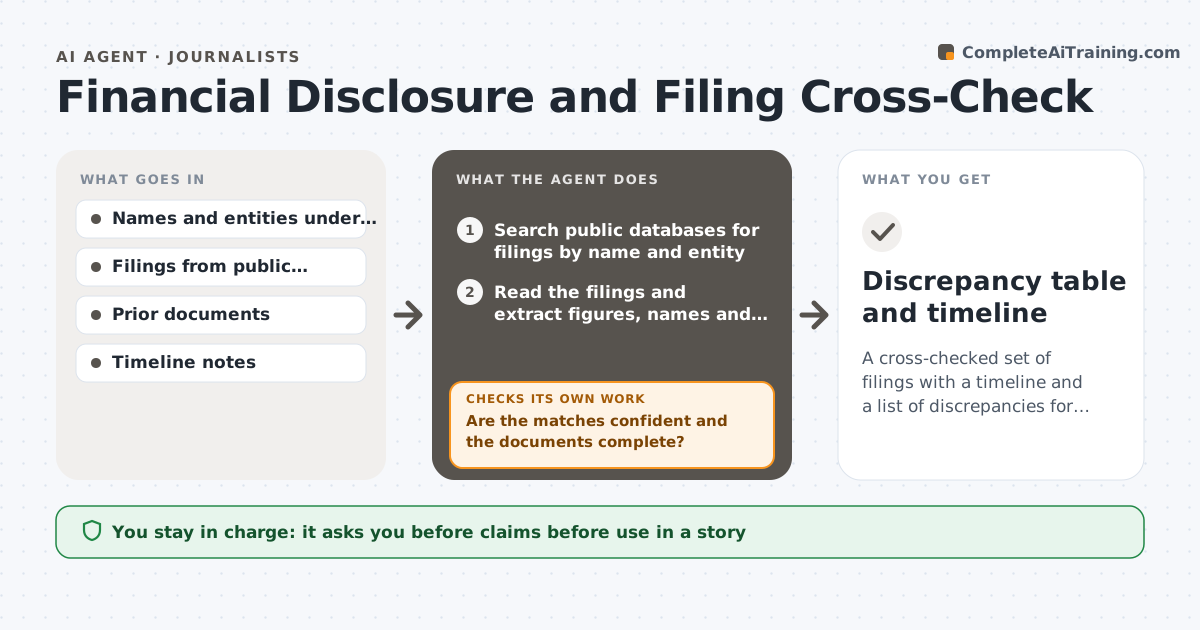
A cross-checked set of filings with a timeline and a list of discrepancies for the reporter to pursue
What it does
Reporters get a stack of filings and disclosures but rarely have time to compare them. This agent collects filings from public databases, such as company filings, ownership records and disclosures, and compares figures and names across documents. It flags discrepancies, such as a different address for the same company, mismatched totals or an owner missing from one filing. It builds a timeline. It requests the missing filings and rechecks. The reporter approves any claim before use. Edge case: two filings name the same person with different middle initials, so the agent flags a possible match rather than asserting one.
How it works
Follow the arrows from top to bottom. The orange dashed arrow is the loop: when a check fails, the agent goes back and tries again.
Read the steps as a list
- Reporter opens an investigation
- Search public databases for filings by name and entity
- Read the filings and extract figures, names and dates
- Match names and entities across documents
- Are the matches confident and the documents complete?If not: search for more filings and note possible matches. Back to step 3.
- Compare figures, flag discrepancies and build a dated timeline
- Request missing filings
- Do new filings resolve or add to the discrepancies?If not: update the table and timeline. Back to step 5.
- Draft the findings with sources
- Reporter approves each claim for useThe agent waits here for your OK.
- Discrepancy table and timeline
How it decides
A discrepancy is real when the same fact differs between two dated documents and name matching is confident.
- Match entities on name, address and registration number
- Label a name match as possible when only the name matches
- Flag a figure that differs by more than 5%
- Record the source and date for every claim
Make it yours
Every agent is a starting point. You choose these settings for your own situation.
- Databases searched
- Discrepancy threshold (default 5%)
- Entity matching rules
- Timeline format
What keeps you in control
It always asks you first
- Claims before use in a story
- Any contact with a subject
Hard limits
- Never states a possible match as fact
- Never contacts subjects
It stops when
- Done: all discrepancies sourced
- Stop: documents are unavailable
Set it up
We guide you through the set-up, step by step
Members get the full set-up guide for this agent. No technical skills needed: you copy, paste and upload.
- One set of instructions to paste into your AI, with the clicks for ChatGPT, Claude, Microsoft 365 Copilot, Gemini and Grok
- The agent then walks you through connecting your own data, one source at a time
- A downloadable copy with the flow chart, the rules and the full guide