AI agent for fleet managers
Fleet Preventive Maintenance Scheduling Agent
Every vehicle serviced on time with minimal downtime
What it does
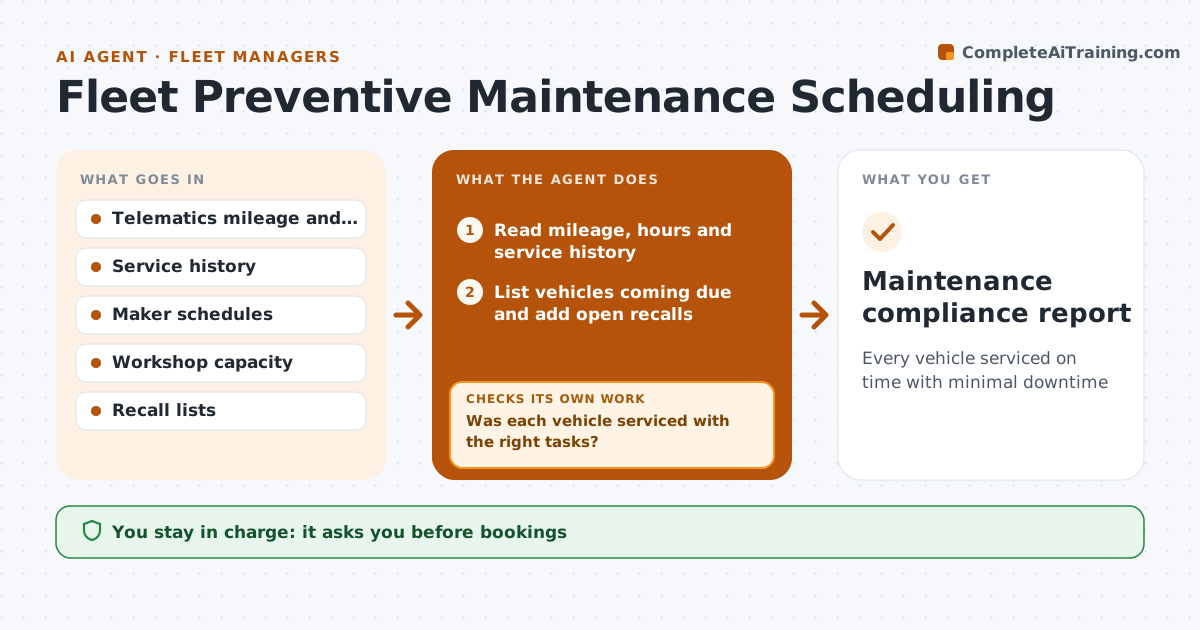
Each vehicle needs service by miles, engine hours or date, and missed services lead to breakdowns and voided warranties. With each daily telematics update, this agent reads mileage, hours and service history and lists vehicles within 10 percent of their next interval, whichever comes first. It adds any open recall repair to the same visit. It books workshop slots that avoid peak work days and drafts notices to drivers and supervisors. The fleet manager approves bookings that take vehicles off the road. After each service, it checks that the work order was closed with the right tasks. If a vehicle missed its slot or a task was skipped, it rebooks and flags repeated misses. Edge case: a vehicle whose telematics stopped reporting is flagged for a manual odometer reading instead of being assumed fine.
How it works
Follow the arrows from top to bottom. The orange dashed arrow is the loop: when a check fails, the agent goes back and tries again.
Read the steps as a list
- Daily telematics update
- Read mileage, hours and service history
- List vehicles coming due and add open recalls
- Book workshop slots and draft notices
- Fleet manager approves bookingsThe agent waits here for your OK.
- Check work orders after service
- Was each vehicle serviced with the right tasks?If not: rebook missed vehicles and flag repeat misses. Back to step 4.
- Maintenance compliance report
How it decides
A vehicle is due when it is within 10 percent of the next interval by miles, hours or date, whichever comes first.
- Whichever interval comes first
- Recalls are combined with services
- Peak work days are avoided
Make it yours
Every agent is a starting point. You choose these settings for your own situation.
- Due threshold (default 10 percent)
- Workshop slots
- Notice templates
- Peak days
What keeps you in control
It always asks you first
- Bookings
- Driver notices
Hard limits
- Never books outside shops without approval
- Never takes vehicles off the road itself
It stops when
- Done: all due vehicles serviced
- Stop: workshop capacity full for two weeks, propose an outside shop
Set it up
We guide you through the set-up, step by step
Members get the full set-up guide for this agent. No technical skills needed: you copy, paste and upload.
- One set of instructions to paste into your AI, with the clicks for ChatGPT, Claude, Microsoft 365 Copilot, Gemini and Grok
- The agent then walks you through connecting your own data, one source at a time
- A downloadable copy with the flow chart, the rules and the full guide