AI agent for benefits administrators
Flexible Spending Claim Substantiation Agent
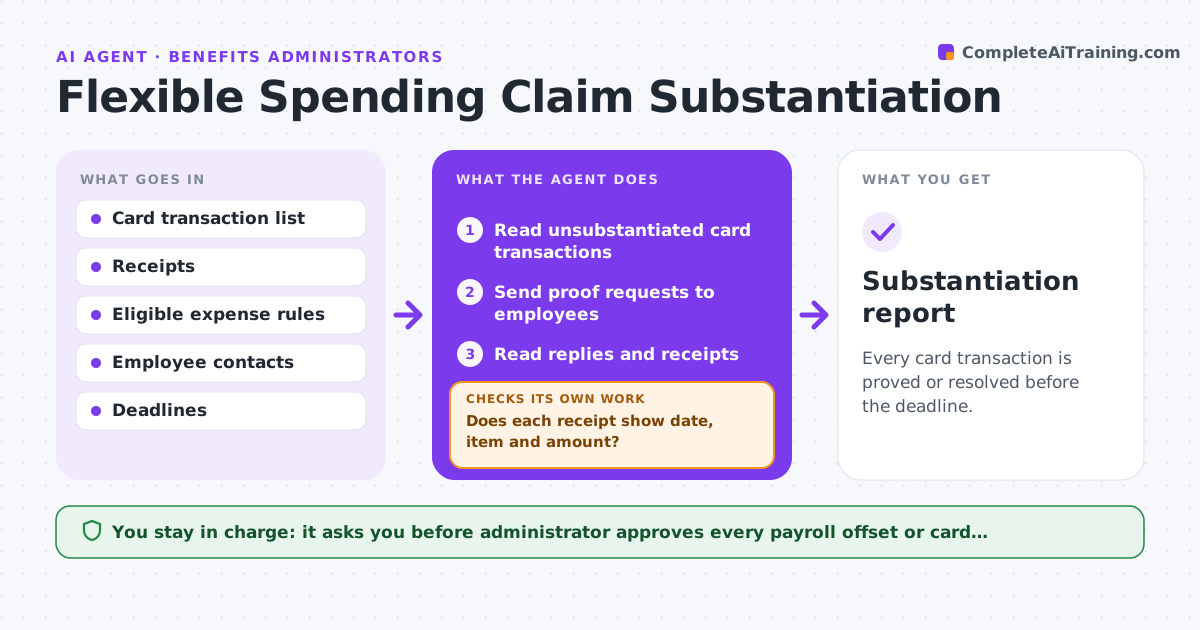
Every card transaction is proved or resolved before the deadline.
What it does
Card purchases need receipts or are denied, and employees ignore the requests. The agent lists unsubstantiated card transactions, requests proof from each employee, checks receipts against the eligible expense rules, and sends reminders on a schedule. It rechecks each reply, because a receipt may not show the date or item. Unresolved items are escalated before the deadline, with the dollar amount and the number of days left, so nobody is surprised by a suspended card. It keeps a running list of what has been proved, what is ineligible and what is still open. It never offsets pay itself. The administrator approves any payroll offset or card suspension. Edge case: a receipt for a drugstore purchase that mixes eligible and ineligible items.
How it works
Follow the arrows from top to bottom. The orange dashed arrow is the loop: when a check fails, the agent goes back and tries again.
Read the steps as a list
- Weekly run
- Read unsubstantiated card transactions
- Send proof requests to employees
- Read replies and receipts
- Does each receipt show date, item and amount?If not: Ask the employee for a better document. Back to step 3.
- Check the expense against the eligible rules
- Is the expense eligible?If not: Mark it ineligible and explain why. Back to step 5.
- Send reminders to those with no reply
- Escalate items close to the deadline
- Administrator approves payroll offset or card suspensionThe agent waits here for your OK.
- Substantiation report
How it decides
It accepts a receipt when the date, item, amount and provider match the transaction and the expense is on the eligible list.
- Reminder every 7 days
- Escalate 14 days before the deadline
- Split mixed receipts by item
- Never accept a card statement alone as proof
Make it yours
Every agent is a starting point. You choose these settings for your own situation.
- Reminder interval (default 7 days)
- Escalation days before the deadline (default 14)
- Eligible expense list
- Receipt rules
What keeps you in control
It always asks you first
- Administrator approves every payroll offset or card suspension
Hard limits
- Never suspend a card or offset pay itself
- Do not share one employee's details with another
It stops when
- Done: all items proved or resolved
- Stop: the employee disputes the decision and the administrator reviews
Set it up
We guide you through the set-up, step by step
Members get the full set-up guide for this agent. No technical skills needed: you copy, paste and upload.
- One set of instructions to paste into your AI, with the clicks for ChatGPT, Claude, Microsoft 365 Copilot, Gemini and Grok
- The agent then walks you through connecting your own data, one source at a time
- A downloadable copy with the flow chart, the rules and the full guide