
AI agent for social workers
Frequent Caller Follow-up Agent
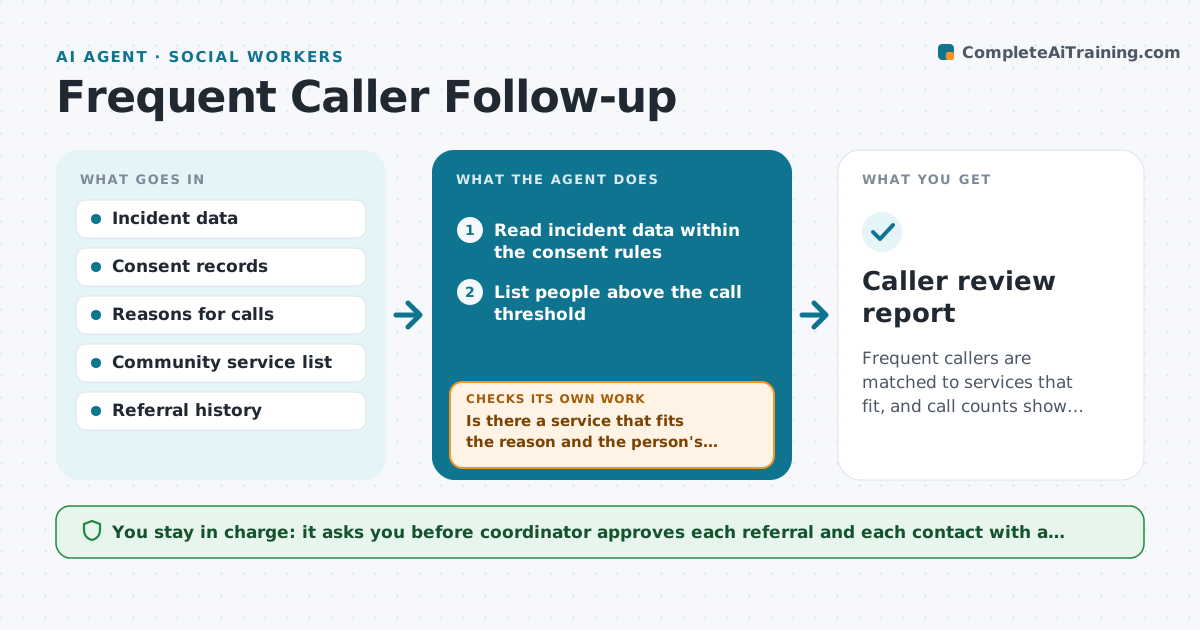
Frequent callers are matched to services that fit, and call counts show whether the plan worked.
What it does
A few people call emergency services many times for needs that other services could meet, and crews have no good way to see the pattern. The agent lists repeat callers from incident data, with the consent and privacy rules applied, and groups the reasons for calls, such as falls, loneliness or medication problems. It matches each person to community services that fit, such as a nurse line or home visits. After the plan is put in place, it checks later call counts to see whether the plan helped. A coordinator approves each referral and contact. Edge case: a caller who has moved to a new address with the same name.
How it works
Follow the arrows from top to bottom. The orange dashed arrow is the loop: when a check fails, the agent goes back and tries again.
Read the steps as a list
- Monthly caller review
- Read incident data within the consent rules
- List people above the call threshold
- Group the reasons for their calls
- Match each person to community services
- Is there a service that fits the reason and the person's area?If not: Search wider or flag as unmet need. Back to step 5.
- Coordinator approves each referralThe agent waits here for your OK.
- Send the referral and log the contact
- Read call counts for the next 60 days
- Did the number of calls drop?If not: Review the reasons again and propose a different service. Back to step 4.
- Caller review report
How it decides
It counts calls per person per month, groups reasons, and judges success by a drop in calls after a service started.
- Threshold is 5 calls in 30 days
- Use only data allowed by consent and policy
- Judge outcomes over 60 days
- Match by address and date of birth, not name alone
Make it yours
Every agent is a starting point. You choose these settings for your own situation.
- Call threshold (default 5 in 30 days)
- Services in the directory
- Outcome window (default 60 days)
- Consent rules to apply
What keeps you in control
It always asks you first
- Coordinator approves each referral and each contact with a person
Hard limits
- Never contact a person itself
- Do not share health details beyond the consent given
It stops when
- Done: referrals made and results reviewed
- Stop: a person is in crisis or at risk and the team responds directly
Set it up
We guide you through the set-up, step by step
Members get the full set-up guide for this agent. No technical skills needed: you copy, paste and upload.
- One set of instructions to paste into your AI, with the clicks for ChatGPT, Claude, Microsoft 365 Copilot, Gemini and Grok
- The agent then walks you through connecting your own data, one source at a time
- A downloadable copy with the flow chart, the rules and the full guide



