AI agent for game designers
Game Telemetry Funnel Agent
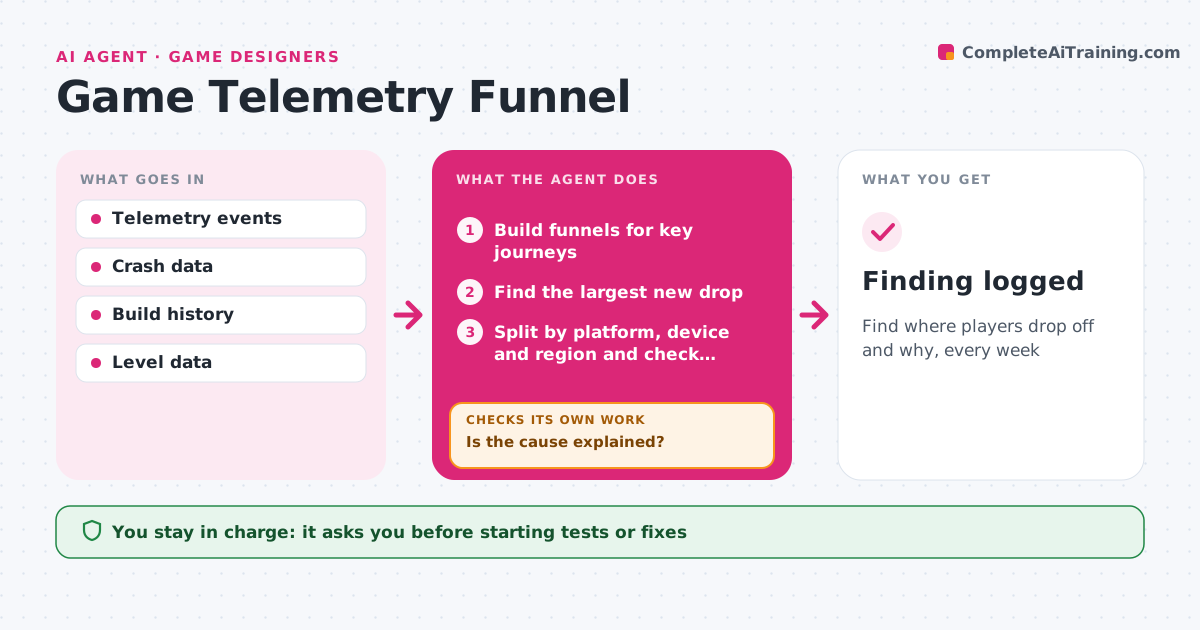
Find where players drop off and why, every week
What it does
Every build changes how players move through the game, but nobody has time to dig through dashboards each week. This agent builds funnels for key player journeys: tutorial completion, first session, first purchase, level progress and return days. It finds the step with the largest new drop compared with the previous build. It then splits that step by platform, device, region and player type, and checks technical causes first, such as crashes and load times. If a technical cause does not explain the drop, it looks at design causes like a difficulty spike, using level data. It drafts one clear finding with evidence and a suggested test, such as an A/B change. The team lead decides the next step. Edge case: a drop that only appears on low-memory phones points to performance rather than design.
How it works
Follow the arrows from top to bottom. The orange dashed arrow is the loop: when a check fails, the agent goes back and tries again.
Read the steps as a list
- Weekly review
- Build funnels for key journeys
- Find the largest new drop
- Split by platform, device and region and check crashes and load times
- Is the cause explained?If not: check level and difficulty data for design causes. Back to step 4.
- Draft finding and suggested test
- Team lead decides next stepsThe agent waits here for your OK.
- Finding logged
How it decides
It focuses on the largest new drop and rules out technical causes before design causes.
- Technical causes first
- Compare with the previous build
- One focus drop per week
Make it yours
Every agent is a starting point. You choose these settings for your own situation.
- Journeys tracked
- Splits
- Review day
- Report recipients
What keeps you in control
It always asks you first
- Starting tests or fixes
Hard limits
- Read-only data
- Never changes live config
It stops when
- Done: finding logged
- Stop: telemetry broken
Set it up
We guide you through the set-up, step by step
Members get the full set-up guide for this agent. No technical skills needed: you copy, paste and upload.
- One set of instructions to paste into your AI, with the clicks for ChatGPT, Claude, Microsoft 365 Copilot, Gemini and Grok
- The agent then walks you through connecting your own data, one source at a time
- A downloadable copy with the flow chart, the rules and the full guide