AI agent for structural engineers
Geotechnical Report Reconciliation Agent
Keep foundation drawings aligned with the geotechnical report as both change
What it does
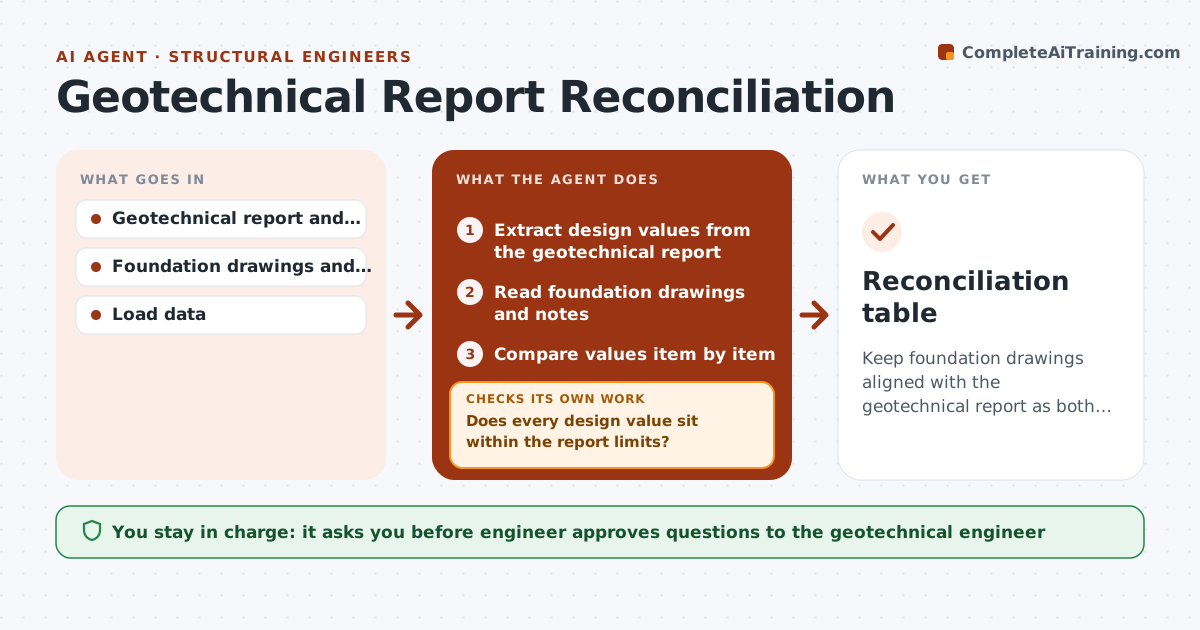
Design values slip away from the geotechnical report as drawings are revised. The agent extracts the recommendations from the report, such as allowable bearing pressure, foundation depth, groundwater and fill requirements. It compares each with the foundation drawings and notes, and lists any difference, such as a footing sized for a higher pressure. It drafts questions for the geotechnical engineer on items that are unclear or out of range. When a revision arrives, it rechecks the list and marks which items changed. The engineer approves all design changes and any question sent. Edge case: a revision lowers the footing depth by 12 inches, so the agent flags it against the frost depth in the report.
How it works
Follow the arrows from top to bottom. The orange dashed arrow is the loop: when a check fails, the agent goes back and tries again.
Read the steps as a list
- Drawing revision or report update
- Extract design values from the geotechnical report
- Read foundation drawings and notes
- Compare values item by item
- Does every design value sit within the report limits?If not: List the difference with the page reference. Back to step 3.
- Draft questions to the geotechnical engineer
- Engineer approves questions before they are sentThe agent waits here for your OK.
- Log answers and recompare the affected items
- Do all items now agree with the report or an approved exception?If not: Mark the remaining items and request a design change. Back to step 4.
- Engineer approves design changesThe agent waits here for your OK.
- Reconciliation table
How it decides
Each design value is checked against the report; any difference becomes a question until the geotechnical engineer confirms.
- Flag any bearing pressure above the report's allowable value
- Flag footing depth above or below the report's depth
- Flag notes that conflict with fill or drainage recommendations
- Rerun the check after every revision
Make it yours
Every agent is a starting point. You choose these settings for your own situation.
- Values to check (default bearing, depth, groundwater, fill)
- Tolerance for flagging
- Report addenda included
- Revision trigger
What keeps you in control
It always asks you first
- Engineer approves questions to the geotechnical engineer
- Engineer approves design changes
Hard limits
- Never change a design value
- Never send questions without approval
It stops when
- Done: all items agree or have a documented exception
- Stop: the report is missing a needed value
Set it up
We guide you through the set-up, step by step
Members get the full set-up guide for this agent. No technical skills needed: you copy, paste and upload.
- One set of instructions to paste into your AI, with the clicks for ChatGPT, Claude, Microsoft 365 Copilot, Gemini and Grok
- The agent then walks you through connecting your own data, one source at a time
- A downloadable copy with the flow chart, the rules and the full guide